Error when importing pysense/pytrack
-
I have a pytrack and a pysense (with a SiPy running 1.15.0.b1), and when running related examples pytrack and pysense, i have import errors.
For pysense:
Traceback (most recent call last):
File "sense.py", line 1, in <module>
ImportError: no module named 'pysense.Pysense'
For pytrack:
Traceback (most recent call last):
File "track.py", line 10, in <module>
ImportError: no module named 'L76GNSS'
Do you have any idea to fix this?
-
Hi @adrien3d
That tells you that your program can't find L76GNSS.py or pysense.py files it needs.Have you uploaded those files to your board? They should be placed under the lib/ folder
If you use Pymakr check if you those files are part of your project and you uploaded the project correctly
-
@jmarcelino You're right, rookie move, I had forgotten to include librairies, thanks ;)
-
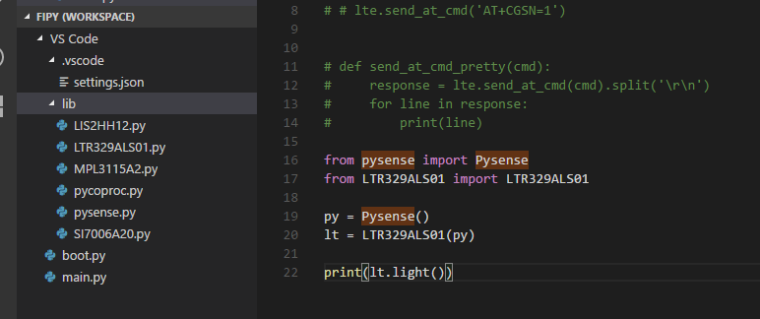
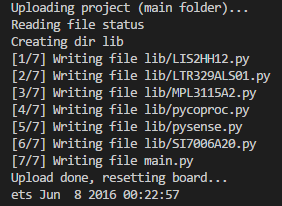
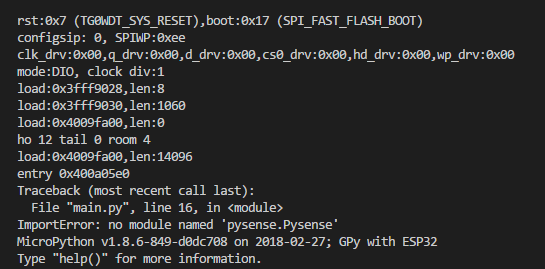
@jmarcelino I am having the same issue, however I am using a GPy. I have uploaded the files to the lib folder.
I've included a screen shot for proof the files are in the lib folder.
Not sure what the solution is?
-
can you try deleting all the existing files with
os.mkfs('/flash')and trying to upload again? -
@jmarcelino said in Error when importing pysense/pytrack:
os.mkfs('/flash')
That did the trick. Thank you.
-
I am getting the same error as above:
from pytrack import Pytrack
Traceback (most recent call last):
File "<stdin>", line 1, in <module>
ImportError: no module named 'pytrack.Pytrack'I am a total newbie so its probably something silly. I have uploaded the project including the files in the lib folder. Using Visual Studio Code and Pymakr.
If the solution is os.mkfs('/flash') how do I run this ? -
@Cormac You should be able to enter it in he Pymakr console. Remember to first write:
import osthen
os.mkfs('/flash')However i am not able to use the mkfs command, probably been replaced, but i can do:
os.fsformat('/flash')which does the trick!
-
@railmonitor Thank you I will give that a try
-
Sorry that I only got to this now.. I tried that in the Console after connecting and I get the same error when trying to use os.
Connecting to COM4...
import os
os.mkfs('/flash')
Traceback (most recent call last):
File "<stdin>", line 1, in <module>
AttributeError: 'module' object has no attribute 'mkfs'Cormac
-
@Cormac Yeah the mkfs method has been renamed or just removed. Use
os.fsformat('/flash')instead, as i also wrote in my previous post.
Hello! It looks like you're interested in this conversation, but you don't have an account yet.
Getting fed up of having to scroll through the same posts each visit? When you register for an account, you'll always come back to exactly where you were before, and choose to be notified of new replies (either via email, or push notification). You'll also be able to save bookmarks and upvote posts to show your appreciation to other community members.
With your input, this post could be even better 💗
Register Login