Sipy deepsleep shield and sigfox transmission
-
Hi,
I am trying to send a sigfox message using the sipy 1.0 deepsleep shield and a lipo battery. When connected to USB everything is working fine. But when using the lipo everything from the python side looks fine but I cannot get a message out to the sigfox backend.
I looked a bit deeper at the issue and it seems that below around 4,6V no messages are going out from the sipy.
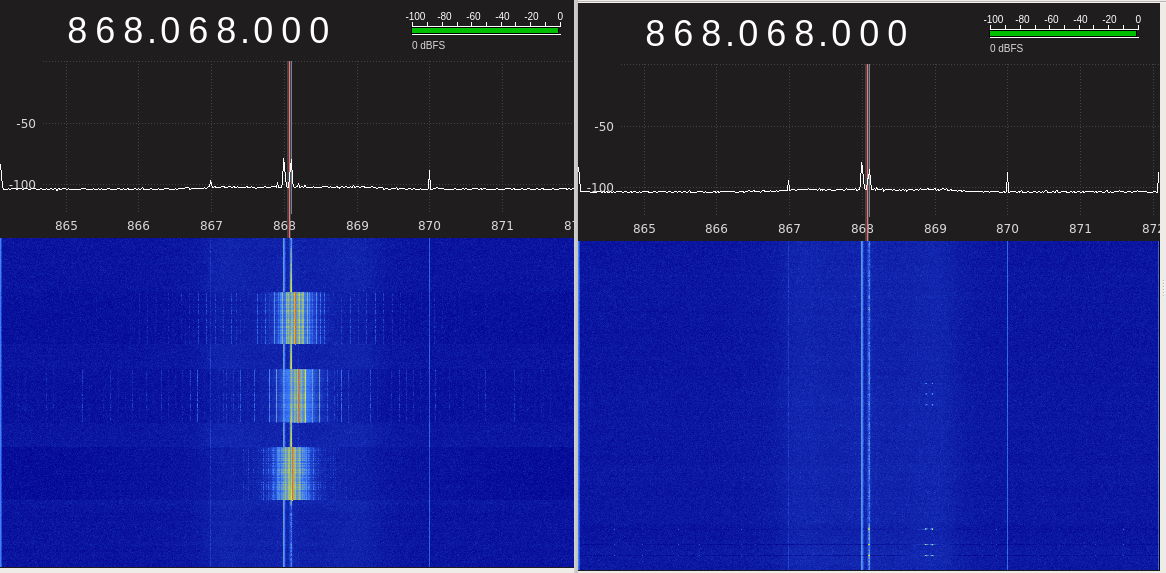
This is how the messages look on a spectrum analyser. The messages below 4,6V seem to be garbled.
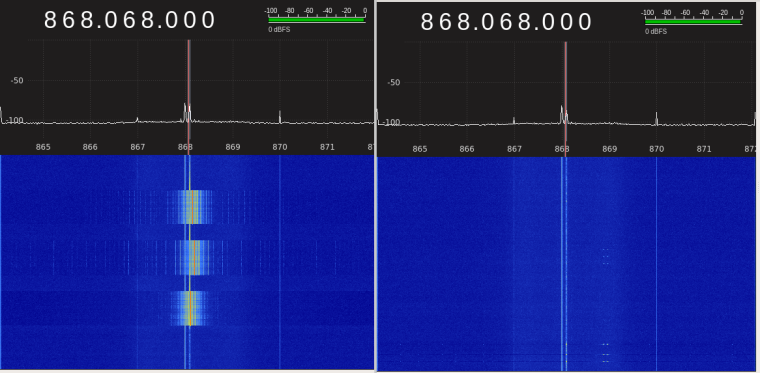
Can anyone confirm this. This would mean that the sipy is pretty much useless with a lipo battery ;-(. I just tried one module maybe I need to try another one.
Firmware version:
Pycom MicroPython 1.18.1.r1 [v1.8.6-849-b0520f1] on 2018-08-29; SiPy with ESP32cu
Christian -
Could you confirm this is an issue still in the 1.20rc builds. It should now be fixed :)
-
Is there a firmware released that I could try?
-
Hello @crasu
if you use the pycom firmware tool and select "development" in the type dropdown on the communication page instead of "stable" you'll flash the latest release candidate that should have a fix for this.
Hello! It looks like you're interested in this conversation, but you don't have an account yet.
Getting fed up of having to scroll through the same posts each visit? When you register for an account, you'll always come back to exactly where you were before, and choose to be notified of new replies (either via email, or push notification). You'll also be able to save bookmarks and upvote posts to show your appreciation to other community members.
With your input, this post could be even better 💗
Register Login