Display SSD1306 with lopy4 doesn't work

-
Hello,
I am trying to display something on an oled 1306 with lopy4, but it doesn't work.
I have try SPI with this librairie https://github.com/dmitryelj/LoPyI2CLCD.I have bought this piece on aliexpress: https://fr.aliexpress.com/item/1-3-inch-Blue-OLED-Module-SSD1106-Drive-IC-Compatible-with-SSD1306-IC-128-64-IIC/32655103082.html?spm=a2g0s.9042311.0.0.27426c37EFOTpR
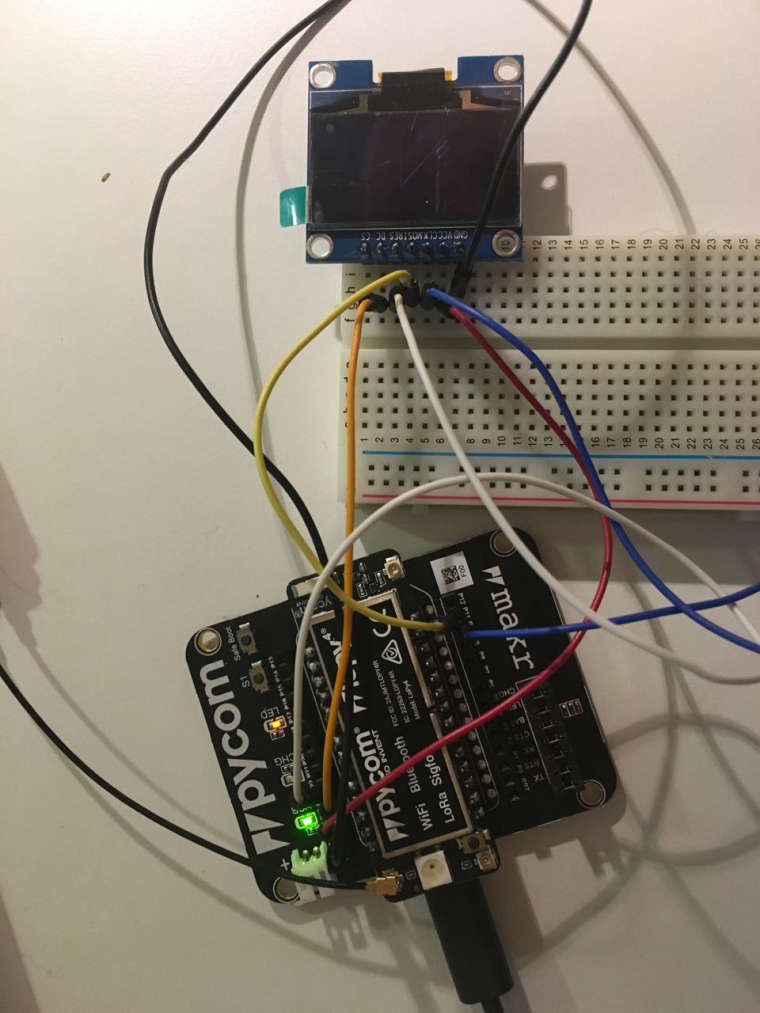
Any idea of what could be wrong ?
Code
f name == "main":
import sys, machine, osprint("Started") displayType = kDisplaySPI128x64 initialize(displayType) if isConnected(): set_contrast(255) # 1-255 displayOn() clearBuffer() addString(0, 0, sys.platform + " " + sys.version) addString(0, 1, "---") #addString(0, 2, "CPU: {} MHz".format(machine.freq()[0]/1000000)) #addString(0, 4, "Version: {}".format(os.uname().release)) addString(0, 5, "LoPy font test") addString(0, 6, "AaBbCcDdEeFfGgHhIi") addString(0, 7, "0123456789012345") drawBuffer() else: print("Error: LCD not found") print("Done") -
Do you see any errors in the console?
Does yours "test" string print out ok?or Is it simply that it wont display anything on the screen
-
@geda The device can be operate deither in SPI or I2C mode (soldered jumper at the back side). Did you check that it is SPI?
And it tells that it's a SSD1106 driver chip. I cannot find any data sheet for that. Could be an SH1106. For that one, I have a driver here, initially made for ESP8266. https://github.com/robert-hh/SH1106 -
@robert-hh , Yes I have check that the jumper is not soldered (spi mode). I did not work with your librarie as well, so give up and will order a new display.
Thanks for your help -
@paul-thornton no error display on the console and the display does not show anything. I give up with this module.

Hello! It looks like you're interested in this conversation, but you don't have an account yet.
Getting fed up of having to scroll through the same posts each visit? When you register for an account, you'll always come back to exactly where you were before, and choose to be notified of new replies (either via email, or push notification). You'll also be able to save bookmarks and upvote posts to show your appreciation to other community members.
With your input, this post could be even better 💗
Register Login