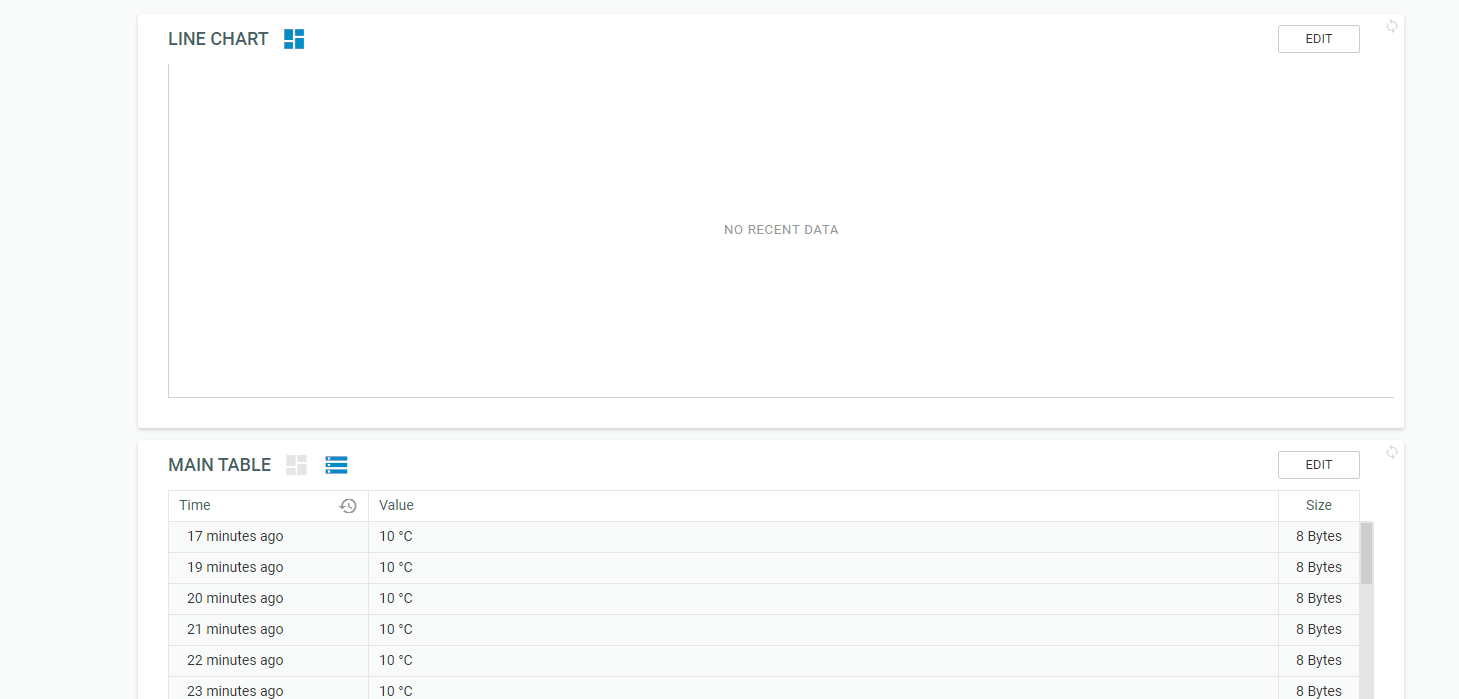
no data in line chart
-
I have a problem with pybytes where there is no data displayed in a line chart.
i have a couple of line graphs which don't get updated while the table is.
I made a new variable which is displayed as it should.
edit:
i just deleted the graph and made a new one and it shows the data alright. somewhere there is something going wrongedit2:
i started goofing around with some line chart settings and i think i found where the problem occurs.
the variable was about 25 times today and the last time before was 7 days ago. if i increase the pull size so that the data points from 7 days ago should be displayed it shows: no recent data.
-
Hi Eric,
I tried to replicate the problem here, but couldn't at this moment.If you found a workaround at this moment, it's good.
At this moment I would also recommend creating a signal with a signal_number which you haven't used previously.I saw that there's another issue (which I haven't tested much yet). if I increase a pull size to 100, the frontend will crash with a white screen. After browser reload graphs aren't showing any useful data.
-
@jirkakrepl
Hi,my signals do have a signal number
for now it works if there is no big difference(7 days) between the date of the data points.

-
@eric-waai we will take a look at this bug.
It would help us, if you can spot it again, to tell us how to reproduce it more easily.
You said that if there's one-week interval then it will fail. Maybe it can be broken also in another way... -
@jirkakrepl
today there is no data displayedthe last samples are from 3 days ago.
if i have a pull size of 20 it says no recent data.the best thing for me with those line graphs is to select the time scale and it plots al the data points in between.
Hello! It looks like you're interested in this conversation, but you don't have an account yet.
Getting fed up of having to scroll through the same posts each visit? When you register for an account, you'll always come back to exactly where you were before, and choose to be notified of new replies (either via email, or push notification). You'll also be able to save bookmarks and upvote posts to show your appreciation to other community members.
With your input, this post could be even better 💗
Register Login