• 0 Votes
    4 Posts
    56 Views
    P
    Hi @ahmadelmasri, Thanks for your answer. I'm using the one from Pycom (Vodafone). Ok, I will also send an email to pybytes@pycom.io.
  • PYBYTES and LTE/NB-IoT

    Support & Troubleshooting fipy pybytes wifi lte nb-iot
    2
    0 Votes
    2 Posts
    56 Views
    Åke ForslundÅ
    Hi, I'm running a gPy device on LTE against pybytes.pycom.io. The device has never been connected via wifi and is working fine. Things I have done: attached an external antenna replaced the LTE-controller firmware with one suitable for my region / provider
  • 0 Votes
    1 Posts
    29 Views
    No one has replied
  • WiFi on FiPy issues with Expansion Board 3

    Expansion Board pybytes
    7
    0 Votes
    7 Posts
    62 Views
    G
    We do not have schematics publically available for the Expansionboard 3, though I'm not completely sure what is/ is not working for you. You mention powering the Fipy directly in the expansionboard using the Vin header (right next to the battery connector i presume) with 3.3V? Then, you attached the USB cable, and the expansionboard got damaged? Could you verify the Fipy is receiving power on Vin, and generating 3.3V on the output, using the presumably broken expansionboard with a multimeter (of course without attaching the separate 3.3V supply). The mosfet you encircled is, if memory serves me correctly, the power switching mosfet, switching the power source between battery and USB, depending on which is connected, perhaps explaining why it is broken, as the 3.3V was backfeeding, though I would expect the USB voltage to overpower your 3.3V source. You also mention you're able to flash the PIC, does it then also show up on your computer as a COM port? Could you also let me know of the voltage on the Vin pin without the Fipy present? There is no way to disable USB power going to the Fipy, without doing some physical damage to the board (ie, remove one of the components or scratching a trace).

  • 0 Votes
    8 Posts
    186 Views
    A
    @Gijs This is what I get: >>> pybytes.smart_config(True) Smart Provisioning started in the background See https://docs.pycom.io/smart for details >>> Guru Meditation Error: Core 0 panic'ed (LoadProhibited). Exception was unhandled. Core 0 register dump: PC : 0x4015259c PS : 0x00060f30 A0 : 0x80152bff A1 : 0x3ffd3860 A2 : 0x00000000 A3 : 0x00000001 A4 : 0x3ffdfbbc A5 : 0x00000001 A6 : 0x000000fe A7 : 0x00000001 A8 : 0x800967f0 A9 : 0x3ffd3880 A10 : 0x00000003 A11 : 0x00060f23 A12 : 0x00060f20 A13 : 0x00000001 A14 : 0x000000fe A15 : 0x00000000 SAR : 0x00000020 EXCCAUSE: 0x0000001c EXCVADDR: 0x00000010 LBEG : 0x40094230 LEND : 0x4009425e LCOUNT : 0xffffffff ELF file SHA256: 0000000000000000000000000000000000000000000000000000000000000000 Backtrace: 0x4015259c:0x3ffd3860 0x40152bfc:0x3ffd38a0 0x401583ac:0x3ffd38d0 ================= CORE DUMP START ================= ================= CORE DUMP END ================= Rebooting... ets Jun 8 2016 00:22:57 rst:0xc (SW_CPU_RESET),boot:0x12 (SPI_FAST_FLASH_BOOT) configsip: 0, SPIWP:0xee clk_drv:0x00,q_drv:0x00,d_drv:0x00,cs0_drv:0x00,hd_drv:0x00,wp_drv:0x00 mode:DIO, clock div:1 load:0x3fff8020,len:8 load:0x3fff8028,len:2128 load:0x4009fa00,len:19760 entry 0x400a05bc It stays at this point until I reboot or something. And when I press reset it goes back to the loop problem.
  • Request. Helium integration in Pybytes

    Comments & Feedback pybytes helium
    1
    4 Votes
    1 Posts
    46 Views
    No one has replied
  • memory problems LoPy Pybytes

    LoPy lopy lora memoryerror pybytes
    3
    0 Votes
    3 Posts
    54 Views
    G
    Hi, As you see, the Lopy1 has 4MB of flash memory. All our newer products sport larger Flash memory as the firmware size is ever increasing with new features. The problem is that the files you are trying to upload will fill up the Flash to its maximum. You can either install one of the older (smaller) firmwares using the firmware updater tool, or do something with the mpy files. That is a pretty advanced procedure where you build your own firmware, there is some discussion around it in multiple places, I link one here: https://forum.pycom.io/topic/2686/requesting-manual-flashing-procedure/5?_=1597228804264
  • Ghost watchdog

    MicroPython watchdog pybytes micropython
    9
    0 Votes
    9 Posts
    89 Views
    T
    sadly it's the same... rst:0x7 (TG0WDT_SYS_RESET),boot:0x37 (SPI_FAST_FLASH_BOOT) configsip: 0, SPIWP:0xee clk_drv:0x00,q_drv:0x00,d_drv:0x00,cs0_drv:0x00,hd_drv:0x00,wp_drv:0x00 mode:DIO, clock div:1 load:0x3fff8020,len:8 load:0x3fff8028,len:2140 ho 0 tail 12 room 4 load:0x4009fa00,len:19760 entry 0x400a05bc
  • 0 Votes
    4 Posts
    491 Views
    J
    @tomstoffen I just briefly read your message. The first thing is TTN have their own fair use policy, so when sending a message every 5 seconds you will deplete your air time very soon. Depending on your payload size, you should be fine if you send a message every 15 minutes (that's what I've tested), maybe even every 5 minutes should be OK. from this page: https://www.thethingsnetwork.org/docs/lorawan/duty-cycle.html Finally, on The Things Network’s public community network, we have a Fair Access Policy that limits the uplink airtime to 30 seconds per day (24 hours) per node and the downlink messages to 10 messages per day (24 hours) per node. If you use a private network, these limits do not apply, but you still have to be compliant with the governmental and LoRaWAN limits.
  • 0 Votes
    4 Posts
    520 Views
    K
    @hayesey I am looking for a SIM card NB-IoT enabled in the UK. Could you let me know how you get your SIM card, or where I can find one please?
  • 0 Votes
    9 Posts
    792 Views
    E
    @Scott-Basgaard Well at the time I'm pretty sure you could download what was called the "pybytes" firmware and modify it accordingly (with the patch above). But this particular problem was sorted out in a later version of the built-in pybytes library, at least for me. FWIW, back then you had to set the dns server with socket.dnsserver() before you did from network import LTE.
  • no data in line chart

    Support & Troubleshooting pybytes
    5
    1
    0 Votes
    5 Posts
    483 Views
    E
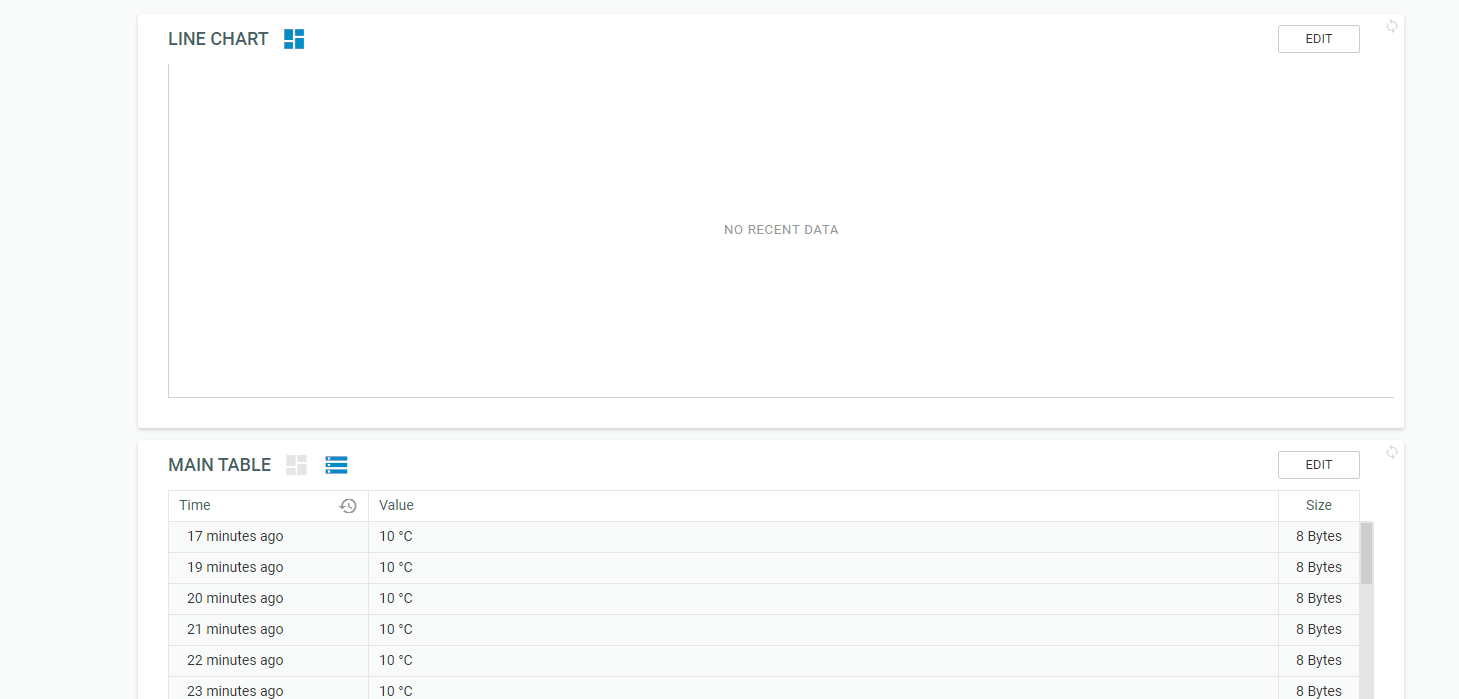
    @jirkakrepl today there is no data displayed the last samples are from 3 days ago. if i have a pull size of 20 it says no recent data. the best thing for me with those line graphs is to select the time scale and it plots al the data points in between.
  • 0 Votes
    3 Posts
    358 Views
    J
    @dnear1 We deployed the fix now
  • Add more WiFi networks

    FiPy wifi pybyte pybytes configuration fipy
    1
    0 Votes
    1 Posts
    316 Views
    No one has replied
  • 0 Votes
    2 Posts
    346 Views
    P
    Ive pointed the correct people at this thread. one of them should be able to answer soon :)
  • Pybytes release 21.1.2019

    Pinned Announcements & News pybytes release
    3
    1
    0 Votes
    3 Posts
    995 Views
    J
    Good point, I'll update the docs.
  • export data from pybytes

    Enhancements pybytes
    2
    0 Votes
    2 Posts
    615 Views
    P
    Heya, There is currently no system in place to export data. but one should be ready soon. Paul
  • 0 Votes
    9 Posts
    1k Views
    J
    @weingami Hi, I deployed hotfix and tested wifi, sigfox and lora connections. I correctly received the data. We need to test more things and there are a few more bugs, that we know and we're about to fix now.
  • Pybytes not being updated

    Support & Troubleshooting pybytes
    5
    0 Votes
    5 Posts
    593 Views
    P
    @cirobr glad that got it fixed for you. Not sure if it was a case of overload. More just having time to develop rate limiting that never existed previously.