LTE M1 cellular firmware updating to Gpy stucks, says, Waiting for updater to load...
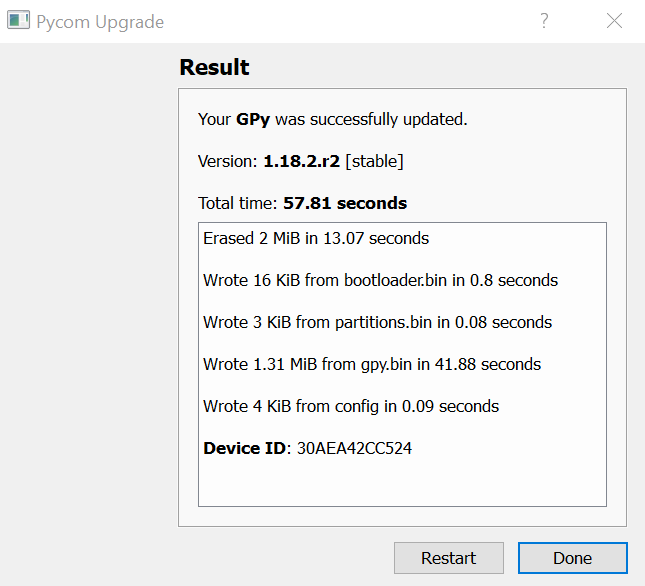


-
So it appears that after the upgrade these modems are constantly restarting. If I run the following:
import time
from network import LTE
lte = LTE()
time.sleep_ms(1000)
lte.attach(apn='hologram')

while lte.isattached() == False:
    r = lte.send_at_cmd("AT+CSQ").split('\r\n')
    print(r)
    time.sleep_ms(1000)

print("Attached!")
The output is as follows:
['', '+CSQ: 99,99', '', 'OK', '']
['']
['', '+SYSSTART', '']
['', '+CSQ: 99,99', '', 'OK', '']
['']
['', '+SYSSTART', '']
['', '+CSQ: 99,99', '', 'OK', '']
['']
['', '+SYSSTART', '']
['', '+CSQ: 99,99', '', 'OK', '']
['']
['', '+SYSSTART', '']
Note the SYSSTART every few seconds. Does this give anyone a clue as to what the issue is? I have tried downgrading the modem firmware. No luck. Same behavior. Then tried upgrading using the both the full .dup files and diff files. Nothing works.
-
@reidfo Hello I am having the same problem with my boards, where did you find the FW ? Have you tested the modem capabilities ? I meant have you manage to connect to the network of your cellular carrier. It's quite frustrating all this process.
-
@panda In the AT Commands Manual they said that is :
+SYSSTART URC indicates that the ME has started (or restarted after a
^RESET) and is ready to operate again.
+SHUTDOWN URC indicates that the ME has completed the reset procedure
and will restart.
The unsolicited command +SYSSTART is issued at each start or reboot. It
signals that the device is ready for operation. -
I just had it from before the latest was released. I have found some GPys work fine and others don't. Same sim, same firmware, same code. But different results. I have a ticket with Pycom but still no word on this. I have 75 units sitting here waiting to be updated.
-
@borbonjuggler I saw that too but on modules that work I dont see this. Only on the modules that will not attach. They are also unable to see towers. I question if it is actually scanning.
-
Most of my modules (GPy) will not attach. Some will only on AT&T, some only on Verizon, some not at all. I have tried multiple Cat-M carriers but have not had any reproducible success. Support ticket and questions here remain unanswered.
-
@reidfo You are right. I solved that issue a couple of days ago by downgrading the Pycom firmware to 1.18.2 (Fipy). Cause, I have had similar problem with Fipy as well. So, the latest firmware is broken!
Attention to @panda @BorbonJugglerFor Gpy: Firmware Gpy
For Fipy: Firmware Fipy -
I still believe my issues are related to the modem and not the Pycom firmware. I have already tried downgrading with no success. On the modules I have that work they connect reliably.
-
Pycom was very helpful today and we determined that the modem is crashing when attaching. We determined this by looking at the debug output directly from the modem (soldering required).
At this point the only criteria to render a modem as non-functional is to perform a firmware update from the default 33080. Still not clear what is specific to this batch of GPys I have that this is an issue. Hardware related? Sequeans firmware issue? Still not clear. I have GPy modules purchased last year and they are fine.
I would be happy to use the default 33080 if I could, but I have no connection stability and excess module heat running the older firmware.
-
@panda Have you had any further progress on this? I haven't seen anything from Pycom on this issue. Your post finally seems to confirm the behavior I am seeing. This and the enormous power consumption by GPy/Expansion board has me investigating modules from another manufacturer.
-
@reidfo The issue is that an unsupported band is being used by the modem and causes it to crash and reboot. It's a bit more involved but that is the gist. I got a revised firmware that appears to have resolved it. I suppose I could PM the fw. Not sure if pycom would frown upon sharing. I would expect this is resolved in the next release after 1.18.2.r3.
Hello! It looks like you're interested in this conversation, but you don't have an account yet.
Getting fed up of having to scroll through the same posts each visit? When you register for an account, you'll always come back to exactly where you were before, and choose to be notified of new replies (either via email, or push notification). You'll also be able to save bookmarks and upvote posts to show your appreciation to other community members.
With your input, this post could be even better 💗
Register Login