pymakr is gone
-
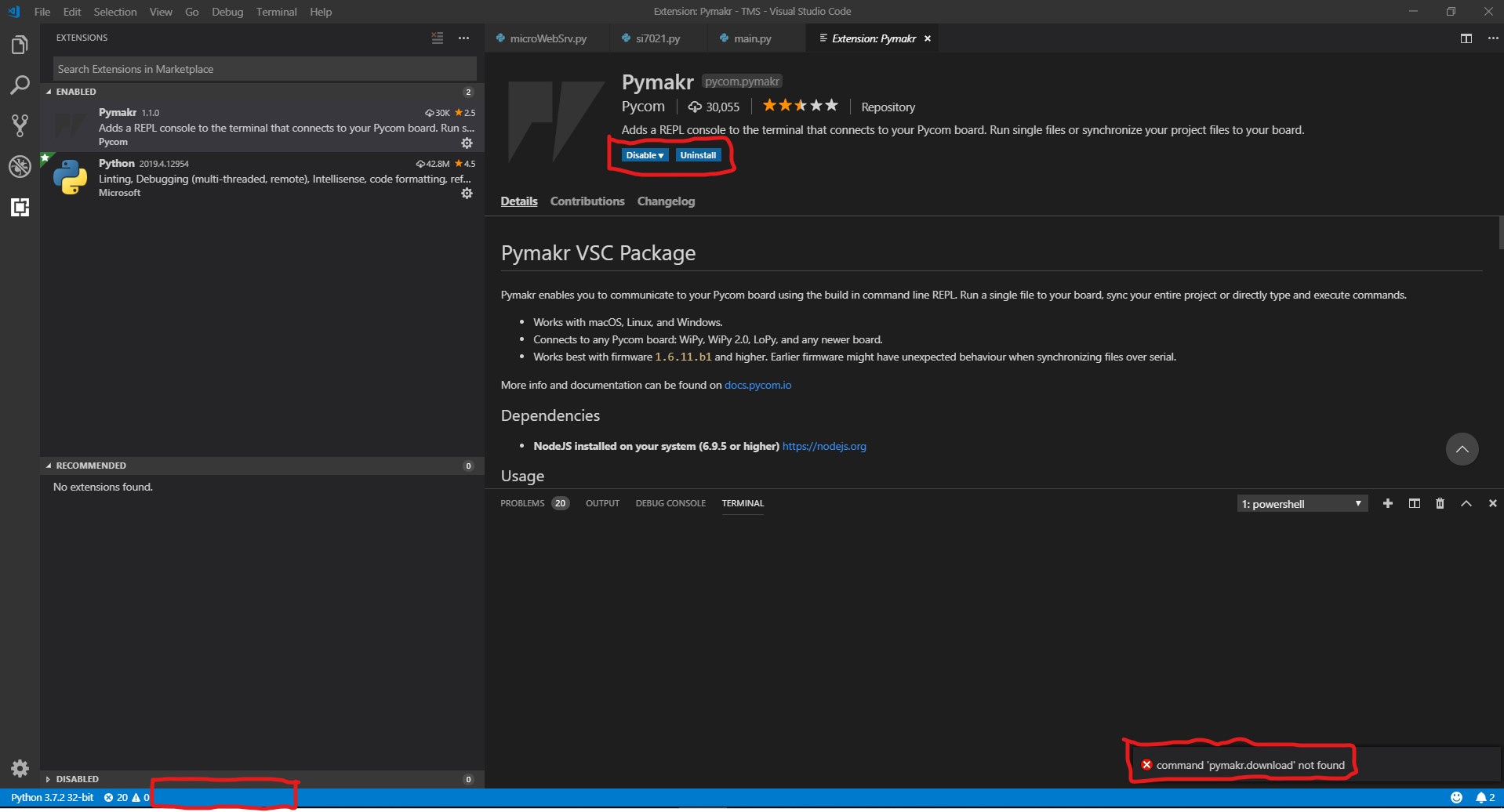
Hello there,
I don't know what to do. My pymakr plugin is installed, but looks like it's gone.
Can't select the terminal window (python is gone also I am not sure is it relaited), not in the dropdown, and can't run the commands.
I should continue my work, but I struggling with my this bug. Please help me.My versions:
Version: 1.33.1 (user setup)
Commit: 51b0b28134d51361cf996d2f0a1c698247aeabd8
Date: 2019-04-11T08:27:14.102Z
Electron: 3.1.6
Chrome: 66.0.3359.181
Node.js: 10.2.0
V8: 6.6.346.32
OS: Windows_NT x64 10.0.17763 -
@tttadam There is an ongoing issue with pymakr:
https://github.com/pycom/pymakr-vsc/issues/42
I've solved temporalily installing 1.0.7 version
-
Thanks, that solved it.
(Should ask first next time, I even reinstalled my pc... ) -
It's worth mentioning that you should turn off "Extensions: Auto Update" or it'll automatically put 1.1.0 back! This is also probably why it suddenly happened in the first place. I had to to restart VS Code once I changed this setting too, as it still auto updated a couple of times for me, before I did.
(Preferences > Settings > Features > Extension Viewlet > Auto Update (can also search for auto update to get to this)
Hello! It looks like you're interested in this conversation, but you don't have an account yet.
Getting fed up of having to scroll through the same posts each visit? When you register for an account, you'll always come back to exactly where you were before, and choose to be notified of new replies (either via email, or push notification). You'll also be able to save bookmarks and upvote posts to show your appreciation to other community members.
With your input, this post could be even better 💗
Register Login