Lopy with pytrack, how connect/use GPS?
-
Hi, the first comment, it's about apologizing for my low level of language.
Well said that, I reciently work with lopy by pycom model: 1.0r and pytrack expansion board. I could not find the necessary information to get to know how to use the GPS chip on the board.
I have the lopy chip connected to the board and it is to the pc with windows 10 and Atom running and connected to the board. I can program the led's to turn them on, turn them off and change them with the "pycom" library.
I have also managed to send messages with LoRa.
But the GPS nothing. I have tried some examples that indicated to import the library 'L76GNSS' But it does not work for me. I'm not sure if because it is not done that way or because the GPS chip on my plate was different. His name is: L76LNR01A0SC.Anyway, I would be very grateful if someone could give me an example to work with this GPS chip and programming examples of how to obtain the current location.
Thanks, greetings in advance.!

-
@zceld
here you have examples
https://github.com/pycom/pycom-libraries
especially:
https://github.com/pycom/pycom-libraries/tree/master/pytrackbut first you must update firmware of pytrak board:
https://forum.pycom.io/topic/2286/new-firmware-release-for-pytrack-and-pysense-version-0-0-8/12and also update firmware of Lopy:
https://pycom.io/downloads/#firmware-upgrades -
Thank you very much for your quick response. The links that you have passed me, I had seen and tested them. I already updated the firmware, the problem is that I do not know how it is done or something fails me. Because for example when I run this:
https://github.com/pycom/pycom-libraries/blob/master/pytrack/main.py
Line 10 already gives me failure to import that library -
@zceld
Did you copy all files also from lib folder into lib folder on your lopy flash?
https://github.com/pycom/pycom-libraries/tree/master/pytrack/lib
structure on flash should be:/flash main.py /lib L76GNSS.py LIS2HH12.py pytrack.py -
@zceld said in Lopy with pytrack, how connect/use GPS?:
the problem is that I do not know how it is done or something fails me. Because for example when I run this:
Have a look in the example:
you have to get an instance of the libraries object and initilaize it.
The timer is mportant, so if you ask for a coordinate and you are at a place where you cannot receive signals, your program continous.py = Pytrack() l76 = L76GNSS(py, timeout=30) chrono = Timer.Chrono() chrono.start()Than you simply call this function
coord = l76.coordinates()which returns a tupel with the coordinate. If you get not enough signals inbetween 30 seconds it will return (null, null). So at best you go outside on a sunny day on an iopen field or you place the pytrack at a window and hope for the best.
Sometimes it fails on a LoPy. The example (the library is an example as well) do a lot of string manipulation which uses a lot of RAM. The LoPy has not much of it. So you will run every now and than in an out of memory problem. So either you look into the library how you communicate with the GNSS chip and write your own library, or you reduce the string size used in the library. I think @livius dicovered the string length which will work. LoPys will have around 30-64kB free RAM after booting with the pytrack library. Newer versions with 3MB shall not run into this problem during boot.
But all this is wild guessing. Please provide us more details about the failures ;)
-
@livius
First thank you again, but I put your patience to the test again.I have managed to upload the libraries that L76GNSS.py and pytrack.py in their respective directory. That has already cost me a lot since I did not let myself use the shutil library.
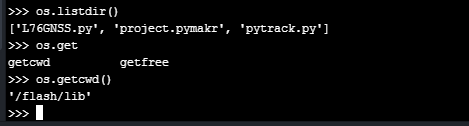
Anyway, having done this, I tried some example codes to connect with the GPS and now it gives me a memory error.
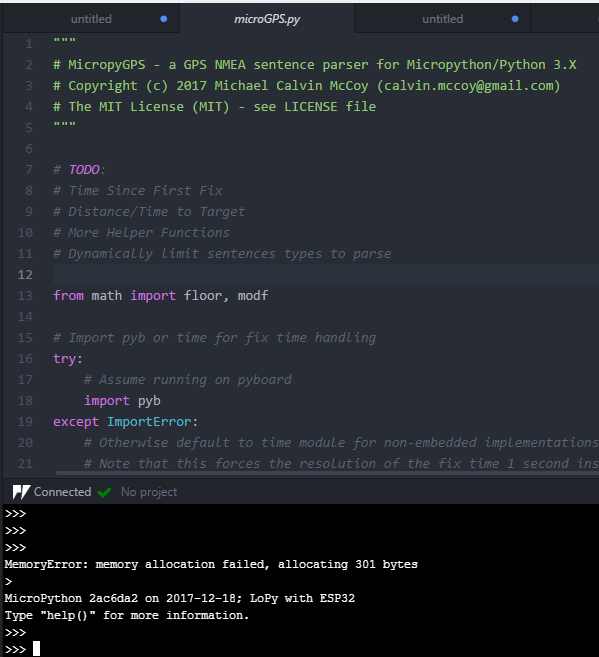
This is the executed file: https://github.com/inmcm/micropyGPS/blob/master/micropyGPS.py!alt text(/assets/uploads/files/1516035348953-3.png)
-
I also tried to execute this code and it gives me an error.
but I do not know what it means?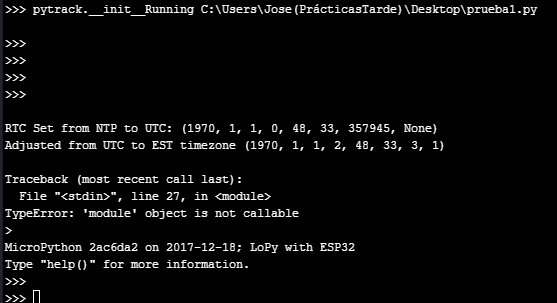
code: prueba1.py
-
That has already cost me a lot since I did not let myself use the shutil library
I do not use it self then can not talking if it is easy ;-)
but - try to use modified file
L76GNSS.py
https://github.com/pycom/pycom-libraries/pull/43/filesI also tried to execute this code and it gives me an error.
but I do not know what it means?change
from L76GNSS import L76GNSStoimport L76GNSS
and also
l76 = L76GNSS(py, timeout=30)tol76 = L76GNSS.L76GNSS(py, timeout=30) -
@zceld is the micropythnGPS library written for the pytrack? First lines of your screenshot let me assume that it was written for another board. So if you cannot simply configure it to use the pytrack, you have to rewrite some parts.
You should not use L76Gnss.py and this MicropythonGPS library at the same time. They may not interfere each other, but compiling them will need some RAM, which you need for other stuff.
-
You also now have to include the pycoproc.py file from here: https://github.com/pycom/pycom-libraries/tree/master/lib/pycoproc
This contains common code between the pysense and pytrack and was refactored into its own library to reduce duplication of code.
-
@crumble Hi, thanks for your recommendations. I really do not know how micropyGPS is for my chip which is a pycom Lopey 1.0 with the pytrack board. I am new in this world of plates. Then use both libraries I do not think it happens, because at the moment my procedure to prove it is having the board connected by USB to ATOM executing code like the one that I attached "micropyGPS" with the hope of obtaining coordinates. I have added in the directory '/ lib' the files L76GNSS.py, pycoproc.py and Pytrack.py. I understand that I complete the necessary libraries to get coordinates with the GPS chip, right? So now I would have to do a small program that connects with the GPS chip and get the coordinates of the location.
-
@seb I have already added the file to the directori '/ lib' now I would need to know how to get the gps position using the libraries.
-
Good afternoon, I followed your steps to the detail.
I have updated the pytrack.
I updated the pycom Lopy.
I have added the libraries within the directory '/ lib' as they are in this post:https://github.com/pycom/pycom-libraries/tree/master/pytrack
Then the main file has not been modified because I run it from Atom connected by usb and execute it like this:
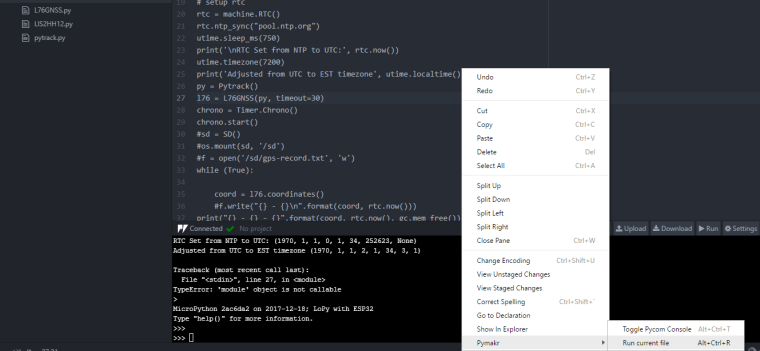
this main.py : 0_1516121243856_main1.py
The original is extracted from here:
https://github.com/pycom/pycom-libraries/blob/master/pytrack/main.pybut modifying the lines 8,10,11;
He always tells me the same thing:
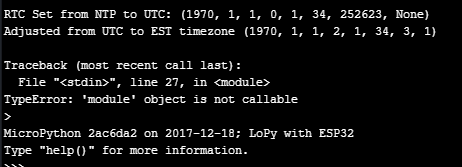
I run out of ideas to make it work. :-(
-
@zceld said in Lopy with pytrack, how connect/use GPS?:
https://github.com/pycom/pycom-libraries/blob/master/pytrack/main.py
Here is a simplified version of that main.py file, does this work for you:
import time from L76GNSS import L76GNSS from pytrack import Pytrack py = Pytrack() l76 = L76GNSS(py, timeout=30) while (True): coord = l76.coordinates() print(coord) time.sleep(1) -
I'm sorry, but it does not work:
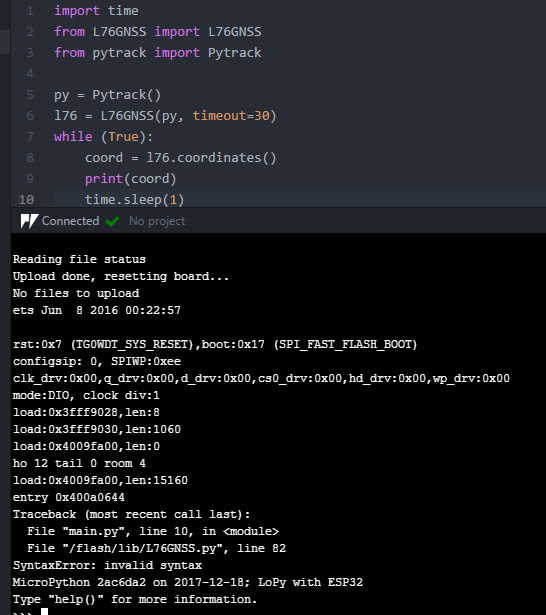
-
@zceld said in Lopy with pytrack, how connect/use GPS?:
but modifying the lines 8,10,11;
why do you modified those lines?
better change this:
https://github.com/pycom/pycom-libraries/pull/43/files -
@livius said in Lopy with pytrack, how connect/use GPS?:
why do you modified those lines?
better change this:Just remove them for testing because with the original I get this another error:
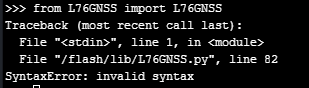
The suggested change is to add the 'if' no?
It would be like this the file I suppose:
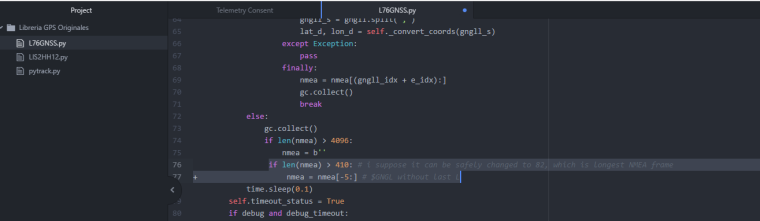
-
That error means that there is something wrong with
/flash/lib/L76GNSS.py, Can you please reformat your device by running the following in the REPL:import os os.mkfs('/flash')And then download a fresh copy of all the files from git to make sure they are not currupt, you should have:
main.py
lib/L76GNSS.py
lib/pytrack.py
lib/pycoproc.py -
@zceld
go to advice provided by @seb (remember that this clear your device flash completly)
and if you need to usemicroGPS.py
then you need to change line inL76GNSS.pynmea += self._read().lstrip(b'\n\n').rstrip(b'\n\n')and feed microGPS object with chars from nmea e.g.
create first microGPS object somwhere in the file `L76GNSS.py` that it will be accessible (best is add it as property) mgps = MicropyGPS() ..... nmea = self._read().lstrip(b'\n\n').rstrip(b'\n\n') for c in nmea: sentence = mgps.update(c) if sentence: do_something_here -
@seb
Hello again!I followed your steps and used 'os.mkfs (' / flash ')'
I have copied again the codes of the page:
https://github.com/pycom/pycom-libraries/tree/master/pytrack/libFrom here I copied the three files and also the main.
I tried to run and this error came out:
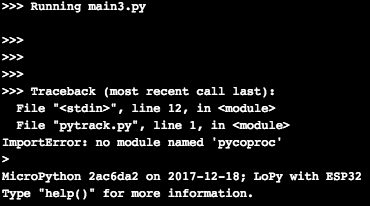
So I went to download that library to see if that solved that.
I copied it from here:
https://github.com/pycom/pycom-libraries/tree/master/lib/pycoprocI have uploaded the library to the device and that problem seems to have
been solved.
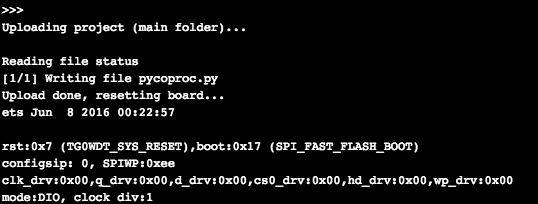
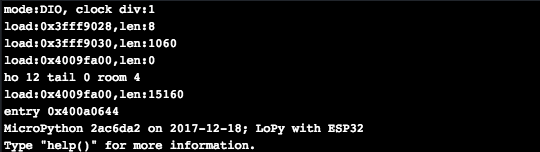
Then he stopped in the following:
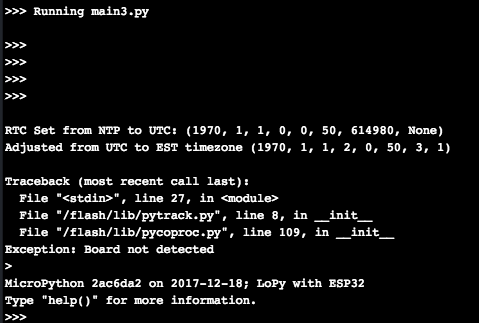
There is something that I do not understand or that I do not do well, I do not think it is so difficult. Therefore I wanted to try to execute the code directly in the Atom console so following the example that you have put me:
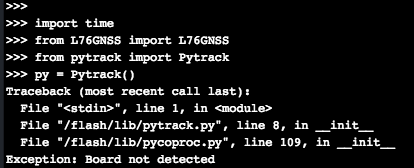
and neither.So, I do not know what exactly each program is for. That is to say for example this file:
https://github.com/pycom/pycom-libraries/blob/master/pytrack/main.pyI understand that it serves to run from Atom and I print on screen the data obtained from the GPS module ?. It would be more or less what I'm looking for since what I need is for this plate to be carried by a vehicle and while it is on, keep the GPS position every 30 seconds.
For example, the microGPS file does not know what it is for. I was just testing everything I found to refer to the GPS to see if I could get data.
But I have to admit that I'm stuck. I do not know what I do wrong or what else to try.



Hello! It looks like you're interested in this conversation, but you don't have an account yet.
Getting fed up of having to scroll through the same posts each visit? When you register for an account, you'll always come back to exactly where you were before, and choose to be notified of new replies (either via email, or push notification). You'll also be able to save bookmarks and upvote posts to show your appreciation to other community members.
With your input, this post could be even better 💗
Register Login