Lopy with pytrack, how connect/use GPS?
-
Well no, I just ran microGPS as if it were the main. So you want to say that microGPS is a library and that to give me the coordinates I should develop a code like this one but with the library 'microGPS'?
Example code:
import machine import math import network import os import time import utime import pycom from machine import RTC from machine import SD from machine import Timer from L76GNSS import L76GNSS from pytrack import Pytrack #send with LoRa: from network import LoRa import socket lora = LoRa(mode=LoRa.LORA) s = socket.socket(socket.AF_LORA, socket.SOCK_RAW) # setup as a station import gc gc.enable() # setup rtc rtc = machine.RTC() rtc.ntp_sync("pool.ntp.org") utime.sleep_ms(750) print('\nRTC Set from NTP to UTC:', rtc.now()) utime.timezone(7200) print('Adjusted from UTC to EST timezone', utime.localtime(), '\n') py = Pytrack() l76 = L76GNSS(py, timeout=30) chrono = Timer.Chrono() chrono.start() while (True): coord = l76.coordinates() -
@zceld said in Lopy with pytrack, how connect/use GPS?:
So a possible solution would be changing s.setblocking (True) like this?:
Yes. You need to set it only once outside the loop:
s = socket.socket(socket.AF_LORA, socket.SOCK_RAW) s.setblocking(True) while True: data = s.recv(64) print(data) -
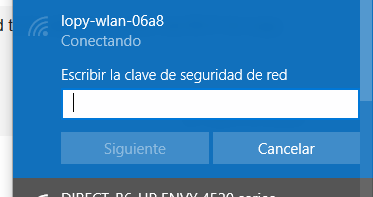
Great! thank you very much. Now I just need to be able to connect via Wi-Fi directly to Lopy, I do not know what the password is:
-
here you will find the passowrd
https://docs.pycom.io/chapter/toolsandfeatures/repl/telnet.html
-
good morning everyone
I already have a question in the ink, I've been looking and I have not seen anything clear about the plate. Therefore I take my post of doubts.
Someone could explain to me what changes if you have write the function:
s.setblocking (True)
#or
s.setblocking (False)

??
Thanks, greetings in advance!
By the way, I already managed to connect via wifi @crumble
-
On the other hand, I have the insecurity that I never know how long it will take to find GPS the pytrack ... sometimes they connect in 2 minutes, other times in 15 and then cases like today that I have been without signal for the whole afternoon...
Code:
import machine
import math
import network
import os
import time
import utime
import pycom
from machine import RTC
from machine import SD
from machine import Timer
from L76GNSS import L76GNSS
from pytrack import Pytrack
#send with LoRa:
from network import LoRa
import socket
lora = LoRa(mode=LoRa.LORA)
s = socket.socket(socket.AF_LORA, socket.SOCK_RAW)

# setup as a station
import gc
gc.enable()

# setup rtc
rtc = machine.RTC()
rtc.ntp_sync("pool.ntp.org")
utime.sleep_ms(750)
print('\nRTC Set from NTP to UTC:', rtc.now())
utime.timezone(7200)
print('Adjusted from UTC to EST timezone', utime.localtime(), '\n')
py = Pytrack()
l76 = L76GNSS(py, timeout=30)
chrono = Timer.Chrono()
chrono.start()

while (True):

    coord = l76.coordinates()
Result:
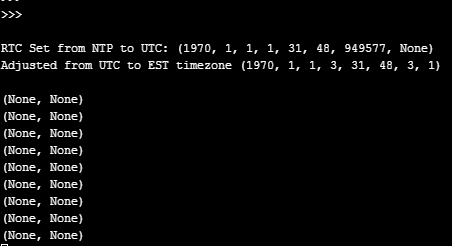
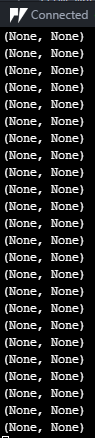
-
@zceld You are inside a building, right? In this case you are lucky, that you receive enough signals. So bad weather conditions, more people in the floors above you, other radio signals, other set of satalites visible for your device, will influence, if you get a signal.
Without an external antenna you have to ways to solve this problem.
- Move the device to a place with better signal quality
- Add a layer to your program, so you can choose between real sensor data and test data.
Or try a soft reboot (ctrl-d). The last time I tested it, the GPS chip got a fix after reboot. Maybe it was only a coincidence ;)
-
@crumble
If in it is quite unlikely to get a good signal inside a building, in fact with the smartphone many times it is not able to catch coverage. But since the LoPy with the Pytrack has always ended up taking me, it was strange to me that today I do not.I tried the ctrl + d but it has not had an effect. Thank you very much for the info.
On the subject of :
s.setblocking (True)
#or
s.setblocking (False)would you explain to me how it works?
I have done these tests but they do not convince me:while (True): s.setblocking(True) coord = l76.coordinates() x = "hi-"+str(j)+"-"+"12345678Z-"+str(coord[0]) + "-"+str(coord[1]) p = str(coord[0]) if p =='None': pycom.rgbled(0x7f0000) time.sleep(0.5) pycom.heartbeat(False) print("Buscando -",nintentos) nintentos+=1 else: s.send(x) pycom.rgbled(0xfffe02) time.sleep(0.1) pycom.heartbeat(False) print(x) j+=1 time.sleep(20) #Pausa entre toma de coordenadas. alertas=[] s.setblocking(False) data = s.recv(64) time.sleep(3) ide =data.decode("utf-8") ide = ide.split('-') if ide[0] == 'alerta': for x in range (1,3): pycom.rgbled(0xC011EB)#Lila time.sleep(0.1) pycom.heartbeat(False) time.sleep(0.1) if ide[1] not in alertas: alertas.append(ide[1]) for x in range (1,3): pycom.rgbled(0x0007F)#Azul time.sleep(1) pycom.heartbeat(False) time.sleep(0.1)The idea of operation is that every 20 seconds approximately, make one get the GPS position and send it by LoRa.
time.sleep(20)Done that you hear if you are sending a message then I put s.setblocking (False) that I understand that in this mode will listen for 3 seconds:
    alertas=[]
    s.setblocking(False)
    data = s.recv(64)
    time.sleep(3)
Surely you have a better approach to programming or a different method, and that is what I have been able to do with what I think each command s.setblocking () does
-
If you have something like
while True:
    result = s.recv(256)
    print(result)
and you run it in setblocking(True) mode, the program will wait on the line
result = s.resv(256)until it received a message and will then continue. So result will always contains someting you received from the aether. Either from your LoPy or another device. So you shall not forget to check the content before controling some other hardware like servos, etc.if you run the same loop with setblocking(False) it will not wait. It will directly go to the next line. So you will most of the time get your empty lines, because no one has send someting.
You can use this for easy control your program. If you want to open a door when someone sends a message you will use setblocking(True)
s.setblocking(True)
while True:
    result = s.recv(256)
    if result.equals('Open door'):
         OpenTheDoor()
If you use this with setblocking(False) it will not be that dangerous, because the if guards the door unless someone sends the right message. But it will use a lot of power, because it will run the loop without any pause. This can be really bad, if you run your device by battery. So you may have to charge your device every day instead of once a week,
If you want to stop something when someone sends you a stop message you would to something like this:
s.setblocking(False)
stopMessage = ''
while stopMessage != 'stop'
    toggleLED()
    stopMessage = s.recv(256)
setblocking(True) would be a bad idea, becaus the recv call would wait until someone sends a message. So your LED would change only its state when someone is sending a messages. With setblocking(False) you will see it blinking until someone sends the right message.
-
Thank you very much! , very kind, you got me out of doubt.
There would be a way to program it to stay listening in mode:x = "no messages" s.setblocking (true) data = s.recv (256) time.sleep (20) if data! = '' print (data) else s.send (x)In plan, be listening if there is any message for 20 seconds. but at the end of this time, make another function and then listen again.
-
@zceld
this code will wait infinite for a message and wait additional 20 (milli?)seconds. If you want to use blocking sockets, you have to set the timeout for a socket. I never used them by myself. Browse in the documentation for:socket.settimeout(value)
Or you use it as nonblocking and use the receive together with the sleep in a loop.
-
@crumble
On the subject server, I had this code that I would say that I used to run and be able to access Lopy via Filezilla FTP but today it does not work for me.There may be something I'm missing or what can it be?
import network
import time
from network import WLAN
# setup as a station
wlan = network.WLAN(mode=network.WLAN.STA)
wlan.init(mode=WLAN.AP, ssid='Gateway', auth=(WLAN.WPA2,'witeklab@2018'), channel=7, antenna=WLAN.INT_ANT)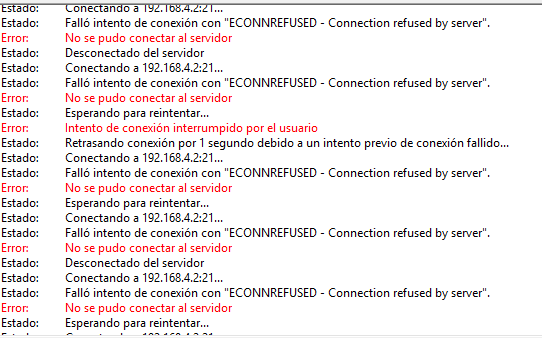
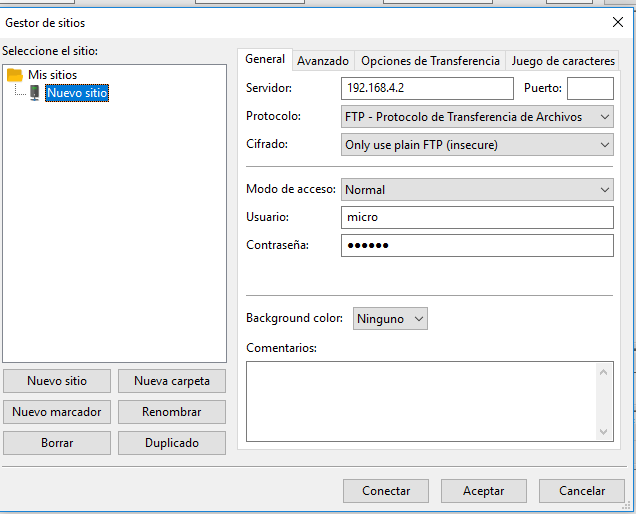
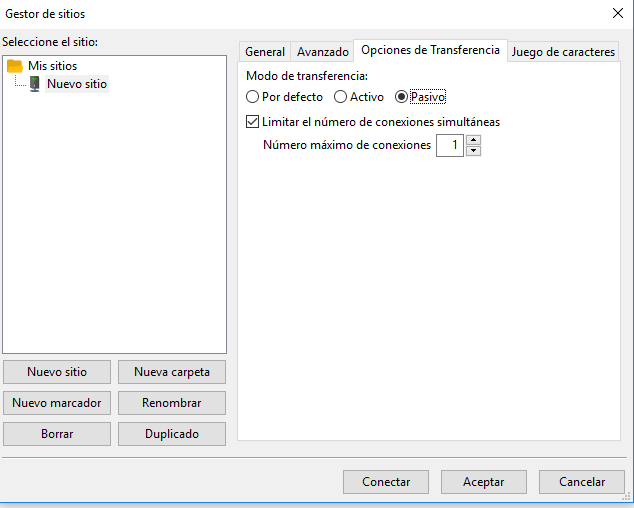
-
Recommendation of the process to be programmed (I am noob):
Ok, I explain the situation. With the chip Lopy and Pytrack I pick up the gps position of a vehicle and send it through LoRa to another board located at home that collects the data by LoRa and saves it to me in a file.txt.From the board at home I have activated server mode to connect by FTP and download the file.txt that is accumulating positions and that I download on my computer and from a file.php that saves the data in an array to track .
So I know how to do it like that, but it's a tedious job to have to connect, download the file. the ideal idea would be to automate it but I can not think of how.
I do not know if I could program by php / JavaScript or any language that will connect to the FTP of the Lopy every 'x' time and download and read the file atomically or vice versa that Lopy will send an IP of the network that connects this file every some time.
What do you recommend or what options can I take to automate the process?
Thank you very much as always you are fantastic !.
-
@zceld
Recomendation is that lopy connect to your server and send data to it -
Hello again! What's going on? I upload the thread to ask some questions.
Can I assign an ip address in server mode?
I have this configuration / programming to put in server mode:import network from network import WLAN wlan = network.WLAN(mode=network.WLAN.STA) wlan.init(mode=WLAN.AP, ssid='Gateway3', auth=(WLAN.WPA2,'witeklab@2018'), channel=7, antenna=WLAN.INT_ANT) from network import Server server = Server(login=('micro', 'python'), timeout=600) server.timeout(300) server.timeout() server.isrunning()The documentation that I have looked at is this but I have not found the ip theme:
https://docs.pycom.io/chapter/firmwareapi/pycom/network/server.htmlI also take the opportunity to ask another question and it is: When I connect the lopy it automatically creates a wifi network to connect to it but with an SSID I guess random. In what loop file is this process? Can this operation be canceled? where are the initial programming that makes the default lopy and if it can be modified?
The reasons for knowing this is because I do not want to start the Wi-Fi automatically in some Lopy apart from that I would like to know what other things it executes or puts in on mode independently.
Thank you for your answers! I wait impatiently!
-
@zceld
IP can you set in the wifi configuration
look forAssigning a Static IP Address at Boot Upin documentation
https://docs.pycom.io/chapter/tutorials/all/wlan.htmlyou can disable wifi by
wlan.deinit()or permanently - it does not start automaticaly at board boot - call this once it is stored in
nvspycom.wifi_on_boot(False)if you disable it permanently you have full control when and with which ssid it start
-
Hello again! I have a new problem and I do not know why it may be, I have been reading several that have published similar things but I do not see what happens to me, so I will try to reflotar my thread of questions ..
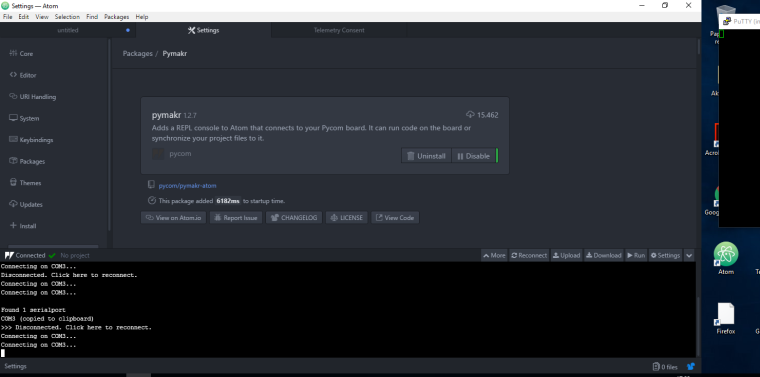
Vereís wanted to edit the main.py file that had lopy running every time I plugged it. Therefore I take the board I connect it to the pc I open the IDE atom> get serial ports, I copy the path where it has been connected. I go to global settings to indicate which port to connect to and give the connect button.
Up to here are the usual steps that had always worked for me. Well when I connect I see that it is in the loop of the main.py file when it is like this to stop it, it always stops cntrl + c and it stops. This time there was no way to connect to Filezilla and I deleted the main.py file and at least I managed to connect again with LoPy in this case just enough to run os.mkfs ('/ flash') to see if it gave me back control with lopy.
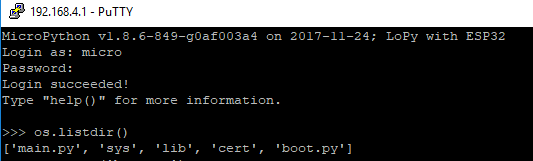
Well now it does not let me connect by the IDE Atom I do not know what happened ... I can only connect by example with putty by telnet ..
Do you know what I can do or what is due?

-
I often see an issue like this when I have another atom window/tab open that is also connected to the same serial port. Can you make sure nothing else is trying to access the serial port?

Hello! It looks like you're interested in this conversation, but you don't have an account yet.
Getting fed up of having to scroll through the same posts each visit? When you register for an account, you'll always come back to exactly where you were before, and choose to be notified of new replies (either via email, or push notification). You'll also be able to save bookmarks and upvote posts to show your appreciation to other community members.
With your input, this post could be even better 💗
Register Login