BLE STOP WORKING -Memory problem!? Do I have to clear memory...?
-
BLE advertising packets and printing them to the console. Nothing clever. After a few minutes or a few hours it would crash. It was somewhat random.
-
@stefan85e When crashing, do you get a specific error message?
If your code has something like a main loop, it may help to add:
gc.collect()
for instance before you start waiting for a new message from BLE.
Of yourse, you have to 'import gc' somewhere before in your code. -
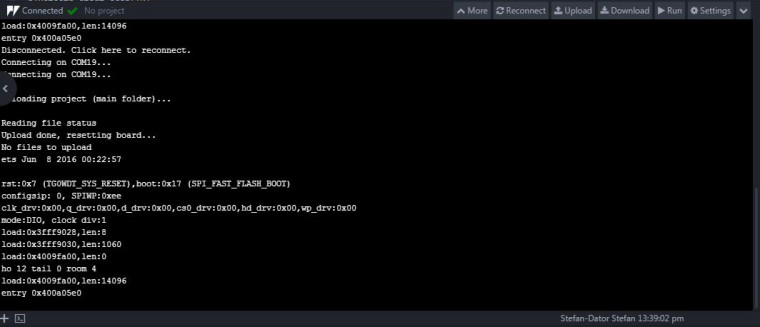
This is what it look like yesterday...
https://docs.pycom.io/chapter/firmwareapi/micropython/gc.html that might be good to use!?
-
@stefan85e That does not show much more than the reboot messages. Since your scripts prints messages, it would be interesting to see the time frame after printing your script's messages and the reboot print-outs. If Atom cannot do that, use a simple terminal emulator like Putty on Windows. The allow to write logs into a file.

Hello! It looks like you're interested in this conversation, but you don't have an account yet.
Getting fed up of having to scroll through the same posts each visit? When you register for an account, you'll always come back to exactly where you were before, and choose to be notified of new replies (either via email, or push notification). You'll also be able to save bookmarks and upvote posts to show your appreciation to other community members.
With your input, this post could be even better 💗
Register Login