Welcome to the Pycom forum Forum
    • \[\[global:header.categories\]\]
    • \[\[global:header.recent\]\]
    • \[\[global:header.tags\]\]
    • \[\[global:header.popular\]\]
    • Login

    Explore Pybytes | Official Documentation | Report a Firmware Bug/Issue | GitHub

    Expansion board 2.0 Cant upg firmware :S
    Scheduled Pinned Locked Moved MicroPython
    expansion boardpycomupgradefirmware updatefirmware
    11 Posts 2 Posters 2.1k Views 2 Watching
    Loading More Posts
    • Oldest to Newest
    • Newest to Oldest
    • Most Votes
    Reply
    • Reply as topic
    Log in to reply
    This topic has been deleted. Only users with topic management privileges can see it.
    • S Offline
      stefan85e
      last edited by

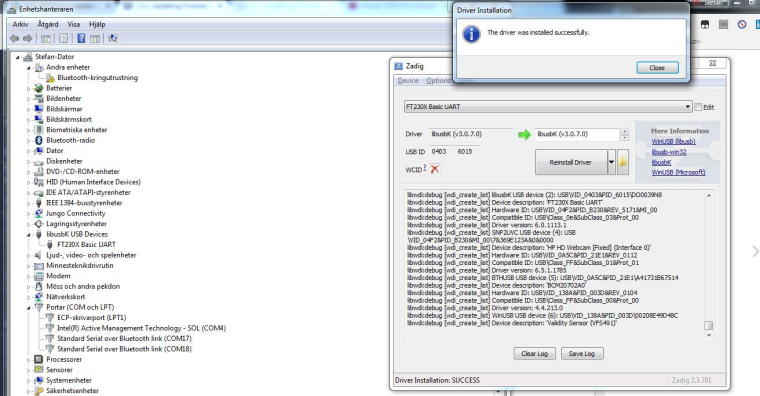
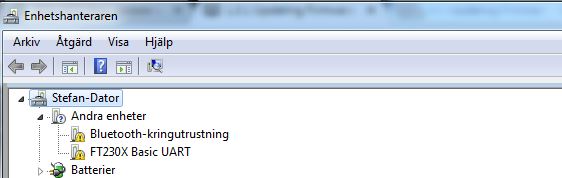
      Re: Expansion Board 2.0 - feature selection jumpers1_1520249016696_bild2.JPG 0_1520249016685_bild 1.JPG

      I cant get this to work ... I want to start use my Expansion board 2.0
      I did try this many times but I cant get it to work:

      https://docs.pycom.io/chapter/gettingstarted/installation/firmwaretool.html#first

      I fallow the step but still no luck at all...
      Not sure what I doing wrong...
      Should I have they expansion bord 2.0 just or should I add the lopy ? :S

      1 Reply Last reply Reply Quote 1
      • sebS Offline
        seb
        last edited by

        If you are using an expansion board you should not modify the drivers with zadig. This is only for the firmware upgrade of Pysense/pytrack. Can you please uninstall the drivers for this device then install FTDI drivers from: http://www.ftdichip.com/Drivers/VCP.htm

        S 2 Replies Last reply Reply Quote 0
        • S Offline
          stefan85e @seb
          last edited by

          @seb Okay.. thats what I was thinking was wrong :) I will try this

          1 Reply Last reply Reply Quote 1
          • S Offline
            stefan85e @seb
            last edited by

            @seb

            I did upg it:

            Windows* 2017-08-30 2.12.28 2.12.28 - - - - - WHQL Certified. Includes VCP and D2XX.
            Available as a setup executable
            Please read the Release Notes and Installation Guides.

            This is what it says just... I got the jump wire at G23 and GND
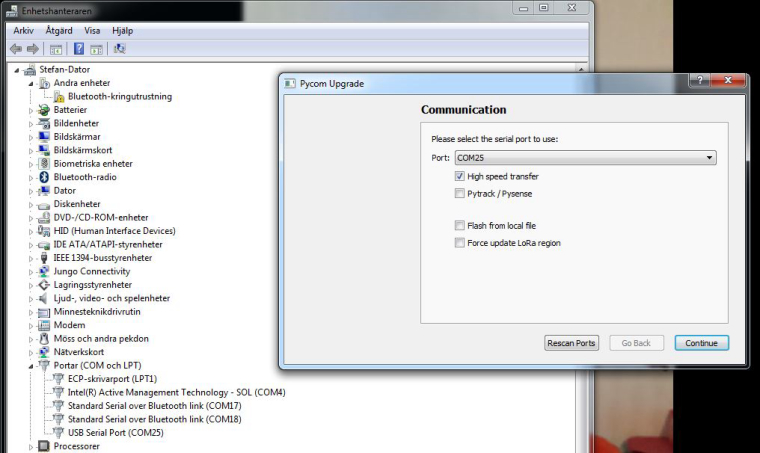
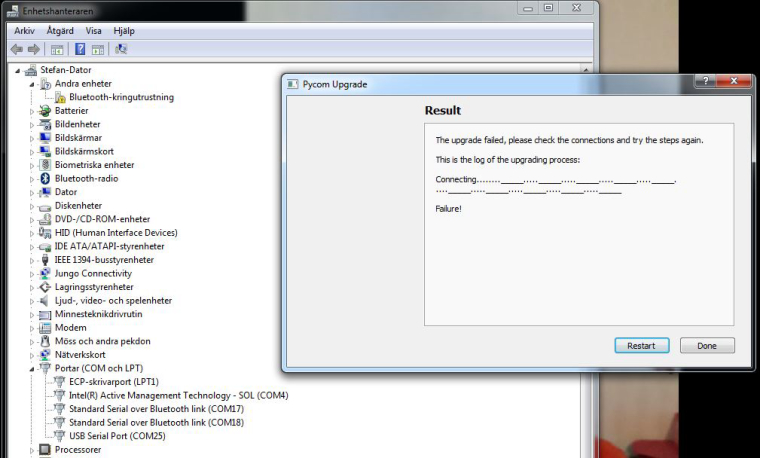
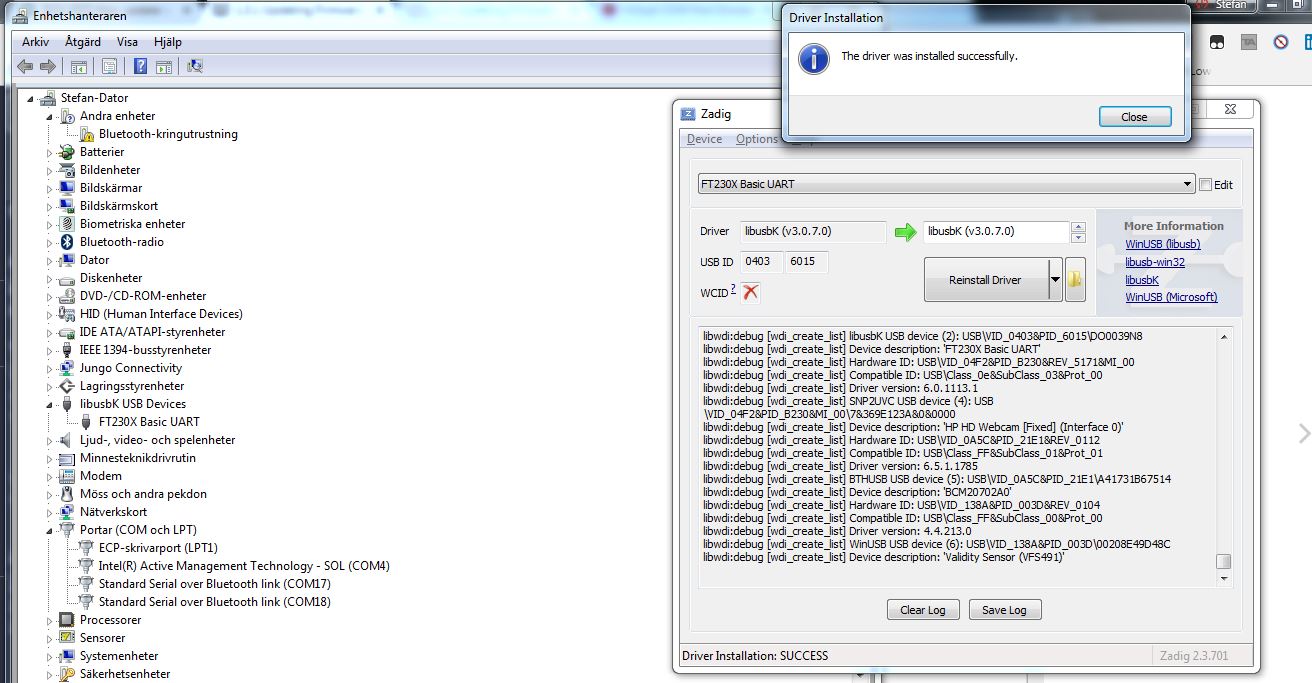
            1_1520253964535_3.JPG 0_1520253964531_4.JPG

            sebS 1 Reply Last reply Reply Quote 1
            • sebS Offline
              seb @stefan85e
              last edited by

              @stefan85e

              Two things 1) make sure nothing else has the serial port open 2) make sure you connect the jumper then press the reset button, before running the update tool

              S 1 Reply Last reply Reply Quote 0
              • S Offline
                stefan85e @seb
                last edited by

                @seb I got same error, Should I have the lopy in the expb2?

                sebS 1 Reply Last reply Reply Quote 0
                • sebS Offline
                  seb @stefan85e
                  last edited by

                  @stefan85e

                  Yes the lopy should be plugged into the expansion board if you want to update the firmware.

                  S 1 Reply Last reply Reply Quote 0
                  • S Offline
                    stefan85e @seb
                    last edited by

                    @seb The lopy I have update using another board pysence/pytrack... Problem is that I try to upg the firmware in my ExpBoard2 and that wont work :S

                    sebS 1 Reply Last reply Reply Quote 0
                    • sebS Offline
                      seb @stefan85e
                      last edited by

                      @stefan85e
                      The expansion board 2 does not have a firmware in the same way the Pysense/Pytrack do. On the expansion board the USB to Serial conversion is handled by a dedicated FTDI usb to serial chip. On the pysense/pytrack a PIC microcontroller does this (plus more) and thus needs firmware.

                      S 1 Reply Last reply Reply Quote 0
                      • S Offline
                        stefan85e @seb
                        last edited by

                        @seb So I when update it it says 1.17.0.b1 when I have my lopy on the expb2 does this mean that I dont need to do anything to the expb2? beside the firmware upg run on the lopy...

                        sebS 1 Reply Last reply Reply Quote 0
                        • sebS Offline
                          seb @stefan85e
                          last edited by

                          @stefan85e

                          That is correct, the 1.17.0.b1 upgrade is for the LoPy. You do not need to
                          ever upgrade firmware for the expansion board 2

                          1 Reply Last reply Reply Quote 0

                          Hello! It looks like you're interested in this conversation, but you don't have an account yet.

                          Getting fed up of having to scroll through the same posts each visit? When you register for an account, you'll always come back to exactly where you were before, and choose to be notified of new replies (either via email, or push notification). You'll also be able to save bookmarks and upvote posts to show your appreciation to other community members.

                          With your input, this post could be even better 💗

                          Register Login
                          • 1 / 1
                          • First post
                            Last post

                          Pycom on Twitter

                          Pycom