gpy camera?
-
In my rpi days if I needed to grab the occasional still frame from a remote site it was as simple as plugging in a usb web cam, and uploading a 640x480 pic over 4G was no problem.
Solutions for the gpy seem a bit scarce? https://forum.pycom.io/topic/5650/connecting-camera-to-fipy-new-findings-of-non-ee has opted for an idea that uses 2 different buses but that looks complicated. Is there an easy way to get a usb cam connected to a gpy via a usb-to-uart adapter or is the gpy uart not fast enough?
-
You can try to use an rs232 camera module.
-
Do you know of a micropython lib that can tickle a serial webcam to regurgitate an image? I was hoping for something as easy as os.system('fswebcam -r 640x480 -S10 image.jpg') on the pi?
-
@kjm
No. I don't know if there is a standard for simple image download. Some serial cameras have features for private robotics or industrial usage. So they can detect/trace objects or QR codes and tell you their special data. So I guess you have to implement the download by your own.The adafruit and Pixy2 CMUCam5 have python examples. May be a start for you.
-
@kjm The most common camera for ESP32 projects and other MCUs seems to be the OV2640 mentioned in the link above. Note that the "raw" camera seems to have a pretty nasty interface, you probably want the Arducam SPI or some equivalent, which has SPI and I2C interfaces.
There's a micropython driver for it, though it was targeted at the ESP8266 Arduino boards. I don't think it should be very difficult to adapt to a Pycom board. There's a long discussion here and it seems someone managed to get it to run on a GPy.
Once you get things sorted it's just as simple as:
import ov2640
cam = ov2640.ov2640()
nbytes = cam.capture_to_file("/image.jpg")
From what I understand performance is pretty bad, but for a single picture it should work out OK I suppose.
-
I was able to get the Arducam working on the gpy.
https://github.com/grahamPatico/micropython-ov2640-Pycom?organization=grahamPatico&organization=grahamPatico -
@grpatt I'm impressed and envious because the chances of me getting something that uses 2 busses to work are low. I don't understand why there isn't any uart based code for serial cams in micropython.
-
@kjm Seeed’s VC0703-based serial cam has a protocol so simple that it shouldn’t take long to write a driver. Adafruit’s VC0706-based serial camera has CircuitPython drivers, I suppose that should be easy to port to micropython.
I suspect performance may be quite lower than the other cams, though, and the cost higher.
Remember that I2C and SPI can be shared (via addressing or chip select), though.
-
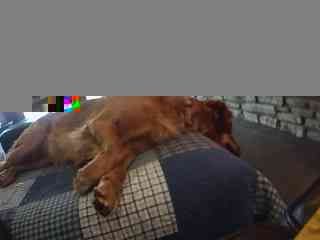
I am working with a Spinel 1.3MP WDR Serial JPEG Color Camera Module TTL/UART Output. I got most of photo working but I am not familiar with hex to jpg. I translate hex to the picture of my dog using https://codepen.io/abdhass/full/jdRNd.
from machine import UART from machine import SD import os import time import gc import ubinascii is_sd_mounted = False uart = UART(1, baudrate=115200) #default baud of camera, this uses the UART_1 default pins for TXD and RXD (``P3`` and ``P4``) gc.collect() print(" ") print("Free Memory:") print(gc.mem_free()) print(" ") LOG_PATH = '/sd' def mount_sd(): global sd global is_sd_mounted try: # try: again, we're preparing for a crash. If something goes wrong in the try: section, we'll jump to 'except Exception:' and do that instead of crashing. os.mount(sd, LOG_PATH) time.sleep(1) print("SD mounted OK") is_sd_mounted = True except Exception: # Failed to mount SD print("ERROR: Can't mount SD card") sd = None def reset(): uart.write(b'\x56\x00\x26\x00') #Send reset command time.sleep(4) recv=uart.read() # read up to 5 bytes print("Version:") print(recv) print(" ") def takephoto(): uart.write(b'\x56\x00\x36\x01\x00') #Send take photo command time.sleep(4) recv=uart.read() # read up to 5 bytes print("Take Photo:") print(recv) print(" ") def changesize(): uart.write(b'\x56\x00\x31\x05\x04\x01\x00\x19\x11') #Send take photo command time.sleep(4) recv=uart.read() # read up to 5 bytes print("Size:") print(recv) print(" ") def compress(): uart.write(b'\x56\x00\x31\x05\x01\x01\x12\x04\x72') #Send take photo command time.sleep(4) recv=uart.read() # read up to 5 bytes print("Compression:") print(recv) print(" ") mount_sd() time.sleep(3) reset() changesize() compress() takephoto() uart.write(b'\x56\x00\x34\x01\x00') #Send get image length command time.sleep(2) print("READ IMAGE DATA LENGTH") recv=uart.read() # read up to 5 bytes print(recv) print("Image Size: "+str(int(ubinascii.hexlify(recv[5:9]),16)/1024)+" KB") print("READ IMAGE DATA") uart.write(b'\x56\x00\x32\x0C\x00\x0A\x00\x00\x00\x00') uart.write(recv[5:9]) uart.write(b'\x00\xFF') #Send get image length command time.sleep(1) #count=0 pic=ubinascii.hexlify(uart.read(500)) time.sleep(2) while uart.any()>0: pic=pic+ubinascii.hexlify(uart.read(500)) time.sleep(.01) #print(pic) #print(type(pic)) uart.write(b'\x56\x00\x36\x01\x03') #STOP CAPTURE #print("uartany") #print(uart.any()) pic=pic[10:-10] data = pic print(data) file='/sd/image122o23.txt' print(file) f = open(file, 'wb') # open for writing f.write(data) time.sleep(2) f.close() gc.collect() print(" ") print("Free Memory:") print(gc.mem_free()) if is_sd_mounted: try: os.unmount(LOG_PATH) print("SD unmounted") except Exception: print("Failed to unmount {}".format(LOG_PATH)) else: print("Unmount SD not required") -
https://forum.pycom.io/topic/6835/camera-uart-reading-pycom?_=1613190557153
I did get a better camera working.
Hello! It looks like you're interested in this conversation, but you don't have an account yet.
Getting fed up of having to scroll through the same posts each visit? When you register for an account, you'll always come back to exactly where you were before, and choose to be notified of new replies (either via email, or push notification). You'll also be able to save bookmarks and upvote posts to show your appreciation to other community members.
With your input, this post could be even better 💗
Register Login