Pin interrupt latency
-
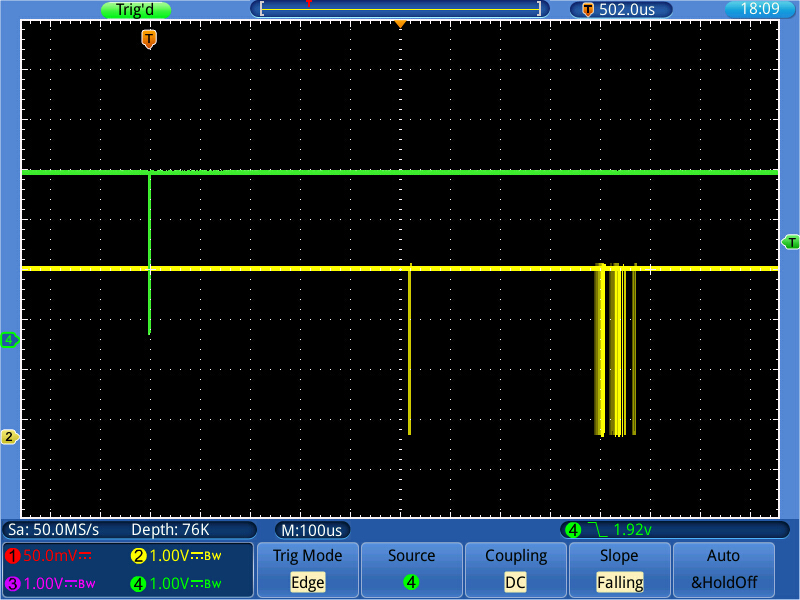
@livius If I remove the loop and the last line, I'm back at the REPL prompt, at which point the Lopy crashes. Besides that, in a real program, if it is not the loop, it it something else which consumes CPU cycles. So what are you expecting?
-
think about people first, then computers
-
I've recreated a version of this experiment but using a TI Launchpad as a 6 μS pulse source and a logic analyser using Sigrok and also seeing this variation. For example here the latency is 88 μS but there's 300+ μS elsewhere :
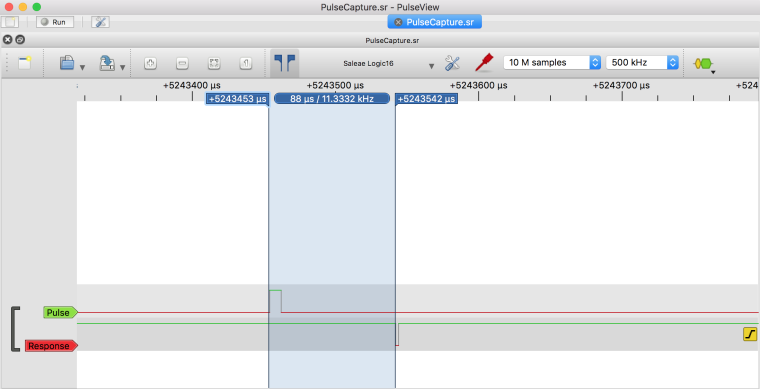
Hopefully I'll be able to script Sigrok - but my first time doing that - to give me actual statistics and then try a few things to see how those numbers change.
For now calling machine.idle() inside the loop seems to reduce the latency.
-
@livius Yes, it was a core dump. The situation was a little bit different: I had a typo in the sleep() statement in the loop, which stopped script execution with the usual exception. And since the interrupt handler was already started (Python is actually executing statements it reads), the IRQ handler was triggered. That is a common source of surprises when testing code with interrupt handlers and callbacks. Even is your test code is stopped (= your're back at REPL), they are still active and can cause unexpected behavior. That's why in my little test code I deactivate the handler.
-
@jmarcelino Thanks for testing.
It looks as if the problem is the implementation of the handler. Instead of calling the handler almost immediately (= when other higher priority interrupts have finished), the firmware just seems to register the request and call the handler at some time later (within a ms). And yes, everything different than about 10µs is bad for real time reaction. The best cases on ESP8266 are 18µS .. 180µs @ 80 MHz, and on PyBoard it's 8.2 µs stable (discussion here: https://github.com/micropython/micropython/issues/2972).The 300µs delay can also be seen in at the esp8266. Since both esp32 and ESP2866 cannot execute code from flash, that happens when code should be executed which is not cached in RAM. That section has then to be imported from flash to RAM first. This code import takes about 300 µs (SPI data transfer from flash). You can observer that too when you e.g. just 'ping' the device on WiFi. The first response is sometimes very slow, and then the time decreases, like in a 1/100 ratio.
For better response, it might be better if certain codes areas could be made 'sticky'. -
@robert-hh
this is really interesting topic
and thanks for the link to https://github.com/micropython/micropython/issues/2972 -
Turns out that Sigrok already has a wonderful latency analysis decoder called Jitter
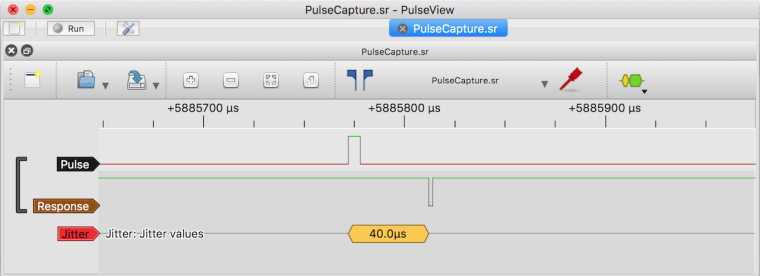
and run on the command line via sigrok-cli it produces a useful list of latencies
jitter-1: 160.0μs
jitter-1: 124.0μs
jitter-1: 90.0μs
jitter-1: 110.0μs
jitter-1: 80.0μs
jitter-1: 158.0μs
...
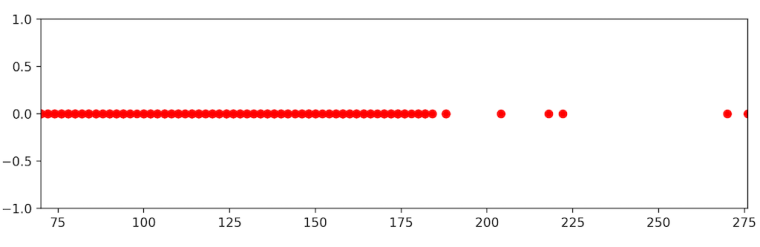
I also noticed the board seems to have missed 37 pulses of the 2113 sent (250Hz, 6 μS) or 1.7%
Minimum latency was 40 μS while maximum 275 μS, here's a plot. I was trying to do an histogram but still learning matplotlib)
This is a very interesting topic (thanks so much to bringing this up @robert-hh ! ) and look forward to the next experiments and what features like dual core support will bring.
In the ESP32 there's also the Pulse Counter peripheral, which won't improve responsiveness but should catch all pulses reliability with little overhead and maybe more interestingly the RMT peripheral which can be setup as a very efficient pulse receiver straight into RAM (but I need to read more about this)
-
@jmarcelino Good to see your results. The maximum of 275 µs is still not as bad as I have seen with >900 µs. Did you have machine.idle() in the loop?
And it's interesting that you have seen missed pulses. That should not happen, and I cannot tell that from may actual setup.
I think that counting pulses is just one application. Doing any kind of task (e.g. accessing an external sensor after on it's 'ready' signal) is more generic.
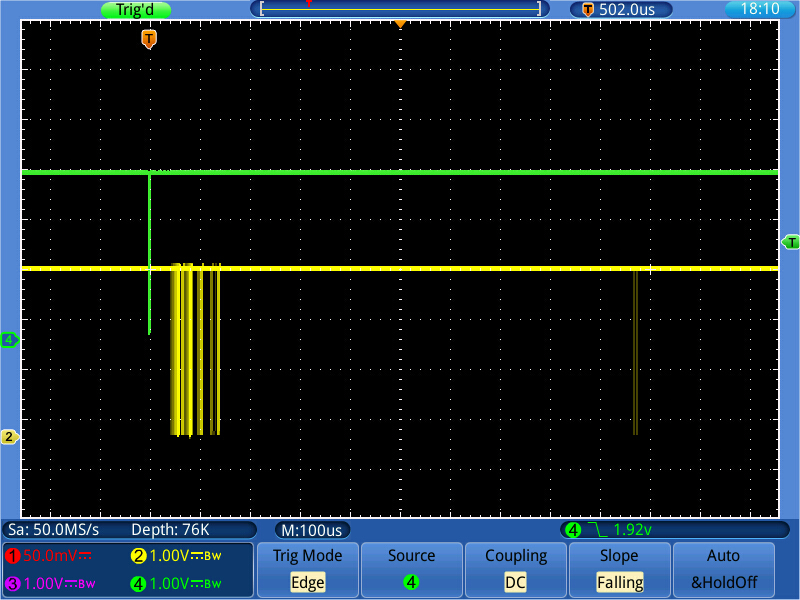
With machine.idle(), i do not see the 'rolling burst' effect, but responses between ~40µs to 700 µs, with the majority below 200 µs, and sometimes the response pulse extended to 300 µs (the one at the end). Maybe these are your missing pulses.
A screen shot is attached, with persistence set to infinite, so no pulse is lost. The brightness tells a little bit what happens more often.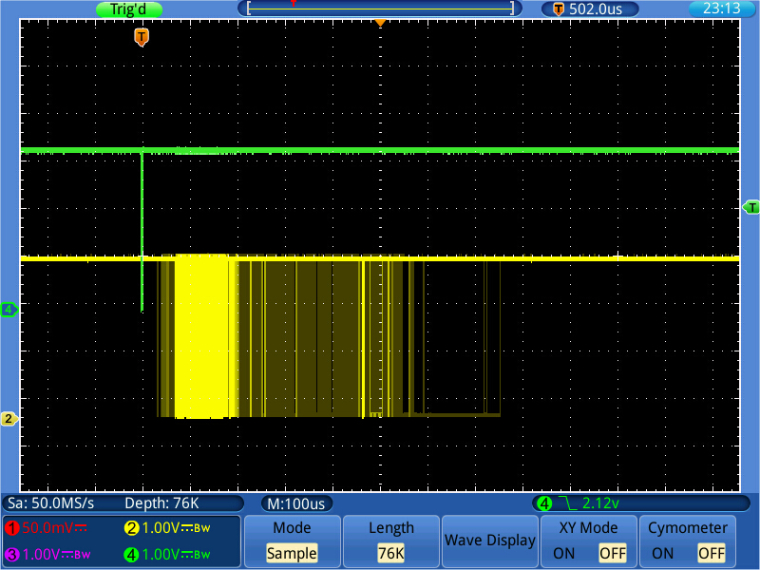
-
Just had a re-check and my plot script was missing some pulses, so in fact 10 (out of the 2113) pulses arrived after ~ 275μS and three of those at around 620 μS, the maximum . This was with machine.idle() in the loop.
The pulses I said were missing are definitely not there, I can see them in the plot.
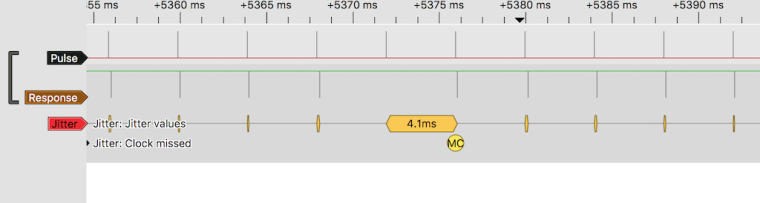
I'll try pulses longer than 6 μS next time.
-
@jmarcelino I am running my test now for over an hour trying to trigger on a missing response pulse (= two response pulse further away than 5.2 ms). No luck, meaning no missing pulses. When setting up the test initially, I used the output of an ADC converter for triggering. That caused sometimes strange results. The signal generator I use now has the usual 50 Ohm output impedance, which gave more reproducible results. So maybe your trigger signal's shape not good. The logic analyzer will not tell you. You could try a shorter connection or trigger on the falling edge. Maybe that makes a difference.
-
@robert-hh
That is strange. I had a look at the pulses coming from the Launchpad and they look fine.
I'll do more testing later.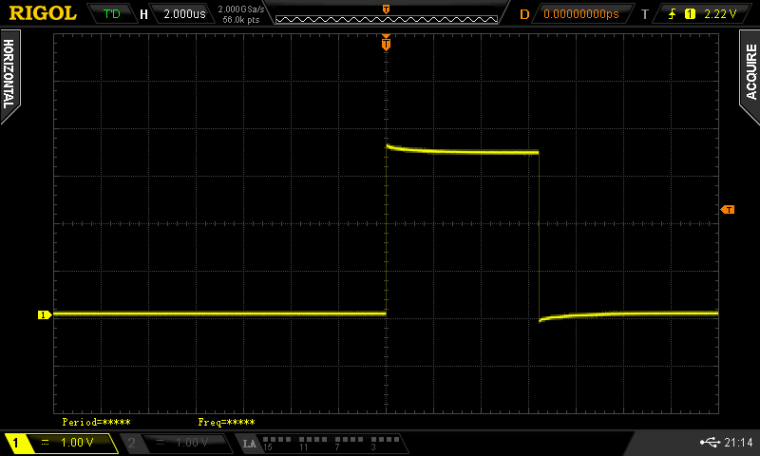

Hello! It looks like you're interested in this conversation, but you don't have an account yet.
Getting fed up of having to scroll through the same posts each visit? When you register for an account, you'll always come back to exactly where you were before, and choose to be notified of new replies (either via email, or push notification). You'll also be able to save bookmarks and upvote posts to show your appreciation to other community members.
With your input, this post could be even better 💗
Register Login