• Again: GPy modem not answering after firmware update

    3
    0 Votes
    3 Posts
    62 Views
    G
    I am having the same problem. Is there a solution?
  • OSError: Network card not available for Wifi (pycom4)

    3
    0 Votes
    3 Posts
    27 Views
    ?
    Hey, yhea before when i put it in the main.py it took long to connect, and sometimes just wont. Still seems to be the problem when setting up the connection in main.py, but atleast the client works after no problem... EDIT: Because in the boot.py it connects realquick everytime.
  • 0 Votes
    6 Posts
    33 Views
    robert-hhR
    @BONPART-Nans In your first post at the bottom. For firmware update, better use the Pycom Updater. It will pick the most recent firmware. If you want to download the firmware files separately, use this page: https://docs.pycom.io/advance/downgrade/
  • DIY a Compact RC Switch

    2
    1
    0 Votes
    2 Posts
    14 Views
    robert-hhR
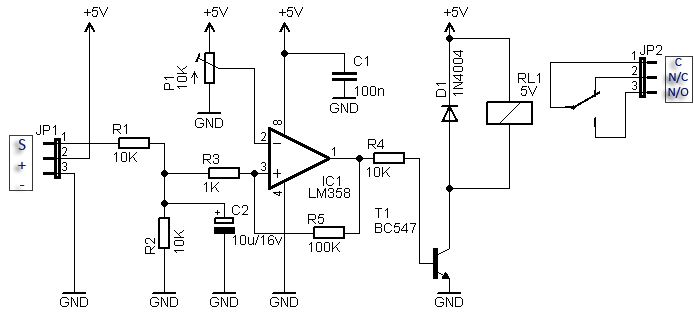
    @Len-Wang Since there is no negative supply, the voltage at pin 2 should always be positive. The difference between 10k and 20k for the pot is negligible. I would make R4 smaller, like 1 k. I do not know how much current the relay needs, but that should match the current gain of the BC547A (110-220) and R4. What is the voltage at Pin 1, the op-amp output. Does it ever change?
  • FiPy Pysense 2.0X not showing up on lsusb

    9
    0 Votes
    9 Posts
    86 Views
    S
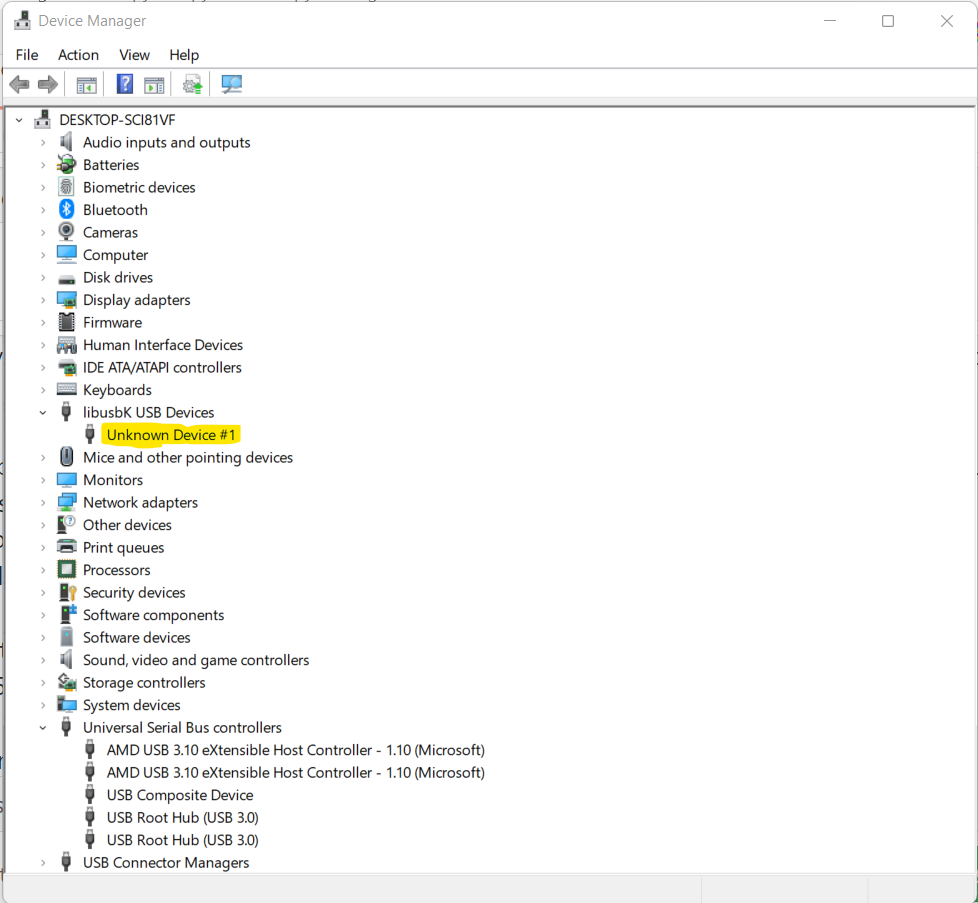
    @jcaron In the case of minimum, you need to specify the serial port via the -D command line option. 🤦‍♂️ Oh thanks! I am not familiar with that binary, but I read the f...ing manual now that You mentioned that option ^^ ❯ minicom -D /dev/tty.usbmodemPy244d421 And the prompt attached everything is working now, also the VSCode extension now see the device I run the RGB test program just to be sure and every thing is workingas expected now! We can close this! In the end I think that the problem was on the PySense firmware once reflashed from scratch all the rest has been quite easy to figure out :-) Thanks for Your time and effort @jcaron have a good one! Stefano
  • W01 boot issue in environment with electromagnetic disturbance

    7
    0 Votes
    7 Posts
    39 Views
    A
    @Angelo-Di-Franco The following code will help you: pyexec_frozen_module("_boot.py"); if (!soft_reset) { #if defined(GPY) || defined (FIPY) if(config_get_lte_modem_enable_on_boot()) { //modlte_init0(); // Notify the LTE thread to start //modlte_start_modem(); } #endif } if (!safeboot) { // run boot.py int ret = pyexec_file("boot.py"); if (ret & PYEXEC_FORCED_EXIT) { goto soft_reset_exit; } if (!ret) { #ifndef RGB_LED_DISABLE // flash the system led mperror_signal_error(); #endif } } if (!safeboot) { // execute the frozen main first #if (VARIANT == PYBYTES) if (config_get_pybytes_autostart()) { pyexec_frozen_module("_main_pybytes.py"); } else { pyexec_frozen_module("_main.py"); } #else pyexec_frozen_module("_main.py"); #endif So the order is BOOT -> PYBYTES (if used) -> MAIN
  • FiPy no longer recognised after Expansionboard 3.1 Firmware Update

    fipy
    1
    3
    0 Votes
    1 Posts
    31 Views
    No one has replied
  • Guru Meditation Error on HTTP POST using PyEthernet

    3
    0 Votes
    3 Posts
    67 Views
    G
    Hello! Could you please decode the backtrace to see where the crash happen ?
  • OSError: 8 when modifying file in GPy 1.20.2r5 LittleFS

    5
    0 Votes
    5 Posts
    84 Views
    robert-hhR
    @quentinmsl Version 1.20.2.r6 also enable flash wear leveling. Before that change, LFS would always use Block 0 and 1 for the superblock. If you write really often to the file system, like millions of times, these blocks get damaged. But if you still can reformat the file system and start over without any files, than the flash should still be fine. But if the first two blocks are damaged, the only cure would be to create a firmware, which places the file system at a slightly higher address, leaving the damaged area beside. Or you replace the flash chip, which is some work. When you reformat the drive, does the file write problem start immediately? Or is it a special file name/situation which causes it to fail? Error 8 indeed stands for LFS_ERR_CORRUPT, telling that the file system is defective.
  • Firmware crash without reason

    2
    0 Votes
    2 Posts
    35 Views
    M
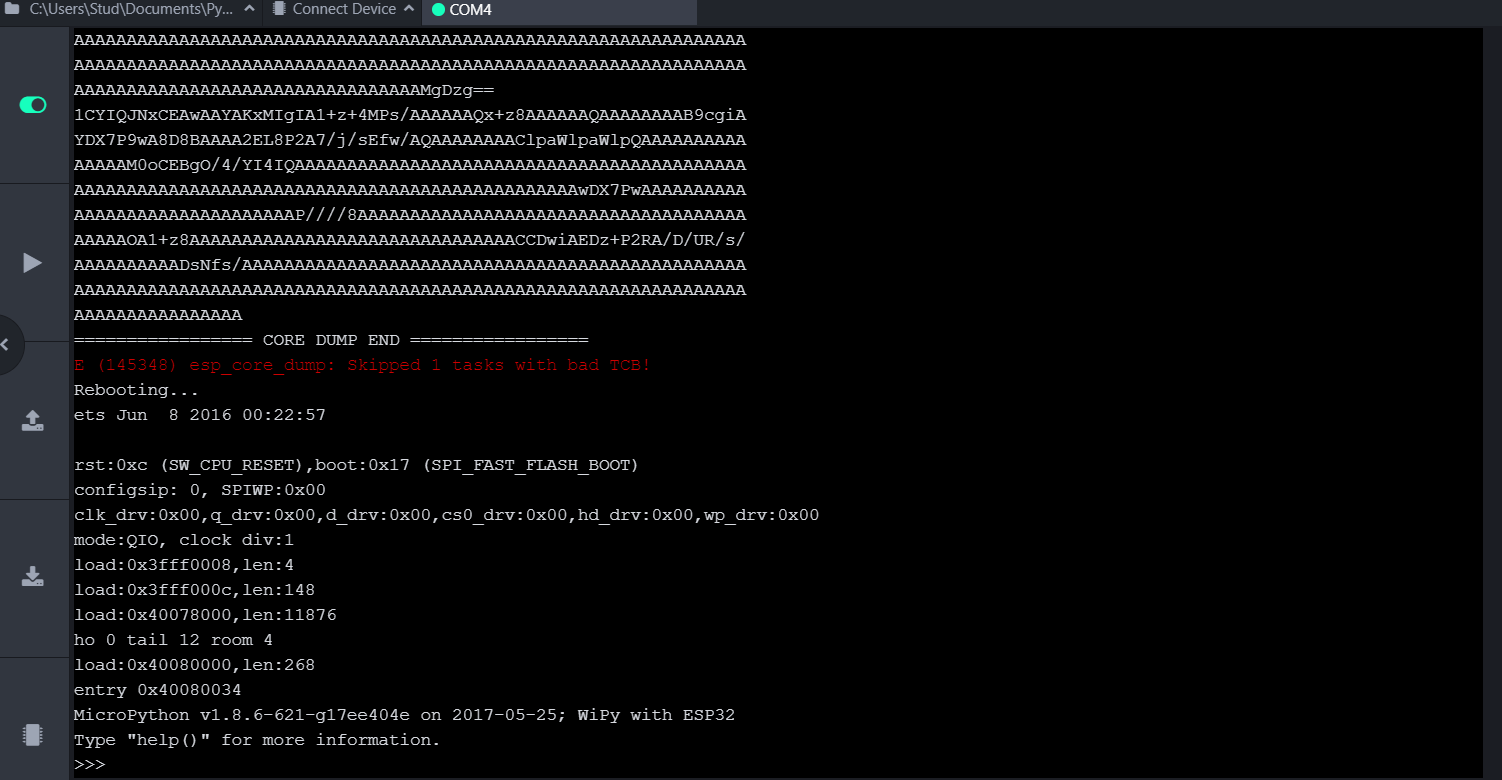
    Hello Louis, Can you share small part of your script or basic reproduction code with us? In this way, we can investigate the issue easily. Also, the crash backtraces would be very useful. Best regards, Meric
  • I2C Alternate Pins

    7
    0 Votes
    7 Posts
    37 Views
    J
    @Torban-Peterson like many similar objects, the constructor makes an implicit call to init so that: i2c = I2C(0, …arguments…) is equivalent to i2c = I2C(0) i2c.init(…arguments…) The pins argument is optional, but apparently leaving it out does not mean “leave as is” but “set to default”. So when you specified the pins in the constructor they were used, but then the call to init without pins reset it back to defaults. It should work if you either call only the constructor (with the pins) or specify the pins in the init call. The documentation is definitely unclear (if not wrong) about that, and I would probably venture that the behaviour of init is not quite what one would expect.
  • Pygate does not receive after downlink

    16
    1 Votes
    16 Posts
    132 Views
    C
    yeah you can check debug logs.. .
  • machine.reset_cause() reports back wrong reset cause

    1
    0 Votes
    1 Posts
    18 Views
    No one has replied
  • Onewire Temp Sensor Does Not Work on latest 1.20.2.r6 Firmware

    3
    0 Votes
    3 Posts
    39 Views
    robert-hhR
    @d-alvrzx I'v tested that, and it seems to work fine. Sometimes the conversion fails. But that's to be expected. The timing seems acceptable. The print problem you talk about indicates a memory corruption somewhere else in the code. Try to switch of WiFi and Bluetooth. P.S.: It took me a while and a handful of curses to compile the firmware. Quite a few compile errors and warnings. At least one of them shows a bug. I do not know if people at Pycom verify, that the code the publish builds at least. It seems that no.
  • 0 Votes
    7 Posts
    30 Views
    D
    @robert-hh Thanks for your reply. Yes "P10" is connected to the Gnd by a simple push button. But I had no idea that the system was logging an interrupt every time I went to Gnd. Question: what solution to adopt? - debouncing hardware or software? What is the solution adopted on the expansion board 3.1 for the "S1" button ? Indeed I only use uart reception. it works great, however i will heed your suggestion of external resistance.
  • I2C Bus Error

    5
    0 Votes
    5 Posts
    38 Views
    G
    @robert-hh I'm sorry for the delayed response. The error was due to the fact I was using a 3.0 WiPy version, by changing it to the previous (2.0) it works!! Thank you for the support!
  • PyGate & Lopy4 - cannot connect via serial after firmware update

    3
    0 Votes
    3 Posts
    94 Views
    J
    I actually have the same problem with my Lopy4 and Pytrack boards. I updated the firmware on both and lost serial access. By downgrading to 1.20.1 I can get serial back, but upgrading to a version above 1.20.1.r1 (included) breaks serial. I did try 1.20.2.x versions, including 1.20.2.r6 and I also tried using development versions (1.20.3.x). I also tried with the "Erase during update" option. Only downgrading to 1.20.1 has worked so far.
  • Sipy first time firmware upgrade

    1
    0 Votes
    1 Posts
    10 Views
    No one has replied
  • Pygate with WiPy restart every 20 minutes

    2
    1
    0 Votes
    2 Posts
    36 Views
    E
    I just figured out that there exists the function machine.rest_cause(), which returns machine.WDT_RESET. Does that mean that the watchdog timer isn't fed correctly somewhere in the Pygate firmware? Do I have to do this on my own?
  • After firmware update to 1.20.2.r4, serial is broken

    3
    0 Votes
    3 Posts
    40 Views
    P
    When you say "others in my team are able to", is it really them using the same device on their computers or are they using other devices? Just trying to drill down whether it's related to the FiPy or to the computer. Are there any scripts on the FiPy? Maybe you can use "File System:" - "Erase during update", or even erase all from commandline

Pycom on Twitter