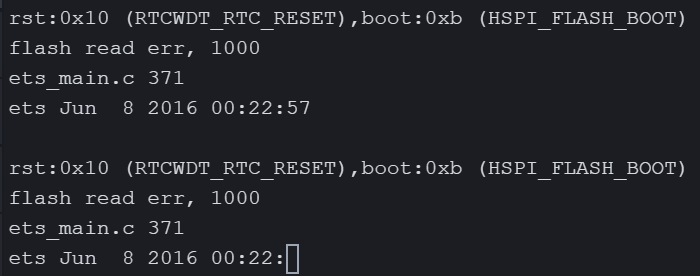
@peterp I'm not sure if anyone has actually reproduced the issue yet, so I am posting another output transcript where this program has failed in the hope it could shed some light as to what's happening.
In summary the output below shows the script terminating, followed by some manual lte commands via the REPL terminal, followed by calling machine.reset() and some more lte commands that now succeed. Then restarting the original script which runs for 9 loops until it terminates again. It is worth noting that on the re-run, ALL 9 ticks were actually received by the echo server even though several of the replies never made it back.
==================================================
Tick: 42
Initialising LTE ... OK
Attaching to LTE network .. OK
Connecting on LTE network OK
Sending UDP Packet
Waiting for Reply .
Got Reply: tick42
Disconnecting LTE ... OK
De-initialising LTE ... OK
Sleeping for 60 secs
==================================================
Tick: 43
Initialising LTE ... OK
LTE is attached
Connecting on LTE network Abort: LTE no longer attached
Disconnecting LTE ... OK
De-initialising LTE ... OK
Sleeping for 60 secs
==================================================
Tick: 44
Initialising LTE ... OK
LTE is attached
Connecting on LTE network ♦Traceback (most recent call last):
File "<stdin>", line 110, in <module>
File "<stdin>", line 39, in connect_lte
OSError: the requested operation failed
♦>
Pycom MicroPython 1.20.2.r1 [v1.11-a5aa0b8] on 2020-09-09; GPy with ESP32
Type "help()" for more information.
>>>
>>> lte.isattached()
Traceback (most recent call last):
File "<stdin>", line 1, in <module>
OSError: the requested operation failed
>>> lte.isconnected()
False
>>> lte.reset()
Traceback (most recent call last):
File "<stdin>", line 1, in <module>
OSError: the requested operation failed
>>> lte.attach()
Traceback (most recent call last):
File "<stdin>", line 1, in <module>
OSError: the requested operation failed
>>> lte.detach()
Traceback (most recent call last):
File "<stdin>", line 1, in <module>
OSError: the requested operation failed
>>> lte.deinit()
Traceback (most recent call last):
File "<stdin>", line 1, in <module>
OSError: the requested operation failed
>>> lte.init()
>>> lte.attach()
Traceback (most recent call last):
File "<stdin>", line 1, in <module>
OSError: the requested operation failed
>>> import machine
>>> machine.reset()
ets Jun 8 2016 00:22:57
rst:0x7 (TG0WDT_SYS_RESET),boot:0x13 (SPI_FAST_FLASH_BOOT)
configsip: 0, SPIWP:0xee
clk_drv:0x00,q_drv:0x00,d_drv:0x00,cs0_drv:0x00,hd_drv:0x00,wp_drv:0x00
mode:DIO, clock div:1
load:0x3fff8020,len:8
load:0x3fff8028,len:2140
ho 0 tail 12 room 4
load:0x4009fa00,len:19760
entry 0x400a05bc
Pycom MicroPython 1.20.2.r1 [v1.11-a5aa0b8] on 2020-09-09; GPy with ESP32
Type "help()" for more information.
>>> from network import LTE
>>> lte = LTE()
>>> lte.attach()
>>> lte.isattached()
True
>>> lte.connect()
>>> lte.isconnected()
True
>>> lte.deinit()
>>> Running d:\svn\other\pycom\smh_test\test_lte5.py
>>>
>>>
Begin
==================================================
Tick: 1
Initialising LTE ... OK
Attaching to LTE network .... OK
Connecting on LTE network OK
Sending UDP Packet
Waiting for Reply ..........Retry Sending..........Timeout
Disconnecting LTE ... Failed
De-initialising LTE ... OK
Sleeping for 60 secs
==================================================
Tick: 2
Initialising LTE ... OK
LTE is attached
Connecting on LTE network OK
Sending UDP Packet
Waiting for Reply ..........Retry Sending..........Timeout
Disconnecting LTE ... Failed
De-initialising LTE ... OK
Sleeping for 60 secs
==================================================
Tick: 3
Initialising LTE ... OK
LTE is attached
Connecting on LTE network OK
Sending UDP Packet
Waiting for Reply ..
Got Reply: tick3
Disconnecting LTE ... OK
De-initialising LTE ... OK
Sleeping for 60 secs
==================================================
Tick: 4
Initialising LTE ... OK
LTE is attached
Connecting on LTE network OK
Sending UDP Packet
Waiting for Reply .....
Got Reply: tick4
Disconnecting LTE ... OK
De-initialising LTE ... OK
Sleeping for 60 secs
==================================================
Tick: 5
Initialising LTE ... OK
LTE is attached
Connecting on LTE network OK
Sending UDP Packet
Waiting for Reply ..
Got Reply: tick5
Disconnecting LTE ... OK
De-initialising LTE ... OK
Sleeping for 60 secs
==================================================
Tick: 6
Initialising LTE ... OK
LTE is attached
Connecting on LTE network OK
Sending UDP Packet
Waiting for Reply ..........Retry Sending..........Timeout
Disconnecting LTE ... Failed
De-initialising LTE ... OK
Sleeping for 60 secs
==================================================
Tick: 7
Initialising LTE ... OK
LTE is attached
Connecting on LTE network OK
Sending UDP Packet
Waiting for Reply .
Got Reply: tick7
Disconnecting LTE ... OK
De-initialising LTE ... OK
Sleeping for 60 secs
==================================================
Tick: 8
Initialising LTE ... OK
LTE is attached
Connecting on LTE network OK
Sending UDP Packet
Waiting for Reply ..........Retry Sending..........Timeout
Disconnecting LTE ... Failed
De-initialising LTE ... OK
Sleeping for 60 secs
==================================================
Tick: 9
Initialising LTE ... OK
LTE is attached
Connecting on LTE network OK
Sending UDP Packet
Waiting for Reply ..........Retry Sending..........Timeout
Disconnecting LTE ... ♦Traceback (most recent call last):
File "<stdin>", line 115, in <module>
File "<stdin>", line 53, in disconnect_lte
OSError: the requested operation failed
♦>
Pycom MicroPython 1.20.2.r1 [v1.11-a5aa0b8] on 2020-09-09; GPy with ESP32
Type "help()" for more information.
>>>
Summary:
Tick 42 - Perfect
Tick 43 - Aborted because isattached() returned false while waiting for isconnected() after connect()
Tick 44 - Crashed during connect()
Manual lte.isattached() - OSError
Manual lte.isconnected() - Returned false
Manual lte.reset() - OSError
Manual lte.attach() - OSError
Manual lte.deinit() - OSError
Call machine.reset()
Manual lte.attach() - OK
Manual lte.isattached() - True
Manual lte.connect() - OK
Manual lte.isconnected() - True
Manual lte.deinit() - OK
Run Script
Ticks 3,4,5,7 - Perfect
Ticks 1,2,6,8 - Ok but didn't get replies even though echo server did receive data.
Tick 9 - Died with OSerror in lte.disconnect()