Welcome to the Pycom forum Forum
    • \[\[global:header.categories\]\]
    • \[\[global:header.recent\]\]
    • \[\[global:header.tags\]\]
    • \[\[global:header.popular\]\]
    • Login

    Explore Pybytes | Official Documentation | Report a Firmware Bug/Issue | GitHub

    SiPy's ID and PAC

    Scheduled Pinned Locked Moved Issues & Bugs
    sigfoxsipy
    23 Posts 8 Posters 7.2k Views 7 Watching
    Loading More Posts
    • Oldest to Newest
    • Newest to Oldest
    • Most Votes
    Reply
    • Reply as topic
    Log in to reply
    This topic has been deleted. Only users with topic management privileges can see it.
    • M Offline
      maku
      last edited by

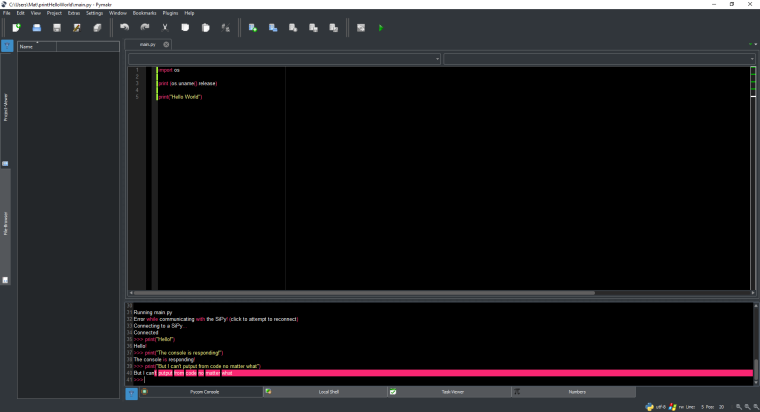
      0_1488281900584_Pymakr_PycomConsole.png

      It works one out of 20. But this is the very usual output.

      1 Reply Last reply Reply Quote 0
      • J Offline
        Jordi @bucknall
        last edited by

        @bucknall I would like to try any firmware previous version.
        0_1488293051741_Captura de 2017-02-28 15:43:48.png

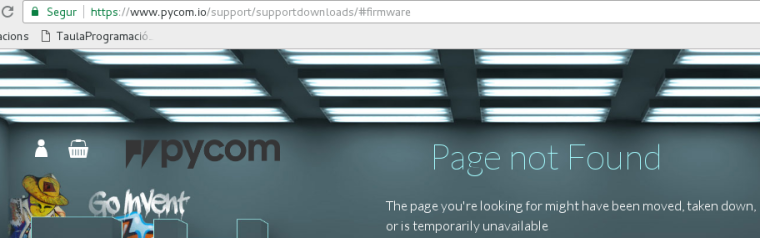
        But https://www.pycom.io/support/supportdownloads/#firmware is down right now.
        0_1488293004623_Captura de 2017-02-28 15:41:28.png

        I will appreciate any tested firmware to be able to try https://github.com/pycom/pycom-libraries/blob/master/examples/sigfoxUplink/main.py on SiPy

        1 Reply Last reply Reply Quote 0
        • D Offline
          daniel
          last edited by

          @Jordi this is a ver estrange issue and it appears that the tool is not able to program the PAC and ID on your board. We haven't changed anything around the Sigfox ID/PAC registration process, but can you try updating to 1.6.7.b1?

          If that doesn't work, please email me your WiFi MAC address to support at pycom.io so that we can have a look in our database. Get the mac like this:

          from network import WLAN
          import binascii
          
          binascii.hexlify(WLAN().mac())
          
          J 1 Reply Last reply Reply Quote 0
          • J Offline
            Jordi @daniel
            last edited by

            @daniel Fortunately I have tried your Pycom Firmware Update from a virtualized Windows on Debian.

            Using Linux firmware updater on Debian, reading from Python SiPy ID and PAC are all ffff.fff. But using Windows updater version, I am able to read properly ID and PAC from Python (Linux or Windows).

            Hopefully you will be able to check and fix updater for Linux.

            Thank you for your answers and collaboration.

            1 Reply Last reply Reply Quote 0
            • M Offline
              michal.zykov @bucknall
              last edited by

              Hi @bucknall!

              Even if I use the mentioned snippet the same output can be seen, i.e. b'ffffffff'. Any suggestion?

              Mike

              B 1 Reply Last reply Reply Quote 0
              • B Offline
                bucknall @michal.zykov
                last edited by

                Hi @michal.zykov! First of all, have you updated your SiPy? And if so are you using Debian (Linux) to update your device?

                Developer Evangelist - Pycom

                M 1 Reply Last reply Reply Quote 0
                • M Offline
                  michal.zykov @bucknall
                  last edited by

                  Hi @bucknall!

                  Yep, I already updated SiPy by using Linux updater (Fedora 25) - SiPy firmware 1.6.7.b1. I'm able to send a print-screen that it was successful.

                  Thx,
                  Mike

                  B 1 Reply Last reply Reply Quote 0
                  • B Offline
                    bucknall @michal.zykov
                    last edited by

                    @michal.zykov, we've identified a problem with the Linux Firmware Updater and are handling it now. If you could use the Windows or Mac OS Firmware Update tool, that should get you up & running for the time being!

                    Apologies about this! We're working to get it sorted asap!

                    Thanks!

                    Developer Evangelist - Pycom

                    M 1 Reply Last reply Reply Quote 0
                    • M Offline
                      michal.zykov @bucknall
                      last edited by

                      Hi @bucknall!

                      I've tried to re-flash SiPy by using MS Windows firmware updater. It works great! Thank you! Hope, you'll be able to fix Linux firmware updater soon.

                      Mike

                      1 Reply Last reply Reply Quote 1
                      • J Offline
                        josep.salom
                        last edited by

                        Hello,

                        I have the same problem. How could I find the right Device ID and PAC?

                        I'm using Mac OS X.

                        X 1 Reply Last reply Reply Quote 0
                        • X Offline
                          Xykon administrators @josep.salom
                          last edited by

                          @josep-salom Can you please provide more details? What is the output you get from the commands?

                          Christian Ehlers

                          J 1 Reply Last reply Reply Quote 0
                          • J Offline
                            josep.salom @Xykon
                            last edited by

                            @xykon I'm using the procedure as indicated in https://docs.pycom.io/chapter/gettingstarted/registration/sigfox.html, and I got:

                            >>>
                            b'ffffffff'
                            b'ffffffffffffffff'
                            >
                            MicroPython v1.8.6-470-gf41d0f27 on 2017-02-22; SiPy with ESP32
                            Type "help()" for more information.
                            >>>
                            

                            which are not correct ID and PAC.

                            I'm using SiPy module with Pysense, on a Mac OS X 10.11.6 running Visual Studio Code.

                            1 Reply Last reply Reply Quote 0
                            • J Offline
                              josep.salom
                              last edited by

                              @xykon I've just upgraded SiPy and still have the problem:

                              >>>
                              b'ffffffff'
                              b'ffffffffffffffff'
                              >
                              Pycom MicroPython 1.18.0 [v1.8.6-849-046b350] on 2018-06-01; SiPy with ESP32
                              Type "help()" for more information.
                              >>>
                              

                              How could I get the right ID and PAC?

                              X 1 Reply Last reply Reply Quote 0
                              • X Offline
                                Xykon administrators @josep.salom
                                last edited by

                                @josep-salom Sigfox registration requires using the firmware updater in online mode.

                                Christian Ehlers

                                J 1 Reply Last reply Reply Quote 0
                                • J Offline
                                  josep.salom @Xykon
                                  last edited by

                                  @xykon So sorry, I'm very new on that. What does it exactly mean? How should I do that?

                                  X 1 Reply Last reply Reply Quote 0
                                  • X Offline
                                    Xykon administrators @josep.salom
                                    last edited by

                                    @josep-salom You need to solve this problem first so that you can use the firmware updater in online mode. This is required to get your Sigfox ID and PAC allocated. I suggest you email us with your IP address so that we can do some testing.

                                    Christian Ehlers

                                    1 Reply Last reply Reply Quote 0
                                    • C Offline
                                      Colateral @bucknall
                                      last edited by

                                      @bucknall For SIgfox backend registration I beleive I need to put the ID and and PAC out put from with hexlifiy

                                      print("ID ", ubinascii.hexlify(sigfox.id()))
                                      print("PAC ", ubinascii.hexlify(sigfox.pac()))

                                      in my case is:

                                      ID b'004e3d90'
                                      PAC b'c957cd18b7848c0'

                                      so ID that I typed is '004e3d90' and PAC 'c957cd18b7848c0'

                                      The device seems to be registered but on backend device webpage I can not see it online at all. How I do I know when is connected to the (Luxembourg) Sigfox network and will get online?

                                      It is done immediately or shall I wait?

                                      1 Reply Last reply Reply Quote 0

                                      Hello! It looks like you're interested in this conversation, but you don't have an account yet.

                                      Getting fed up of having to scroll through the same posts each visit? When you register for an account, you'll always come back to exactly where you were before, and choose to be notified of new replies (either via email, or push notification). You'll also be able to save bookmarks and upvote posts to show your appreciation to other community members.

                                      With your input, this post could be even better 💗

                                      Register Login
                                      • 1
                                      • 2
                                      • 1 / 2
                                      • First post
                                        Last post

                                      Pycom on Twitter

                                      Pycom