Welcome to the Pycom forum Forum
    • \[\[global:header.categories\]\]
    • \[\[global:header.recent\]\]
    • \[\[global:header.tags\]\]
    • \[\[global:header.popular\]\]
    • Login

    Explore Pybytes | Official Documentation | Report a Firmware Bug/Issue | GitHub

    SiPy's ID and PAC

    Scheduled Pinned Locked Moved Issues & Bugs
    sigfoxsipy
    23 Posts 8 Posters 7.4k Views 7 Watching
    Loading More Posts
    • Oldest to Newest
    • Newest to Oldest
    • Most Votes
    Reply
    • Reply as topic
    Log in to reply
    This topic has been deleted. Only users with topic management privileges can see it.
    • B Offline
      bucknall
      last edited by

      Hi @Jordi,

      You need to convert the binary values to human readable with the following snippet of code:

      from network import Sigfox
      import binascii
      
      # initalise Sigfox for RCZ1 (You may need a different RCZ Region)
      sigfox = Sigfox(mode=Sigfox.SIGFOX, rcz=Sigfox.RCZ1)
      
      # print Sigfox Device ID
      print(binascii.hexlify(sigfox.id()))
      
      # print Sigfox PAC number
      print(binascii.hexlify(sigfox.pac()))
      

      Developer Evangelist - Pycom

      M C 2 Replies Last reply Reply Quote 0
      • J Offline
        Jordi
        last edited by

        Thank you @bucknall

        When SiPy is uploaded:

        0_1488237807233_ID_PAC_esb.png

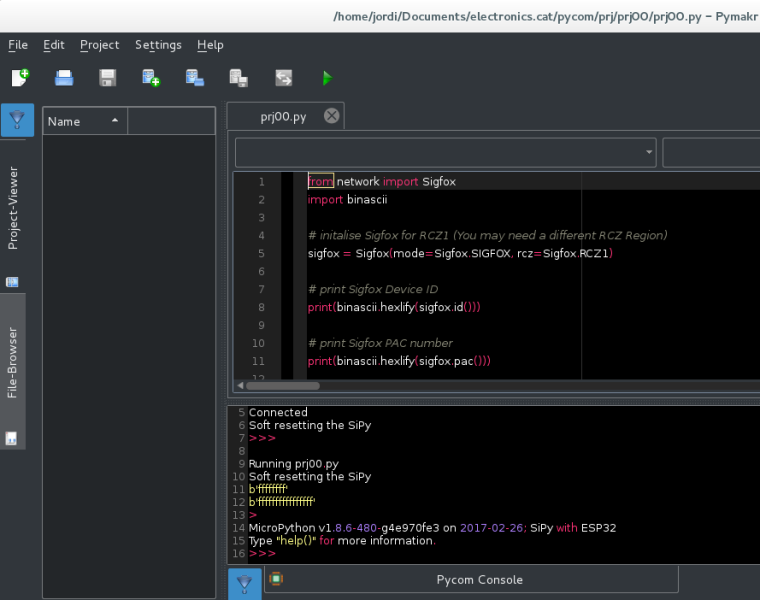
        And using suggested code:

        0_1488237570753_Captura de 2017-02-28 00:18:33.png

        1 Reply Last reply Reply Quote 0
        • B Offline
          bucknall
          last edited by

          Hmm this is interesting let us ask @daniel and move this over to firmware - seems very odd!

          Developer Evangelist - Pycom

          J 1 Reply Last reply Reply Quote 0
          • M Offline
            maku
            last edited by

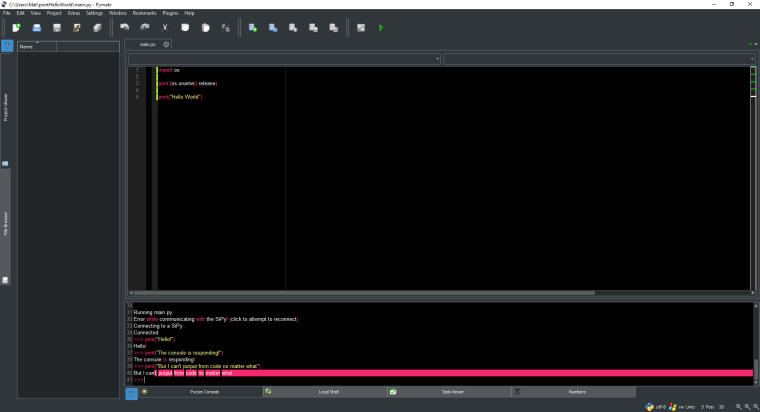
            How do you get your print functions to output to Pycom Console? My console only shows all the other stuff, never the actually desired output.

            B 1 Reply Last reply Reply Quote 0
            • B Offline
              bucknall @maku
              last edited by

              @maku can you post a picture of what your console looks like? You might have some settings configured differently.

              Developer Evangelist - Pycom

              1 Reply Last reply Reply Quote 0
              • M Offline
                maku
                last edited by

                0_1488281900584_Pymakr_PycomConsole.png

                It works one out of 20. But this is the very usual output.

                1 Reply Last reply Reply Quote 0
                • J Offline
                  Jordi @bucknall
                  last edited by

                  @bucknall I would like to try any firmware previous version.

                  0_1488293051741_Captura de 2017-02-28 15:43:48.png

                  But https://www.pycom.io/support/supportdownloads/#firmware is down right now.
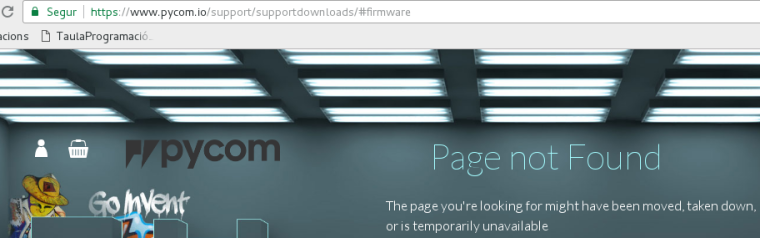
                  0_1488293004623_Captura de 2017-02-28 15:41:28.png

                  I will appreciate any tested firmware to be able to try https://github.com/pycom/pycom-libraries/blob/master/examples/sigfoxUplink/main.py on SiPy

                  1 Reply Last reply Reply Quote 0
                  • D Offline
                    daniel
                    last edited by

                    @Jordi this is a ver estrange issue and it appears that the tool is not able to program the PAC and ID on your board. We haven't changed anything around the Sigfox ID/PAC registration process, but can you try updating to 1.6.7.b1?

                    If that doesn't work, please email me your WiFi MAC address to support at pycom.io so that we can have a look in our database. Get the mac like this:

                    from network import WLAN
                    import binascii
                    
                    binascii.hexlify(WLAN().mac())
                    
                    J 1 Reply Last reply Reply Quote 0
                    • J Offline
                      Jordi @daniel
                      last edited by

                      @daniel Fortunately I have tried your Pycom Firmware Update from a virtualized Windows on Debian.

                      Using Linux firmware updater on Debian, reading from Python SiPy ID and PAC are all ffff.fff. But using Windows updater version, I am able to read properly ID and PAC from Python (Linux or Windows).

                      Hopefully you will be able to check and fix updater for Linux.

                      Thank you for your answers and collaboration.

                      1 Reply Last reply Reply Quote 0
                      • M Offline
                        michal.zykov @bucknall
                        last edited by

                        Hi @bucknall!

                        Even if I use the mentioned snippet the same output can be seen, i.e. b'ffffffff'. Any suggestion?

                        Mike

                        B 1 Reply Last reply Reply Quote 0
                        • B Offline
                          bucknall @michal.zykov
                          last edited by

                          Hi @michal.zykov! First of all, have you updated your SiPy? And if so are you using Debian (Linux) to update your device?

                          Developer Evangelist - Pycom

                          M 1 Reply Last reply Reply Quote 0
                          • M Offline
                            michal.zykov @bucknall
                            last edited by

                            Hi @bucknall!

                            Yep, I already updated SiPy by using Linux updater (Fedora 25) - SiPy firmware 1.6.7.b1. I'm able to send a print-screen that it was successful.

                            Thx,
                            Mike

                            B 1 Reply Last reply Reply Quote 0
                            • B Offline
                              bucknall @michal.zykov
                              last edited by

                              @michal.zykov, we've identified a problem with the Linux Firmware Updater and are handling it now. If you could use the Windows or Mac OS Firmware Update tool, that should get you up & running for the time being!

                              Apologies about this! We're working to get it sorted asap!

                              Thanks!

                              Developer Evangelist - Pycom

                              M 1 Reply Last reply Reply Quote 0
                              • M Offline
                                michal.zykov @bucknall
                                last edited by

                                Hi @bucknall!

                                I've tried to re-flash SiPy by using MS Windows firmware updater. It works great! Thank you! Hope, you'll be able to fix Linux firmware updater soon.

                                Mike

                                1 Reply Last reply Reply Quote 1
                                • J Offline
                                  josep.salom
                                  last edited by

                                  Hello,

                                  I have the same problem. How could I find the right Device ID and PAC?

                                  I'm using Mac OS X.

                                  X 1 Reply Last reply Reply Quote 0
                                  • X Offline
                                    Xykon administrators @josep.salom
                                    last edited by

                                    @josep-salom Can you please provide more details? What is the output you get from the commands?

                                    Christian Ehlers

                                    J 1 Reply Last reply Reply Quote 0
                                    • J Offline
                                      josep.salom @Xykon
                                      last edited by

                                      @xykon I'm using the procedure as indicated in https://docs.pycom.io/chapter/gettingstarted/registration/sigfox.html, and I got:

                                      >>>
                                      b'ffffffff'
                                      b'ffffffffffffffff'
                                      >
                                      MicroPython v1.8.6-470-gf41d0f27 on 2017-02-22; SiPy with ESP32
                                      Type "help()" for more information.
                                      >>>
                                      

                                      which are not correct ID and PAC.

                                      I'm using SiPy module with Pysense, on a Mac OS X 10.11.6 running Visual Studio Code.

                                      1 Reply Last reply Reply Quote 0
                                      • J Offline
                                        josep.salom
                                        last edited by

                                        @xykon I've just upgraded SiPy and still have the problem:

                                        >>>
                                        b'ffffffff'
                                        b'ffffffffffffffff'
                                        >
                                        Pycom MicroPython 1.18.0 [v1.8.6-849-046b350] on 2018-06-01; SiPy with ESP32
                                        Type "help()" for more information.
                                        >>>
                                        

                                        How could I get the right ID and PAC?

                                        X 1 Reply Last reply Reply Quote 0
                                        • X Offline
                                          Xykon administrators @josep.salom
                                          last edited by

                                          @josep-salom Sigfox registration requires using the firmware updater in online mode.

                                          Christian Ehlers

                                          J 1 Reply Last reply Reply Quote 0
                                          • J Offline
                                            josep.salom @Xykon
                                            last edited by

                                            @xykon So sorry, I'm very new on that. What does it exactly mean? How should I do that?
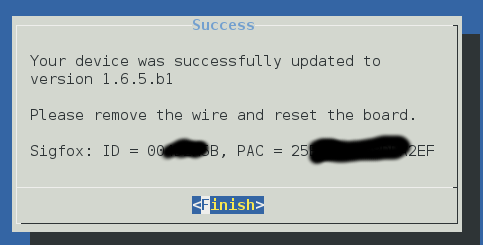
                                            X 1 Reply Last reply Reply Quote 0

                                            Hello! It looks like you're interested in this conversation, but you don't have an account yet.

                                            Getting fed up of having to scroll through the same posts each visit? When you register for an account, you'll always come back to exactly where you were before, and choose to be notified of new replies (either via email, or push notification). You'll also be able to save bookmarks and upvote posts to show your appreciation to other community members.

                                            With your input, this post could be even better 💗

                                            Register Login
                                            • 1
                                            • 2
                                            • 1 / 2
                                            • First post
                                              Last post

                                            Pycom on Twitter

                                            Pycom