Welcome to the Pycom forum Forum
    • \[\[global:header.categories\]\]
    • \[\[global:header.recent\]\]
    • \[\[global:header.tags\]\]
    • \[\[global:header.popular\]\]
    • Login
    1. Home
    2. Tags
    3. lopy wifi

    Explore Pybytes | Official Documentation | Report a Firmware Bug/Issue | GitHub

    Log in to post

    • All categories
    • A

      Unstable WiFi connection

      Watching Ignoring Scheduled Pinned Locked Moved LoPy lopy wifi
      7
      0 Votes
      7 Posts
      511 Views
      C
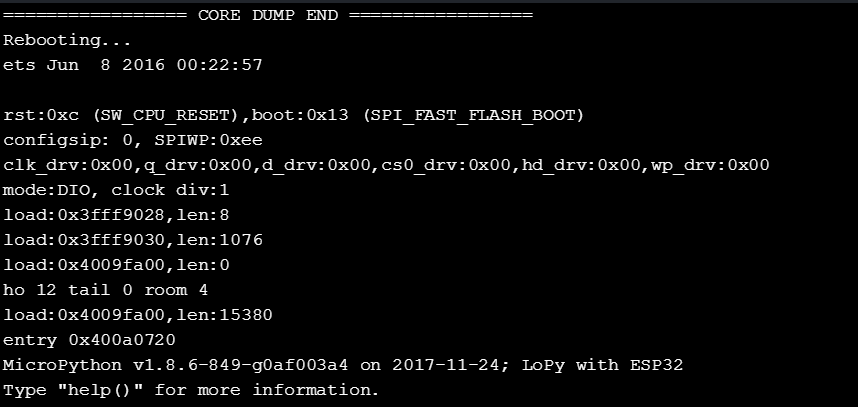
      @Asb said in Unstable WiFi connection: this never happens if I use USB. You have to try harder! Or you have simply more luck when using USB. I noticed that this happens not very often, but when it happens a few times in short distance. So it may not be related to the kind of connection.
    • H

      To send data to cloud via lorawan instead of using wifi.

      Watching Ignoring Scheduled Pinned Locked Moved LoPy lopy lorawan lopy wifi lopy nanogatewa
      2
      0 Votes
      2 Posts
      587 Views
      bmarkusB
      @harish-kumar said in To send data to cloud via lorawan instead of using wifi.: Hello everyone, I am using Lopy, I am new to this. I need to send some data to cloud via Lorawan instead of using wifi. Is it possible ? If it is , can anyone say me the procedures ? First check whether LoRaWAN is good for your application, it depends on the volume of data you are transmitting, what is the latency your application can accept, etc. Provide details. If it fits to your use case from networking view we can discuss how to implement.

    • Z

      Unknown fault

      Watching Ignoring Scheduled Pinned Locked Moved LoPy lopy lora lopy lopy wifi send data
      1
      4
      0 Votes
      1 Posts
      482 Views
      No one has replied
    • O

      new IP addr for LoPy

      Watching Ignoring Scheduled Pinned Locked Moved Comments & Feedback lopy wifi lopy-wlan
      2
      0 Votes
      2 Posts
      692 Views
      J
      @oldguydave IP addresses for WiFi are by default assigned with DHCP so if you have that on your network each LoPy will get it’s own IP address.
    • D

      transfering data from lopy to lopy over wifi

      Watching Ignoring Scheduled Pinned Locked Moved LoPy lopy wifi
      3
      0 Votes
      3 Posts
      1k Views
      D
      @seb thank you
    • 1

      How to achieve LoPy communicate with computer Using TCP

      Watching Ignoring Scheduled Pinned Locked Moved LoPy lopy lopy wifi
      2
      0 Votes
      2 Posts
      778 Views
      robert-hhR
      The Python port supports the standard socket communication methods. So if you have a python client code, that should run on LoPy. For some basic examples, see section 5 of the documentation. The documentation is always worth a look, in addition to the standard Python manuals.
    • 1

      LoPy use WIFI to communicate with Computer

      Watching Ignoring Scheduled Pinned Locked Moved LoPy lopy lopy-wlan lopy wifi
      3
      0 Votes
      3 Posts
      2k Views
      1
      @stroggo thanks, i am able to connect my LoPy with the WiFi, i am thinking how to make it communicate with my computer in the same WiFi environment.
    • S

      Is it possible to connect BLE and WiFi of LoPy simultaneously to other BLE and WiFi modules

      Watching Ignoring Scheduled Pinned Locked Moved LoPy lopy wifi lopy ble
      2
      1 Votes
      2 Posts
      1k Views
      K
      @sai9959 Hi did you get the solution for this? I am also working on the same. Please share your solution here.
    • M

      connecting umqtt library to SAP trial account IOT platform

      Watching Ignoring Scheduled Pinned Locked Moved Guides umqtt pycom sap iot lopy wifi
      3
      0 Votes
      3 Posts
      1k Views
      M
      This is the server I am using. You can get a trial account. I am trying to either use the MQTT Websockets or MQTT TCP/IP with mosquito as the broker.
    • 1 / 1