• Power Consumption and Current Measurement

    7
    1
    0 Votes
    7 Posts
    119 Views
    M
    Thank you so much @Gijs, I can now read the voltage successfully on my expansion board.
  • Red led

    lopy lopy4
    5
    1
    0 Votes
    5 Posts
    92 Views
    G
    The 'erase all' is indeed different from the 'erase flash' and 'clear CONFIG / NVS partitions' in the firmware updater tool. Im not sure exactly, but in most cases the 'erase all' in the command line works better than the latter methods, and could indeed provide a solution here
  • Using BLE_Mesh examples

    2
    0 Votes
    2 Posts
    26 Views
    G
    Have a look at this page: https://docs.pycom.io/pybytes/pymeshintegration/provisioning/ You'll need to provision the Pymesh firmware to the device first
  • Is my Lopy 4 LoRa radio working fine?

    11
    0 Votes
    11 Posts
    98 Views
    robert-hhR
    @g0hww See this thread about the Pycom antenna. https://forum.pycom.io/topic/3275/doubt-about-the-lora-antenna-kit/6?_=1618328593273 I had also made a reflection test once of the Pycom antennas I had, and they had their optimum beyond about 1000 MHz.
  • Class-C sample

    lopy lora class class-c class c
    14
    0 Votes
    14 Posts
    4k Views
    G
    Class B is currently not supported in the pycom firmware for the Lopy. You might be able to write some addition to the firmware to build it yourself, though I suspect it will be some work
  • Multicast and Class C

    3
    0 Votes
    3 Posts
    85 Views
    M
    Thank you @jcaron . The issue was on the TTN settings, the downlinks were only sent at the DR0/SF12 even if were configured to be sent at DR3/SF9 on TTN, fortunately I was able to solve that, now I can successfully receive data on DR0/SF12 and DR3/SF9. I have used fake keys and the fake device ID from the source code.
  • Measure a LiPo battery voltage

    11
    0 Votes
    11 Posts
    130 Views
    A
    @Gijs @robert-hh @jcaron Yes it works! Thanks for your help: >>> from machine import ADC >>> adc = ADC() >>> bat_voltage = adc.channel(attn=ADC.ATTN_11DB, pin='P16') >>> bat_voltage.voltage() 1898 >>> bat_voltage.voltage() 1898 >>> bat_voltage.voltage() 1888 >>> bat_voltage.voltage() 1894 >>> bat_voltage.voltage() 1893
  • lopy4 Bluetooth low energy receiving data

    3
    0 Votes
    3 Posts
    44 Views
    Z
    @jcaron Now I just did a test, the value is the voltage I am making an APP that cannot accept data. I can see the received data using nrf, but there will be a string of codes in front of it.
  • AU915 Certification

    1
    0 Votes
    1 Posts
    30 Views
    No one has replied
  • Where can i download lopy4 firmware

    2
    0 Votes
    2 Posts
    37 Views
    robert-hhR
    @M-m https://docs.pycom.io/advance/downgrade/
  • Lopy 4 resets after sometime and looses the code

    7
    0 Votes
    7 Posts
    42 Views
    robert-hhR
    @Andy12 I update the firmware from time to time. The actual version is: https://github.com/robert-hh/Shared-Stuff/blob/master/LoPy4-1.20.2.r4.tar.gz
  • The most useless board I have ever had

    18
    0 Votes
    18 Posts
    124 Views
    J
    @rholas the point is really: can you see the gateway antenna from the device antenna? It’s a bit more complex than that as there’s the Fresnel zone which requires quite a bit of clearance above ground, and on the other hand you can actually get through a few obstacles, but the essence is there: each obstacle you have to go through is the equivalent of kilometres of free space (how much exactly depends on the material, thickness, etc.). This is the reason why having the gateway antenna as high as possible helps (that’s why cellular antennas are always on masts or on top of buildings): the higher you are the less chances for obstruction on the way. Be aware that some omni antennas with high gain have a limited vertical opening angle which may be counterproductive in some scenarios, so take that into account before going that route.
  • RTC sync not working

    2
    0 Votes
    2 Posts
    74 Views
    G
    Hi, First of all, we do not recommend running the Pygate in combination with Pybytes. Could you use the following to disable the pybytes on boot: import pycom pycom.pybytes_on_boot(False) Next, check if your network is allowed to connect to the ntp server listed in the file (rtc.ntp_sync(server="pool.ntp.org")) And make sure you're using the Pygate version of the micropython firmware (you can look for the pygate version in os.uname() Let me know Gijs
  • Capture and save the traceback from error

    lopy lopy4 traceback
    4
    0 Votes
    4 Posts
    74 Views
    K
    @M-m I put mine in a function def logtraceback(e): which I call from any Exception as e: where I want to log the traceback.
  • Pymakr does not find my board

    vscode pymkr
    5
    0 Votes
    5 Posts
    92 Views
    G
    for those wondering where in Pymakr that the "autoconnect_comport_manufacturers" is -- in Atom (I don't know about Visual Studio, though it's also an Electron-based app), go to File->Settings Select the Pymakr package View Code Navigate to .atom/packages/pymakr/lib/config.js look for the autoconnect_comport_manufacturers.default: add your manufacturer to the list (don't break the JSON!) Restart Atom
  • Lopy and Node-Red communication

    5
    1
    0 Votes
    5 Posts
    71 Views
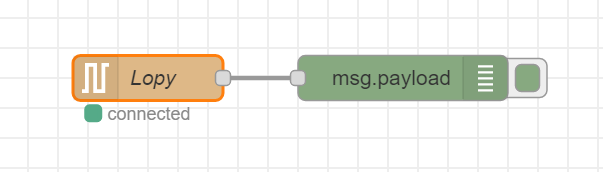
    N
    Brilliant @Matthew-Felgate-0 the example is working for me and I was able to integrate this into my project. Thanks! But now you also got me interested in MQTT :) I followed some of the examples from here and here. However I always run into the same error leading back to the mqtt library: Traceback (most recent call last): File "main.py", line 19, in <module> File "/flash/lib/mqtt.py", line 65, in connect OSError: Network card not available This is line 65 in the connect function: self.sock = socket.socket() I tried various MQTT brokers, e.g. HiveMQ ,test.mosquitto.org, as well running mosquito locally. But I just can’t get past the above error. Any idea?
  • Watchdog failed? too much timer.alarm and timer.chrono?

    7
    0 Votes
    7 Posts
    73 Views
    G
    I thought that I would mention another trick that I use, when using the REPL and code is running. The content of main runs in a try block and I have catch blocks like so: except KeyboardInterrupt as e: # the wdt will give us 30 mins to play in the repl ... wdt = WDT(timeout=30*60*1000) print('CAUTION: Watchdog will reboot in 30 minutes!') print('Node stopped') except Exception as e: sys.print_exception(e) # game over man, expect reboot soon! wdt = WDT(timeout=5000) pycom.heartbeat(False) utime.sleep_ms(100) pycom.rgbled(0x7f0000) # red print('FATAL: Watchdog will reboot soon!') Catching the keyboard interrupt means that I get 30 mins to play in the REPL console before the thing will reboot, in case I wander off and forget to restart it.
  • Automatically assign new LoRa MAC to LoPy4?

    2
    0 Votes
    2 Posts
    38 Views
    robert-hhR
    @d-alvrzx see: https://forum.pycom.io/topic/1272/lora-mac-ffffffffffffffff/8
  • OTAA join retries

    8
    0 Votes
    8 Posts
    86 Views
    F
    @jcaron thanks for the hint. I made some experiments and It seems that it's possible stop the join process reinitializing LoRa class with something like: lora = LoRa(mode=LoRa.LORAWAN, region=LoRa.EU868) This avoid the start of new one retry but, the current running try is in any case completed, probably in respect to radio duty cycle. In other world: if I start a join process with SF12, calling lora.join(activation=LoRa.OTAA, auth=(app_eui, app_key), timeout=0, dr=0) I can stop the join process reinitializing LoRa class but in any case I have to wait minutes before start another join proces
  • Encoding in my Lopy4

    5
    0 Votes
    5 Posts
    69 Views
    M
    @g0hww I was thinking more in something about decoding, but is a good solution. Thanks!

Pycom on Twitter