Welcome to the Pycom forum Forum
    • \[\[global:header.categories\]\]
    • \[\[global:header.recent\]\]
    • \[\[global:header.tags\]\]
    • \[\[global:header.popular\]\]
    • Login
    1. Home
    2. Tags
    3. import

    Explore Pybytes | Official Documentation | Report a Firmware Bug/Issue | GitHub

    Log in to post

    • All categories
    • K

      Cannot import lora library

      Watching Ignoring Scheduled Pinned Locked Moved LoPy lopy lora import library pycom
      2
      0 Votes
      2 Posts
      106 Views
      ShanevanJS
      @Kcsss Read the documentation here more carefully. The case is important! from network import LoRa import socket import ubinascii import struct # Initialise LoRa in LORAWAN mode. # Please pick the region that matches where you are using the device: # Asia = LoRa.AS923 # Australia = LoRa.AU915 # Europe = LoRa.EU868 # United States = LoRa.US915 lora = LoRa(mode=LoRa.LORAWAN, region=LoRa.EU868)

    • W

      Reread Setting.py while the program is running.

      Watching Ignoring Scheduled Pinned Locked Moved WiPy 2&3 wipy lopy import
      8
      0 Votes
      8 Posts
      525 Views
      W
      @robert-hh That's how it works perfectly! Thank you very much. import sys del sys.modules['settings'] time.sleep(1) import settings
    • M

      Make application location-independent

      Watching Ignoring Scheduled Pinned Locked Moved Discussion import
      5
      0 Votes
      5 Posts
      564 Views
      P
      I've asked internally and It does not seem like we have a good way to get the equivalent of __FILE__ in micropython. Short of adding ALL of your applications ./lib subfolders to sys.path in boot.py prior to running/importing anything else.
    • B

      Import Custom Library

      Watching Ignoring Scheduled Pinned Locked Moved MicroPython i2c atom library import fipy
      3
      2
      0 Votes
      3 Posts
      837 Views
      B
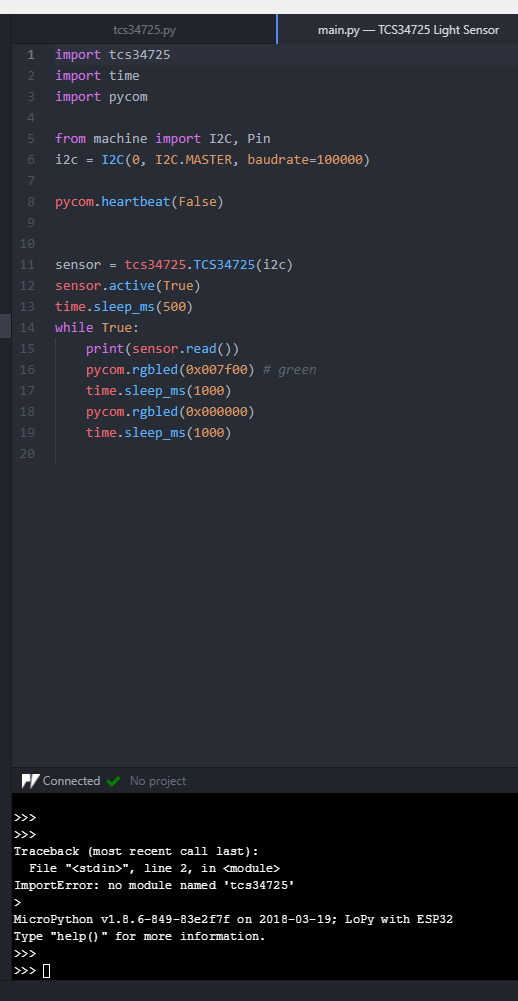
      @dan I understand that and get this error when I flash it, but I would also like it to link in Atom so I can build and run it right away without having to flash it. [image: 1537809779016-2f6c007e-17d2-4496-a1eb-b82c77973113-image.png]
    • P

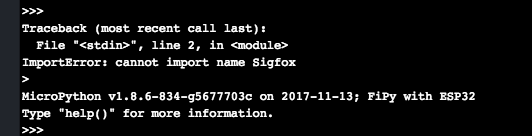
      Cannot import name Sigfox

      Watching Ignoring Scheduled Pinned Locked Moved FiPy import sigfox fipy
      11
      1
      0 Votes
      11 Posts
      3k Views
      H
      @pymiom @mbartecki I got the new public firmware supporting Sigfox, by updating the device this morning! Enjoy guys :) Thank you @jmarcelino
    • J

      Unable to get Service from Bluetooth Sensor Device

      Watching Ignoring Scheduled Pinned Locked Moved WiPy 2&3 service getting started gattcconnection import bluetooth
      2
      0 Votes
      2 Posts
      838 Views
      S
      please add time.sleep after connection and make service as dictionary, things will work...
    • S

      "ImportError: no module named 'mqtt'" on WiPy 2.0

      Watching Ignoring Scheduled Pinned Locked Moved WiPy 2&3 wipy 2.0 mqtt import
      2
      0 Votes
      2 Posts
      2k Views
      robert-hhR
      @sesamproductions You have to copy the mqtt code to your device first. Instructuctions are for instance here: https://docs.pycom.io/chapter/tutorials/all/aws.html, or search the forum for mqtt. Edit: A simple mqtt client is also available at the micropython lib https://github.com/micropython/micropython-lib
    • B

      Import a module by a name stored in a variable? (importlib?)

      Watching Ignoring Scheduled Pinned Locked Moved MicroPython import
      1
      0 Votes
      1 Posts
      850 Views
      No one has replied
    • B

      WiPy 2.0 + Blynk

      Watching Ignoring Scheduled Pinned Locked Moved WiPy 2&3 blynk attributeerror import
      7
      0 Votes
      7 Posts
      2k Views
      T
      @BitNide I got it "working" ... at least 02_virtual_read.py. In BlynkLib.py I changed _TimerMap = {}. Rationale: Presumably the HwPin class is not used by virtual pins. Then it would not be surprising if they are not affected by the change. Not sure yet if I even care about non-virtual pins.
    • A

      Import a library and all its dependencies on lib folder

      Watching Ignoring Scheduled Pinned Locked Moved WiPy 2&3 library import lib dependencies
      6
      0 Votes
      6 Posts
      3k Views
      L
      @Arkaik classic way always work ;-)
    • 1 / 1