• Unable to Update Firmware - Failed to Connect to ESP32

    2
    1
    0 Votes
    2 Posts
    46 Views
    K
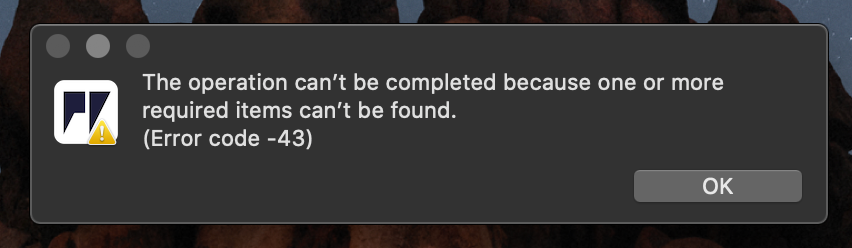
    Have you checked you've got the correct comm port & that your repl program (eg Atom) is closed?
  • This topic is deleted!

    1
    0 Votes
    1 Posts
    8 Views
    No one has replied
  • Firmware upgrade download

    5
    1
    0 Votes
    5 Posts
    97 Views
    W
    Solved after a reboot!
  • 0 Votes
    11 Posts
    130 Views
    G
    Hi, I believe you are experiencing the same issues as discussed here: https://forum.pycom.io/topic/5765/loadprohibited-core-panic-when-initialize-wlan Can you review the discussion? There are of course slight differences between the antennas etc. on the boards (manufacturing tolerances etc) and doing a full erase using the update firmware tool might help in that regard. Let me know!
  • random flash memory format

    gpy
    6
    0 Votes
    6 Posts
    416 Views
    G
    We've had some reports that using a low voltage (outside of spec, like using an empty battery) might corrupt the filesystem when using littleFS. In that scenario, fatFS is more stable (not sure of the exact workings)
  • Issues with wlan.isconnected() not returning True in 1.20.0.rc11

    2
    0 Votes
    2 Posts
    190 Views
    B
    Hey @aidanlok Hope you are doing well. Just curious, were you able to perform speedtest? Also, how did you installed the uiperf3 ? Copy uiperf3.py in the lib folder?
  • GPy LTE CAT M1 Connection Fails - Australia

    2
    0 Votes
    2 Posts
    29 Views
    K
    I've had 2 GPYs (out of 10) in the last 2 years where the RF section of the lte modem simply died. These RF dead modems show something bizarre like -1000 or -2000 for the Frequency Hypothesis RF (Hz) line in response to def send_at_cmd_pretty(cmd): response = lte.send_at_cmd(cmd).split('\r\n') for line in response: print(line) send_at_cmd_pretty('at+cfun=1') send_at_cmd_pretty('AT!="showphy"') # get the PHY status run after trying to attach them, whereas an unsuccessfully attached modem with functional RF shows 0 for the frequency hypothesis.
  • LoPy4: LoRaWAN: setting ACK flag

    2
    0 Votes
    2 Posts
    72 Views
    J
    @toughrock Can you explain us why you don't want to save NVRAM? The ACK flag is a LoRaWAN feature that is driven automatically by the LoRaWAN stack. When you receive a (confirmed) downlink, the next uplink will have the ACK flag set, so the network knows the downlink has been received and it can send the next one (otherwise it will send the same downlink again). If the network and/or network API and/or server support it, you could simply set the downlink as UNCONFIRMED and you would not need the ACK to be set. But going to deep sleep without saving the LoRaWAN state will result in a lot more issues than just a missing ACK flag: Frame counters will be reset You would have to re-join each time, which is time-consuming Other MAC commands would have no effect, such as channel list updates, ADR, etc. So, what's your issue with saving the LoRaWAN state?
  • BLE notify callback problems with multiple calls in short time

    2
    0 Votes
    2 Posts
    37 Views
    P
    Having the exact same issue. Multiple notifications with <10ms intervals will cause the same value to be presented in the call backs. :(
  • Unhandled exception in callback handler using Bluetooth

    3
    0 Votes
    3 Posts
    127 Views
    H
    @aasodisen Add a second argument, e.g. def char1_cb(chr, arg1=None): print(chr) This should work. Best regards
  • BLE Callback handler for READ and WRITE events causes the DISCONNECTION

    2
    0 Votes
    2 Posts
    236 Views
    A
    FIXED: from network import Bluetooth bluetooth = Bluetooth() bluetooth.set_advertisement(name='GPy', service_uuid=0x1815) def conn_cb (bt_o): events = bt_o.events() if events & Bluetooth.CLIENT_CONNECTED: print("Client connected") elif events & Bluetooth.CLIENT_DISCONNECTED: print("Client disconnected") bluetooth.callback(trigger=Bluetooth.CLIENT_CONNECTED | Bluetooth.CLIENT_DISCONNECTED, handler=conn_cb) bluetooth.advertise(True) srv1 = bluetooth.service(uuid=0x1815, isprimary=True) chr1 = srv1.characteristic(uuid=0x2A56, properties=Bluetooth.PROP_READ, value=0x01) def char1_cb_handler(chr, *args): events = chr.events() if events & Bluetooth.CHAR_READ_EVENT: print("Read request on char 1") else: print("invalid chr1 event") char1_cb = chr1.callback(trigger=Bluetooth.CHAR_READ_EVENT, handler=char1_cb_handler)
  • hasattr([1,2,3,3], '__iter__') == False

    1
    0 Votes
    1 Posts
    11 Views
    No one has replied
  • 0 Votes
    2 Posts
    108 Views
    M
    Hi, Did you check whether your WiPy is connected to wifi? If WiPy is not connected to wifi, you can receive oserror. After being sure that your WiPy connected to wifi, please try your code. Best,
  • Wipy & Pytrack Firmware

    2
    0 Votes
    2 Posts
    24 Views
    J
    @htrifol If you have setup Wi-Fi, you can use FTP to view files on your device. Note that there are limitations to this, see the documentation for configuration settings.
  • pysense firmware bug

    1
    0 Votes
    1 Posts
    15 Views
    No one has replied
  • pycom with pysense problem

    2
    0 Votes
    2 Posts
    31 Views
    J
    @AM The "ValueError: Firmware out of date" message comes from the Pysense firmware being too old, not the FiPy's.
  • Lopy4 Guru meditation error

    firmware lopy4 error guru meditation guru error
    37
    0 Votes
    37 Posts
    9k Views
    M
    @jmarcelino do you already searching for a solution or have found it ???? I have the same problem
  • Receive Join while doing other things

    1
    0 Votes
    1 Posts
    15 Views
    No one has replied
  • DFU-util 0.9 fails to update firmware on psense V1.1 @ 2017

    2
    0 Votes
    2 Posts
    95 Views
    J
    Me, too! I actually have a pysense v1.0. Trying to DFU firmware v0.0.8 on MacOS 10.14, and am getting the same error ("dfu-util: Cannot set alt interface zero")
  • Guru Meditation Error

    1
    0 Votes
    1 Posts
    58 Views
    No one has replied

Pycom on Twitter