• Guide/Tutorial/Reference about Expansion Board

    13
    2 Votes
    13 Posts
    254 Views
    rcolisteteR
    @kjm said in Guide/Tutorial/Reference about Expansion Board: In 'Using Expansion Board' in English you state "when using FiPy or GPy with Expansion Board, remove the RTS and CTS mini-jumpers, as they conflict with the operation of the LTE modem, see CAT-M1 and NB-IoT tutorials: I run a gpy on expansion board 2.0 with the RTS/CTS jumpers in place & no problems with the lte modem. The clickable link to CAT-M1 doesn't seem to provide any useful detail on RTS/CTS I'm not being critical, indeed I think any attempt to clarify pycoms chaotic documentation is laudable. But I'm still no wiser! I can't even figure out which uart the RTS/CTS jumpers apply to. Is it the uart that services the usb port or the uart that services the lte modem. My test with FiPy (old one) had problems with RTS/CTS jumpers, so the recommendation is correct. But I don't have GPy to confirm if the Pycom recommendation isn't needed for GPy.
  • Sending Pysense data to mySQL database

    pysense wipy mysql database pymysql
    2
    0 Votes
    2 Posts
    353 Views
    C
    I’ve experienced similar issues when using MySQL databases. What you’re experiencing can most likely be linked to some kind of server problem. That’s what it’s boiling down to most of the time. One of my clients was having a real bad time with his database and I identified the faulty server as being the culprit behind most of the issues. Once we switched him up to a cloud server all of the connectivity problems were gone. Also, you could try using a service like Aiven for MySQL. With that you can connect appliances to your databases with ease. I hope I could help you, and you figure out the problems.
  • This topic is deleted!

    1
    1
    0 Votes
    1 Posts
    7 Views
    No one has replied
  • Pytrack 2.0X and active GPS antenna

    3
    0 Votes
    3 Posts
    95 Views
    K
    @Gijs Thank you for the confirmation, the jumper label did imply that functionality but I thought it was best to check. Then, I think my mistake was trying to probe for 3.3VDC directly at the end of the SMA connector - it is either not reachable or not present until the internal mechanical switch is activated. Attaching a length of coax, I was able to verify 3.3VDC on the center conductor at the other end. So, all good - thanks!
  • Updating device FW with Pytrack 2.0X

    8
    0 Votes
    8 Posts
    93 Views
    K
    @robert-hh Ok, I'll ignore the device ID, I didn't realize that applied only to updating the board FW. When grounding P2 and resetting, I only ever get the message I posted earlier, never the one you captured. That is the case under Windows or Linux, although the pycom-fwtool does work under Windows for me when connected to the Pytrack 2.0X. (It works under both OS when using Expansion Board 3.0/3.1.) Thanks for your time, but I guess I will just switch to Windows for FW updates while working with the Pytrack.
  • This topic is deleted!

    1
    0 Votes
    1 Posts
    2 Views
    No one has replied
  • How to perform a safe boot / low level boot on a Pyscan with Fipy?

    6
    1 Votes
    6 Posts
    66 Views
    robert-hhR
    @BartRemans G23 is the boot mode pin, G28 the safe boot Pin, but also the antenna switch pin. P2 aka G23 is also accessible on the external header of the Pyscan board. See https://docs.pycom.io/gitbook/assets/pyscan-pinout.pdf
  • Can't update on MacOS (MBP 16")

    3
    0 Votes
    3 Posts
    41 Views
    G
    Hi, At the moment we have an issue with the dfu-util program on MacOS. On the other operating systems, the tool works fine. Sorry for the inconvenience. Best, Gijs
  • Serial debugging through Pyscan micro USB port?

    9
    0 Votes
    9 Posts
    110 Views
    meshnerdM
    @Gijs I ran those commands and they didn't "stick". I ran pycom.wifi_on_boot(True) and then immediately checked the status with pycom.wifi_on_boot() and it remains False. And no new networks showed up. I booted into safe mode and got some version numbers. Is there another way to check firmware versions? Looks like I'm on some old stuff. Pycom MicroPython 1.20.0.r3 [v1.9.4-398a290] on 2019-09-19; LoPy4 with ESP32 Pybytes Version: 1.0.2 Update: Okay I updated firmware! Seeing a lot more methods now and seeing the Access Point! Pycom MicroPython 1.20.2.r1 [v1.11-a5aa0b8] on 2020-09-09; LoPy4 with ESP32
  • pysense v2 connector reference

    3
    0 Votes
    3 Posts
    67 Views
    M
    @Gijs thanks a lot..
  • PyTrack2 - External PIC Interrupt

    1
    0 Votes
    1 Posts
    57 Views
    No one has replied
  • Bricked my Expansion Board?...

    15
    1
    0 Votes
    15 Posts
    144 Views
    mogplus8M
    @robert-hh it seems your analysis is correct. With 5v applied to Vin I get 38.4 mV at the 3.3v pin. I'm afraid that unsoldering and resoldering such tiny parts is way beyond my meagre skills and rheumy old eyesight... and frankly not really worth it. Much easier to just bite the bullet and order a new one. Got lots of other boards to play with until it arrives anyway. Thank you very much for your help with this problem, much appreciated, and to @rcolistete and @Gijs as well for their advice. ;-)
  • This topic is deleted!

    1
    0 Votes
    1 Posts
    13 Views
    No one has replied
  • pyTrack2 - sleep and power usage

    3
    1
    0 Votes
    3 Posts
    70 Views
    C
    You have to send the GPS into sleep as well. Have a look into the GPs manual for the matching PMTK sentenes. But be warned. The L76 doesn't like to play. Mine has not found any sat for months. I like o have a full erase like the one for the ESP32.
  • Help: pytrack V2.0 sensor header information

    2
    0 Votes
    2 Posts
    53 Views
    G
    In the near future, we will have sensosr in our webshop to attach to this PyPort. Now in the meantime, the connector is for a 6 pin ribbon cable with 1.27mm pin pitch available from most of the well known vendors. The part number: Amphenol 20021511-00006T4LF. Be careful as it is not the regular sized 2.54mm pin pitch connector Best, Gijs
  • Expansion board communicate Pymakr

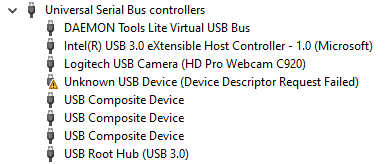
    6
    1
    0 Votes
    6 Posts
    56 Views
    G
    That is unfortunate, Though you did mention that the fipy did work in other expansionboards? If I use another expansion board, it works!! Contact me at support@pycom.io And I will see what I can do for you!
  • How to use the EASY A-GPS functionnality on pytrack's GPS ?

    4
    1 Votes
    4 Posts
    110 Views
    C
    @WilkinsSq EASY is not A-GPS. Easy writes the collected almanac into internal flash memory. Depending on the settings this data is used when it is not older than 3 hours.
  • Wake up using accelerometer

    9
    0 Votes
    9 Posts
    136 Views
    rcolisteteR
    See 'machine.pin.hold()' : "Get or set the pin hold. You can apply a hold to a pin by passing True (or clear it by passing False). When a pin is held, its value cannot be changed by using Pin.value() or Pin.toggle() until the hold is released. This Can be used to retain the pin state through a core reset and system reset triggered by watchdog time-out or Deep-sleep events. Only pins in the RTC power domain can retain their value through deep sleep or reset. These are: P2, P3, P4, P6, P8, P9, P10, P13, P14, P15, P16, P17, P18, P19, P20, P21, P22, P23"

  • Expansion Board 3 user button Pin

    10
    1 Votes
    10 Posts
    303 Views
    rcolisteteR
    @TurkDangerCat said in Expansion Board 3 user button Pin: @rcolistete Thanks for that, helpful, one small thing, you may have a typo here: "low power consumption in deep sleep mode, minimum of 34 mA with WiPy3 and battery supplying 3.61-3.66 V in the JST PH 2.0 connector, similar to the 33 uA promised by Pycom;" Did you mean mA and uA (as 34mA is not close to 33uA :-) ) Yes, it was a typo, the correct is 34 uA. Thanks, I've fixed it.
  • Detecting charge state

    3
    0 Votes
    3 Posts
    61 Views
    G
    @kiltedpython said in Detecting charge state: Not looking to get the battery percentage but but if the LED on the expansion board can tell if the battery is charged or charging can this be queried from a wipy or whatever? You can tell the battery is charging by the red LED on the expansionboard. Once the LED turns off, the battery is charged. This is not directly broken out to a controller pin, but can be easily connected as @robert-hh suggested, by connecting the LED to one of the GPIO pins (make sure you watch the voltage!)

Pycom on Twitter