Subcategories

  • General discussion for getting started and support

    723 Topics
    3k Posts
    robert-hhR
    @theshade Pycom INC is closed. And whoever purchased the assets did not buy the debts or responsibilities. Personally I'm upset that not even the technical documentation of their boards was published as a small feedback for the community.
  • For all topics related to the WiPy

    566 Topics
    3k Posts
    S
    @robert-hh okay, makes sense regarding the documentation. thanks for the information
  • For all topics related to the LoPy

    2k Topics
    9k Posts
    S
    I am facing a challenge when attempting to decompress data compressed using the miniz library on the ESP32 platform. My objective is to compress data using miniz library in flasher_stub compoment of esp-idf and then decompress the data on the cloud side using some python script that can be compatible with miniz decompression style like zlib. As per the documentation and information available, the miniz library is described as a "lossless, high-performance data compression library" that implements the zlib (RFC 1950) and Deflate (RFC 1951) compressed data format specification standards. However, I am encountering difficulties when attempting to decompress the compressed data using Python. Specifically, when using the Python zlib module, which should be compatible with the zlib and Deflate formats, I am receiving an "unknown compression method" error. I have verified that the file and data are correct, and they were compressed using the miniz library on the ESP32. Despite this, I am unable to successfully decompress the data. I would greatly appreciate any help or any insights that you can provide regarding how to properly decompress data that has been compressed with the miniz library using Python.
  • For all topics related to the SiPy

    163 Topics
    783 Posts
    M
    @matt3526 DID anyone figure this out?
  • For all topics related to the GPy

    411 Topics
    2k Posts
    D
    Hi, Just for reference, our GPy replacement Walter is going live on Crowd Supply very soon. We already tested with some beta testers and you can read the review in this topic: https://forum.pycom.io/topic/7748/the-future-of-pycom/32 For everybody interested, this is the Crowd Supply link: https://www.crowdsupply.com/dptechnics/walter
  • For all topics related to the FiPy

    531 Topics
    3k Posts
    robert-hhR
    @Julia-Steiwer As you should have noticed, Pycom Inc ceased it's operation, and there is no service any more for Pycom products, be it hardware or software like Pymakr. The latter should still work with the older VSCode versions. So if you want to use PyMakr, you have to stick with an working combo of an older VSCode version and PyMakr.
  • For all topics related to the Pymakr

    129 Topics
    599 Posts
    robert-hhR
    @Kalle-Misto Pymakr is not supported any more. It might help to fall back to a previous version of Vscode and keep it.
  • For all topics related to the Pymate

    10 Topics
    50 Posts
    T
    Hi, I think I'm doing everything correctly and following Roberto's tutorial to a T. I am getting errors when I try both reading and writing virtual pins. I am using a wipy 2.0 running firmware 1.18.2.r4 Here Is my process: set up pymate safe boot device, download files. edit pymate_basic.py in lib with code under "# Initialize Virtual Pins and Terminal Pins Here" restart, add widgets to app, and it always returns errors. Here are two examples of errors: a) When I try Roberto's first example of writing, I add the following code under "# Initialize Virtual Pins and Terminal Pins Here" to pymate_basic.py: # Initialize Virtual Pins and Terminal Pins Here import pycom def set_led_color(params): val = int(params[0]) if (val < 256): val = val & 0xFF elif (val > 255 and val < 512): val = (val << 8) & 0xFF00 elif (val > 511): val = (val << 16) & 0xFF0000 pycom.rgbled(val) pymate_library.add_virtual_pin(1,None, set_led_color) After uploading, and setting up a widget type slider with pin V1, and range 0-750, I slide the slider and get one of the following errors: "Error calling provided virtual method" 2)"Traceback (most recent call last): File "boot.py", line 39, in <module> File "/flash/lib/pymate_basic.py", line 25, in <module> File "/flash/lib/pymate_library.py", line 414, in run File "/flash/lib/simple.py", line 202, in wait_msg File "/flash/lib/pymate_library.py", line 352, in _recv_msg_callback File "/flash/lib/pymate_library.py", line 278, in _handle_hardware_msg KeyError: 32" 3)Warning: Virtual write to unregistered pin 1 b) When I try Roberto's second example of reading, I add the following code under "# Initialize Virtual Pins and Terminal Pins Here" from uos import urandom def read_random(): val = int(urandom(1)[0]) return val pymate_library.add_virtual_pin(1,read_random, None) After setting up the widget type to Display, pin V1, pin Mode INPUT, refresh Rate 500ms, I hit play, and I get the following error: Traceback (most recent call last): File "boot.py", line 39, in <module> File "/flash/lib/pymate_basic.py", line 19, in <module> File "/flash/lib/pymate_library.py", line 414, in run File "/flash/lib/simple.py", line 202, in wait_msg File "/flash/lib/pymate_library.py", line 352, in _recv_msg_callback File "/flash/lib/pymate_library.py", line 278, in _handle_hardware_msg KeyError: 32 Please help. There is very little documentation to go off of, and I can't find anything wrong with what I'm doing. Thanks

  • For all topics related to the Expansion Board

    298 Topics
    1k Posts
    D
    @Mr-Admin said in syntax question: mqtt_publish(client, "home-assistant/altitude", str(alt.altitude).encode('utf-8')) thank you, this looks like what I need
  • For all topics related to MicroPython

    417 Topics
    2k Posts
    K
    @robert-hh maybe wrong forum. I couldn't figure out the Github system and found this forum instead. Thanks for the tip on the USB cable. Hope it's that simple. .
  • 0 Votes
    5 Posts
    1k Views
    A
    @dmayorquin Amazing! Both of those solutions worked for me. Thanks for your help :)
  • Deepsleep

    sleep deep sleep wake up
    2
    0 Votes
    2 Posts
    657 Views
    A
    I have summarized my current understanding of the various was to enter sleep mode in this post. The general idea though is that sleep allows the board to still run (but with reduced power) and it does not reset when you exit sleep. Deep sleep resets the board (will not execute any code after the deep sleep command and will reboot and run boot.py and main.py)
  • Pysense Schematic Diagram

    pyse schemat
    5
    0 Votes
    5 Posts
    2k Views
    M
    @jcaron said in Pysense Schematic Diagram: @sslupsky That's not my experience on the battery connector voltage. My devices (Pysense + LoPy) stop booting around 3.3V. A LiPo battery can't even provide 4.4V, I believe the max is around 4.1V. Are you sure it's not a problem of max current rather than voltage? Li-Ion max is typically 4.2 V. Full ack here on the missing schematics. I've spent already hours on reverse engineering the PySense (some info here https://forum.pycom.io/topic/3585/pysense-why-a-coprocessor/5) and find this very frustriating. I still don't get why they are doing this. Any counterfeiter would be able to copy the design within a few days, so for them the missing schematic is only a small hurdle. It does hurt us - the customers who have paid for the designs and are forced to trace lines on the PCB to figure out how to use it properly. BTW existing documentation of the PySense is very poor.
  • NB-IoT / LTE-M1 plans on Ireland

    nb-iot coverage lte m1 ireland
    2
    0 Votes
    2 Posts
    538 Views
    mfalkviddM
    @averri Telegeography is usually good at publishing info when countries get coverage, but the only NB- IoT / LTE-M1 news they have for Ireland is https://www.telegeography.com/products/commsupdate/articles/2017/09/07/iot-time-m2minternet-of-things-weekly-digest/
  • This topic is deleted!

    1
    0 Votes
    1 Posts
    4 Views
    No one has replied
  • This topic is deleted!

    1
    0 Votes
    1 Posts
    4 Views
    No one has replied
  • nano-gateway bringup

    gateway lopy4 bringup
    13
    2
    0 Votes
    13 Posts
    2k Views
    M
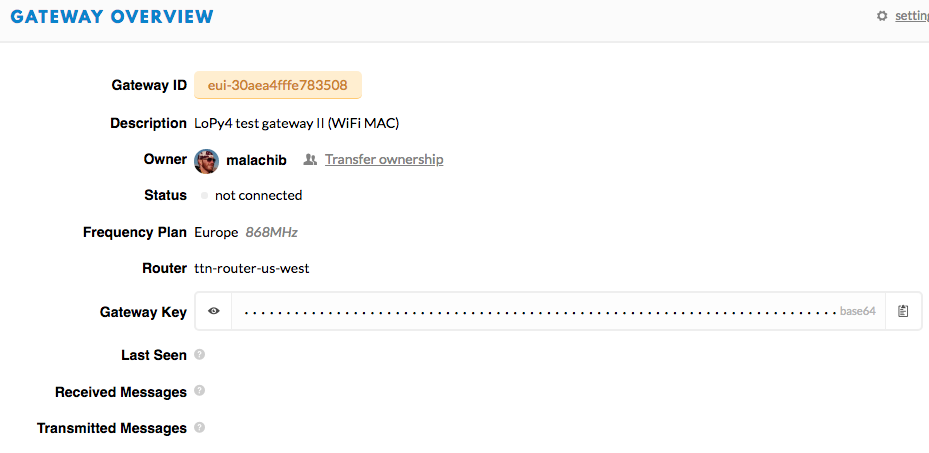
    @robert-hh that did it! router.us.thethings.network was the key! Nowhere do I see that URL on TTN gateway config, so you really saved my bacon there. Thank you!
  • Deep sleep / standby power consumption

    deep sleep
    8
    0 Votes
    8 Posts
    3k Views
    D
    Hi @bucknall, I need some help with the Pysense deep sleep mode. I have a SiPy + Pysense + 3.7 V LiPo battery. I'm testing Deep sleep mode from last version of Pysense library but the multimeter is showing high deep sleep current consumption. SiPy firmware: 1.18.0 Pysense firmware: 0.0.8 My program disabled WiFi in boot.py. In main.py It blinks an LED for 5 seconds and then sleeps 20 seconds. These are my results: Blinking: ~50 mA Deep sleep: ~2.2 mA main.py code: from pysense import Pysense import pycom import time py = Pysense() #Turn-of heartbeat if pycom.heartbeat() == True: pycom.heartbeat(False) for i in range(5): pycom.rgbled(0x1F) time.sleep(0.05) pycom.rgbled(0x00) time.sleep(1) #Sleep 20 seconds py.setup_sleep(20) py.go_to_sleep() Is there any piece of code I'm missing? If pysense_0.0.4 dfu firmware resolves the deep sleep issue It's supposed to be ok with 0.0.8 too.
  • pysense: lots of invalid temp/hum values

    pysense temperature humidity
    30
    0 Votes
    30 Posts
    11k Views
    G
    @catalin Thank you for the response. Can you please provide the link to the forum thread debating this?
  • RTC initialisation

    rtc lopy4 fipy deep sleep
    4
    0 Votes
    4 Posts
    923 Views
    E
    @tuftec In fact, lorawan callback in the network operator that i have used (objenious and orange) doesn't allow dynamic downlink data setup via callback service. I have to prepare the downlink data and when (even several hours/day later) the device send an uplink message the downlink data is send to the device. So, if you know the periodicity of your uplink frame you can predict the time to send to your device on his next uplink frame and set your operator downlink frame in advance. With Sigfox, when the device send an uplink frame with download request bit (by device choice) set, there 2 choices -default call back method can send back to the device network time and some static data -you have 20 secondes to send back from your device (from your own callback service) some data and time. With NB-IOT , network time availability is not mandatory so it depend of your network provider.
  • Output pin control during deep sleep

    lopy4 fipy ulp deepsleep
    1
    0 Votes
    1 Posts
    470 Views
    No one has replied
  • signal strength pyscan antenna

    pyscan rfid antenna weak signal
    5
    0 Votes
    5 Posts
    1k Views
    P
    @dan thx for testing but shouldn't it be 2 - 5 cm instead of mm? At least that is my experience with other rfid/nfc boards. Several mm is nothing when using an enclosure...I can't imagine that this is the ultimate goal of the supplied antenna
  • 0 Votes
    4 Posts
    1k Views
    P
    @tealbrains & @Xykon : thanks all , that was that ! sudo dfu-util -D ./expansion3_0.0.9.dfu -R -v (I had added my user to dialout group already : not enought)
  • This topic is deleted!

    1
    -1 Votes
    1 Posts
    25 Views
    No one has replied
  • Pyscan NFC MFRC63002HN,151 Writing Support

    pyscan mfrc63002hn
    1
    0 Votes
    1 Posts
    578 Views
    No one has replied
  • micropython.schedule equiv with pycom

    isr schedule
    2
    0 Votes
    2 Posts
    662 Views
    S
    You are probably looking for Timer.Alarm().
  • Radio Certifications Reports LoPy 4

    certification lopy4
    1
    0 Votes
    1 Posts
    559 Views
    No one has replied
  • Advise on some parts for a project

    solar charging
    1
    0 Votes
    1 Posts
    515 Views
    No one has replied
  • This topic is deleted!

    1
    0 Votes
    1 Posts
    2 Views
    No one has replied
  • What are the specification for a battery for pysense?

    pysense battery
    4
    0 Votes
    4 Posts
    1k Views
    J
    @freddy in theory yes but most power banks turn off the output when there’s very little load, such as when the device goes into deepsleep . Also the USB interface will be active and consume a (small but relevant) amount of power

Pycom on Twitter