• Pycom Documentation Bible

    Guides
    1
    0 Votes
    1 Posts
    25 Views
    No one has replied
  • Hotspot debugging

    Helium Hotspot
    8
    0 Votes
    8 Posts
    120 Views
    D
    @Jason-Timmins I have several hotspots placed at friends, relatives, and offices. I stuck with makers that were into IoT before helium was a thing. RAK, SenseCAP (Seeed), Heltec and now Pycom. Seems all of them get a bad firmware update from time to time. I've gotten in the habit of imaging the SD cards of the ones that use SD storage. (Heltec uses non-removable eMMC) The Pycom hotspot is a great performer, so I hope they work out the kinks in the coming weeks. I sent another user a zipped SD card image to get him going again.
  • Superstrange error and core dump

    GPy
    5
    0 Votes
    5 Posts
    60 Views
    C
    @jcaron Sorry for just writing directly and out of the nowhere but I mentioned that you are online and that you were involved in this case. I have quite the same problem. I have posted my code under: https://forum.pycom.io/topic/7262/directly-pass-ssl-certificates?_=1662985772976 Maybe if you have time could you help me to get rid of this strange rebooting case?
  • Directly Pass SSL certificates

    GPy
    2
    0 Votes
    2 Posts
    33 Views
    C
    Hello everyone, Hello @Abdul-Rehman A year later but might you see it what was your solution for this kind of error? I have quite the same case in my code. So I try to connect a client on the gpy and get it along with a localhost server. Server-side: httpd.socket = ssl.wrap_socket(httpd.socket, server_side=True, certfile='cert.pem', keyfile='key.pem', ssl_version=ssl.PROTOCOL_TLS) Client-side: socket_get = ussl.wrap_socket(socket_get, certfile='cert5.pem', keyfile='key5.pem', server_side=False) In my case peters (not known) home folder is called. /home/peter/docs/pycom-esp-idf/components/freertos/queue.c:1442 (xQueueGenericReceive)- assert failed! abort() was called at PC 0x40094114 on core 1 ELF file SHA256: 0000000000000000000000000000000000000000000000000000000000000000 Backtrace: 0x4008ef0f:0x3ffd8140 0x4008f091:0x3ffd8160 0x40094114:0x3ffd8180 0x401130e7:0x3ffd81c0 0x400e17e5:0x3ffd81e0 0x400e2c51:0x3ffd8230 0x400f4760:0x3ffd83a0 0x401175be:0x3ffd8420 0x40101a19:0x3ffd84a0 0x400fddb5:0x3ffd84d0 0x400fde45:0x3ffd84f0 0x40109e13:0x3ffd8510 0x40101ac0:0x3ffd85b0 0x400fddb5:0x3ffd85e0 0x400fe470:0x3ffd8600 0x40109dc5:0x3ffd8660 0x40101ac0:0x3ffd8700 0x400fddb5:0x3ffd8770 0x400fde45:0x3ffd8790 0x40109e13:0x3ffd87b0 0x40101ac0:0x3ffd8850 0x400fddb5:0x3ffd8880 0x400fde45:0x3ffd88a0 0x40109e13:0x3ffd88c0 0x40101ac0:0x3ffd8960 0x400fddb5:0x3ffd89e0 0x400fde45:0x3ffd8a00 0x40109e13:0x3ffd8a20 0x40101ac0:0x3ffd8ac0 0x400fddb5:0x3ffd8af0 0x400fde45:0x3ffd8b10 0x40109e13:0x3ffd8b30 0x40101ac0:0x3ffd8bd0 0x400fddb5:0x3ffd8c40 0x400fdde2:0x3ffd8c60 0x400e1311:0x3ffd8c80 0x400e15b5:0x3ffd8d20 0x400e0020:0x3ffd8d40 Has anyone a idea what I am doing wrong?
  • Can not connect my FiPy with Pybytes

    Support & Troubleshooting
    2
    0 Votes
    2 Posts
    36 Views
    V
    @PVBRAIN-CETENMA your fipy is unable to connect to your wifi router, check the /flash/pybytes-config.json file (check the wifi sssid and password here).
  • Question from a beginner

    Discussion
    2
    0 Votes
    2 Posts
    35 Views
    L
    @Daniel-Bell Hi, everything what is working for you is good ;-) But all depend on what do you name a project? Are you talking about Pymakr project? Normally you should have main.py and to simpler maitaining code, other files supporting different tasks. But this is not required. If the project is small, you can all include in the one big main.py file. So you decide. As python support classes i use self classes in separate files to take care about one separate task.
  • LoPy4 change uplink channels by itself?

    LoPy
    31
    3
    0 Votes
    31 Posts
    144 Views
    Gusti Made Arya WijayaG
    @robert-hh Okay thanks, I will try this firmware, and test lora.remove_channel(i), then add channel AS923-2 freqs (921.4MHz & 921.6MHz ).
  • FiPy - Problem with AWS example

    Support & Troubleshooting
    3
    0 Votes
    3 Posts
    56 Views
    V
    Is your problem solved? I am new with FiPy and trying to connect to AWS IoT with the example here(https://docs.pycom.io/tutorials/networkprotocols/aws/) [image: 1662670610755-508e079a-14b2-421f-ac1f-d50cfd97dc94-image.png] getting certificate error! Can you please me help me out.
  • NB-IoT to AWS?

    Moved Getting Started
    3
    0 Votes
    3 Posts
    321 Views
    V
    Hi @riverj17, Can you please share the new topic, where you moved?
  • Gateway id question

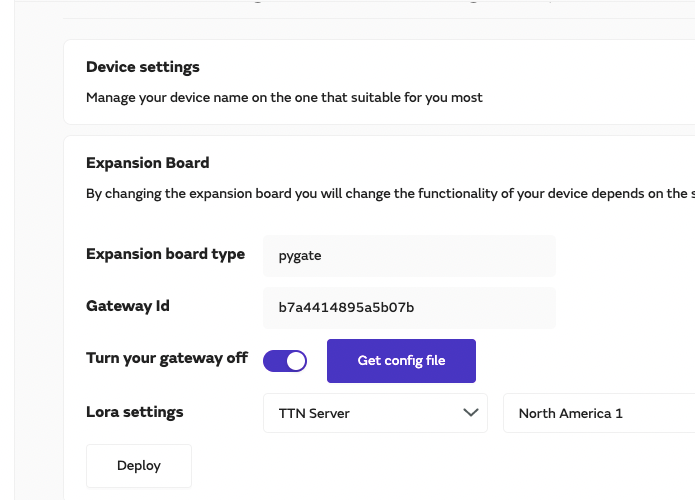
    Expansion Board
    1
    1
    0 Votes
    1 Posts
    14 Views
    No one has replied
  • Buttons

    Helium Hotspot
    2
    0 Votes
    2 Posts
    58 Views
    D
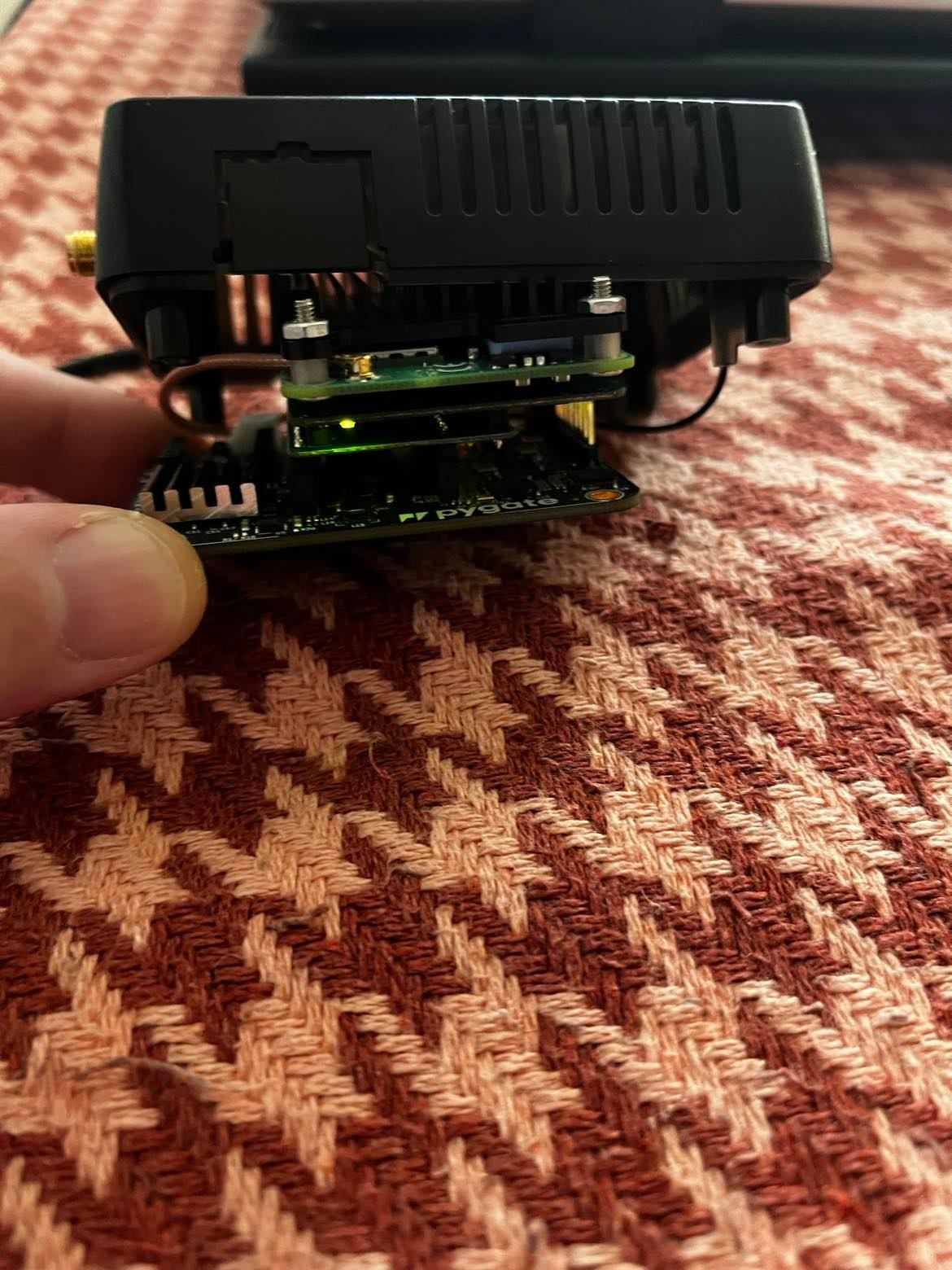
    @Jason-Timmins The Pycom helium hotspot is built off of their Pygate 8 channel LoRaWAN gateway module and uses the same housing. The buttons don't serve any purpose in this application as far as I know.
  • Nice method to check if SD-card is removed

    LoPy
    4
    0 Votes
    4 Posts
    33 Views
    L
    @Steven-Boonstoppel said in Nice method to check if SD-card is removed: Expansion Board v3 I do not use Expansion Board so cannot help
  • Dashboard

    Support
    1
    0 Votes
    1 Posts
    25 Views
    No one has replied
  • WiFi Auto-reconnect

    Helium Hotspot
    1
    0 Votes
    1 Posts
    44 Views
    No one has replied
  • Need help - SD cards image bad/corrupted

    Helium Hotspot
    2
    4
    0 Votes
    2 Posts
    79 Views
    D
    @Razvan-Ciltea I had a similar problem. A Pycom hotspot did an OTA update (I suspect) and then went down sometime after that. It had asked me to change the password to the local web interface, which it had never done before, so I assume it had updated. The solid indicator lights I got were just like yours, except I didn't know there was one on the back of the CM4 adapter board. In any case, the SD Card was corrupt. I could see the 256Mb FAT partition and its contents, but could not delete or write any new files. DISKPART could not wipe the disk. I plugged it into a Linux laptop and tried to use DD to wipe it and that failed. Luckily, I still had a brand new hotspot I had not installed, so I used Balena Etcher to clone the card to a Samsung 64gb high endurance card. It booted up, I paired it to bluetooth, and it is back up and running normally. If you have a dropbox or similar account, I can image the OEM drive using USB Image Tool (https://www.alexpage.de/usb-image-tool/) and upload the image so you can restore it on a new drive using the same utility. The file will be 32Gb though - unless it will compress well. Note: My hotspots are US915, so I don't know if the image for an EU or different region is the same or not.

  • Wifi mesh 5G

    Discussion
    1
    0 Votes
    1 Posts
    9 Views
    No one has replied
  • Pygo1 gps and lorawan libraries

    PyGo gps lorawan
    9
    0 Votes
    9 Posts
    134 Views
    robert-hhR
    @hjoe I stopped. There is no reason to carry on until Pycom issues a major rework of the firmware and the PyLife app.
  • Difficulties finding microSD card (Expansion Board v3)

    LoPy
    3
    0 Votes
    3 Posts
    24 Views
    S
    @robert-hh thanks! I had read that somewhere momentarily and disconnected pin 23, but it was still pulled from software as a deepsleep wakeup pin. So removing the jumper was not enough. Moved the pin and it works now, thanks!
  • 0 Votes
    17 Posts
    156 Views
    Y
    @hb-asf same here ... apparently it's still not solved
  • I2C unstable

    LoPy
    23
    0 Votes
    23 Posts
    72 Views
    S
    @jcaron I have fiddled around more and more using your questions and came to this conclusion: one of the solder points on the SSD1306 was not completely right. This mostly manifested when cables were bent differently, but must have also thrown problems when the bus was being used for other sensors somehow. The exact reason as to why i2c.scan() had an extremely high correlation with the display working - I don't know. Electricity is weird. Other nodes that had I2C problems also suffered mostly from badly soldered contact points, and it seems like all problems have been resolved now. Thanks for the patience and questions as it ultimately led me to the real culprit. Case closed - lesson learned: always check your contact points even if it works.