Welcome to the Pycom forum Forum
    • \[\[global:header.categories\]\]
    • \[\[global:header.recent\]\]
    • \[\[global:header.tags\]\]
    • \[\[global:header.popular\]\]
    • Login
    1. Home
    2. Tags
    3. sipy

    Explore Pybytes | Official Documentation | Report a Firmware Bug/Issue | GitHub

    Log in to post

    • All categories
    • B

      High GPIO Pins

      Watching Ignoring Scheduled Pinned Locked Moved Expansion Board pin gpio sipy
      2
      0 Votes
      2 Posts
      1k Views
      robert-hhR
      @bradnz So you want to tell, if the voltage of the LiPo battery is above 2.5 V. That should be done using the ADC, for various reasons. a) The value at which a digital input switches from HIGH to LOW is not well defined and not stable. It is somewhere between 0.75 * Vdd and 0.25 * Vdd b) You have to check the value of the variable charger anyhow, so instead of doing that you could also read an ADC value. If you want to have that done in an interrupt fashion, you can set-up a timer interrup which reads the ADC,

    • C

      Unable to Program SiPy

      Watching Ignoring Scheduled Pinned Locked Moved SiPy repl sipy firmware serial pymakr
      7
      0 Votes
      7 Posts
      2k Views
      C
      @jcaron It worked! My bad. Didn't even think about that. I erased flash memory and uploaded most recent firmware. Thank you @robert-hh as well. For the future, are there any best practices for connecting/disconnecting, from both a hardware and software standpoint. e.g. my boot.py file: import os from machine import UART uart = UART(0, 115200) os.dupterm(uart) Should I include anything else?
    • L

      Pysense and SiPy: Ways of reducing active current

      Watching Ignoring Scheduled Pinned Locked Moved Issues & Bugs pysense sipy consumption active current
      1
      0 Votes
      1 Posts
      770 Views
      No one has replied
    • O

      sipy ufl connectors

      Watching Ignoring Scheduled Pinned Locked Moved Discussion sipy ufl antenna
      3
      0 Votes
      3 Posts
      1k Views
      O
      @robert-hh oooh ok this was silly. i didn't see the pinout, but only the spec on the shop. thanks!
    • C

      Reading data through Uart

      Watching Ignoring Scheduled Pinned Locked Moved MicroPython sipy uart micropython
      3
      1
      0 Votes
      3 Posts
      1k Views
      C
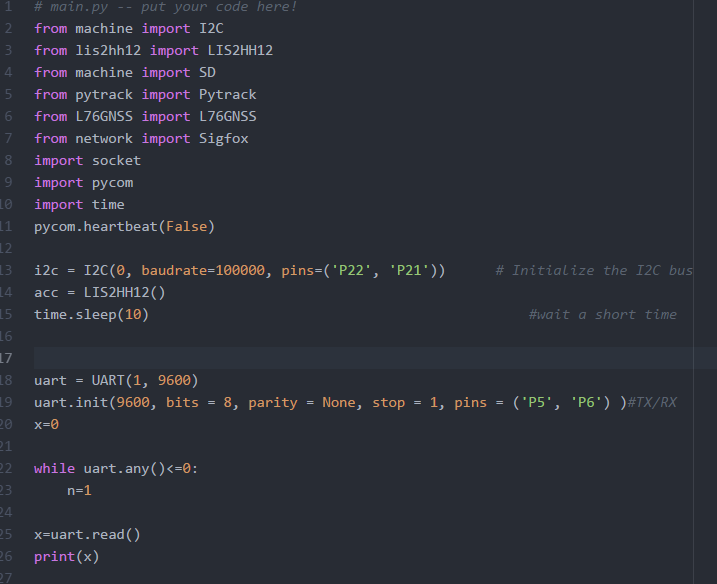
      Good pickup, I will try and use P10 and P11 unless you recommend anything else? Edit, it works now thanks for the help
    • B

      LeakKiller Challenge - Win up to £15,000

      Watching Ignoring Scheduled Pinned Locked Moved Announcements & News iot leakkiller sipy challenge rs components
      2
      1 Votes
      2 Posts
      2k Views
      RobTuDelftR
      Nice challange! Got some new hardware incoming to see what we can do :-)
    • S

      Error sending payload. SiPy Sigfox. **SOLVED**

      Watching Ignoring Scheduled Pinned Locked Moved SiPy sipy sigfox payload crash
      3
      0 Votes
      3 Posts
      2k Views
      S
      Hi everyone. I want to tell you that I have already solved the problem. There is a conflict with the line in which I declare a Pin as output and the moment in which it is transmitted: Pin('P5', mode=Pin.OUT, value=1) What I did was change the pin to P13, this ended the problem and I was able to transmit without any inconvenience and see the data in the Sigfox Backend.: Pin('P13', mode=Pin.OUT, value=1) [image: 1504880079593-upload-1af3b981-1883-46c5-afa3-16dfe2bcb8ef.png]
    • D

      How to test the SiPy (SigFox not available in my country)

      Watching Ignoring Scheduled Pinned Locked Moved SiPy sipy sigfox
      7
      0 Votes
      7 Posts
      2k Views
      C
      @dommei I have always been in an area near the Sigfox network and don't know of a way to get data into the Sigfox back end any other way. If you just want to get the data for testing you can just save it to an SD card if you have the PySense or Pytrack or wifi. Or are you trying to export the data from the Sigfox back end into a database? If this is the case you are trying to get some test data into the Sigfox backend. I have no idea how to do this Sorry. https://resources.sigfox.com/document/callbacks-documentation might help?
    • O

      [SOLVED] Can't update the firmware

      Watching Ignoring Scheduled Pinned Locked Moved SiPy sipy firmware sipy firmware
      7
      0 Votes
      7 Posts
      2k Views
      O
      It works ! Thank you !
    • B

      Check which radio system on the chip via Python code?

      Watching Ignoring Scheduled Pinned Locked Moved Discussion radio wipy lopy sipy fipy
      2
      0 Votes
      2 Posts
      912 Views
      J
      @bigboy20769 I see at least two options: call the respective init methods in a try block call os.uname and check the type of module
    • A

      How can I write to SiPy flash memory?

      Watching Ignoring Scheduled Pinned Locked Moved SiPy sipy internal flash documentation
      4
      0 Votes
      4 Posts
      2k Views
      A
      @jmarcelino Thank you for sharing this. To add to this question, are there code example of we can persist an array of structs to the file system? I have a clear idea of how I want to implement a simple persistent database but I cant find micropython examples of doing so. The btree library would have been great but I realised I couldnt use it in this version of the port.
    • A

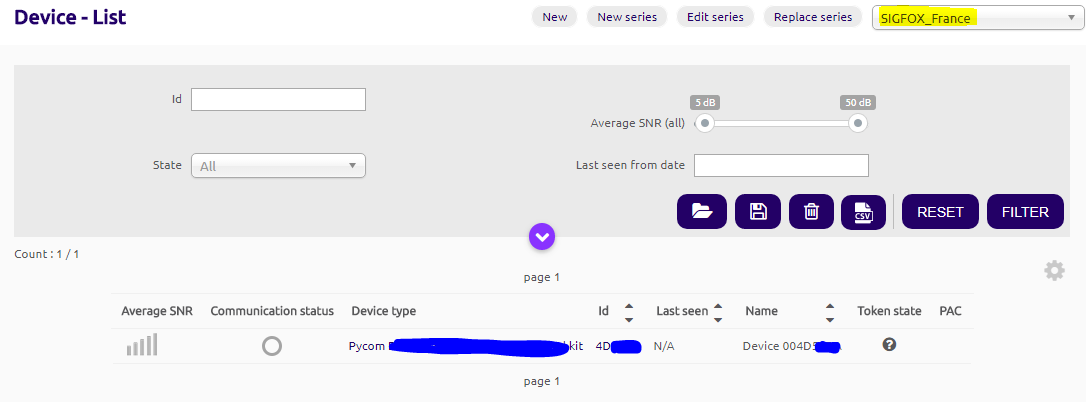
      [SOLVED] Sipy shows under Sigfox France when registered for New Zealand

      Watching Ignoring Scheduled Pinned Locked Moved SiPy sipy backend rcz4
      3
      1
      0 Votes
      3 Posts
      1k Views
      A
      I finally got it to work, had to position the helical antenna upright, lying flat it wasnt able to send the message out.
    • A

      No activity on Pycom Console in Visual Studio Code - Windows

      Watching Ignoring Scheduled Pinned Locked Moved SiPy sipy pymakr usb serial conn visual studio c pycom console
      2
      0 Votes
      2 Posts
      1k Views
      A
      I got this to work on a different pc with windows 10, 32 bit installer of the the visual studio code (even though windows 10 install is a 64 bit install). 64 bit install of the visual studio code didnt work with the pymakr plugin for me.
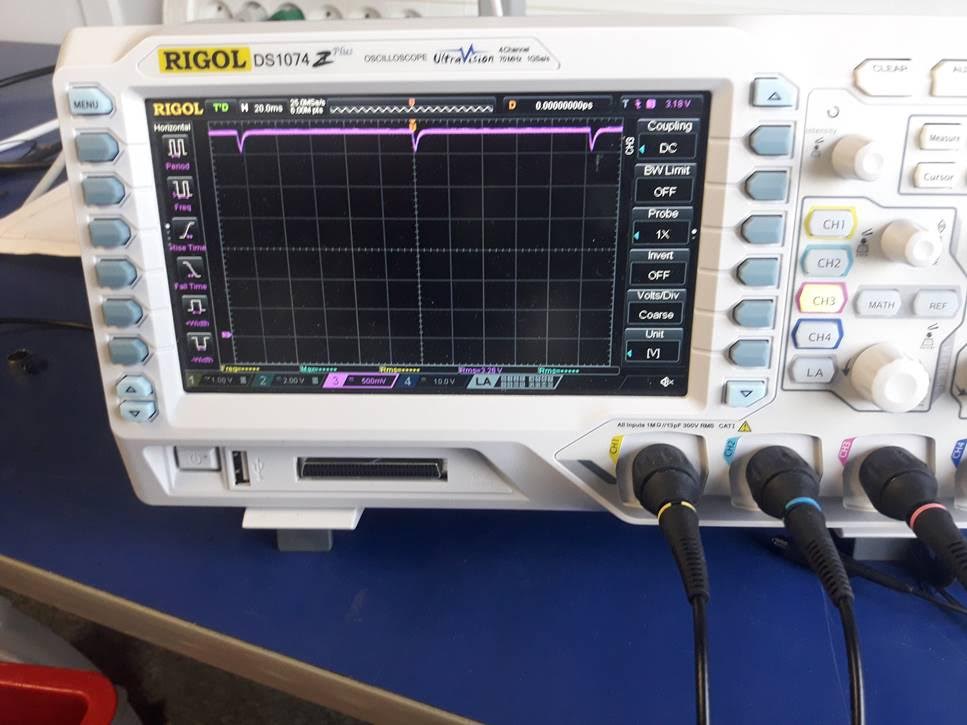
    • L

      Reset pin low every 100ms

      Watching Ignoring Scheduled Pinned Locked Moved SiPy sipy crash reset
      1
      1
      0 Votes
      1 Posts
      827 Views
      No one has replied
    • I

      Can you use I2C and One Wire together? deepsleep shield

      Watching Ignoring Scheduled Pinned Locked Moved Discussion sipy deepsleep
      2
      0 Votes
      2 Posts
      795 Views
      robert-hhR
      @iotmaker You can tell both I2C and onewire which Pin to use. For I2c, you do it by i2c.init(), for the onewire driver, it is given in the constructor of the class.
    • T

      Pin: max sink current

      Watching Ignoring Scheduled Pinned Locked Moved Getting Started hardware pin open drain sipy power
      4
      0 Votes
      4 Posts
      2k Views
      robert-hhR
      @littlebat It said max current 40 mA in the maximum ratings sections, but I myself did not trust that anyhow. Even if, the output levels then are somewhat off GND/Vcc. So 12 mA sounds much more convenient.
    • L

      Crash after 1min 20sec

      Watching Ignoring Scheduled Pinned Locked Moved SiPy sipy crash
      2
      0 Votes
      2 Posts
      921 Views
      L
      I looks like a re-flashing of the firmware fixed the issue.
    • L

      [SOLVED] Sigfox message error on backend

      Watching Ignoring Scheduled Pinned Locked Moved SiPy sipy sigfox
      3
      1
      0 Votes
      3 Posts
      1k Views
      L
      That worked like a charm! Thanks!
    • L

      Crash on boot

      Watching Ignoring Scheduled Pinned Locked Moved SiPy sipy crash
      5
      0 Votes
      5 Posts
      1k Views
      J
      @Lokefar said in Crash on boot: The device is powered by a 3.3V power supply. OK but make sure the the supply can deliver 500mA @ 3.3V. While the board doesn't use this much in normal use, the boot up is particularly demanding and the voltage can dip below what's necessary - for example during WiFi calibration. Most boot crashes are due to inadequate supply.
    • 1
    • 2
    • 3
    • 4
    • 5
    • 6
    • 7
    • 4 / 7