• Goodbye Helium Hotspot Miner & PyGo

    Helium Hotspot
    5
    1
    -1 Votes
    5 Posts
    78 Views
    D
    @Aisham-Zaha-0 Discontinuing a very expensive product in lesser than 12 months and pointing to a competitors solution to keep it running is a very clever strategy. At least I know now whom rather to trust (Nebra, RAK) when it comes to long time commitment to customers and partner. So it's not goodbye for me but very much good riddance Pycom.
  • Pycom Bankrupt?

    Helium Hotspot
    11
    0 Votes
    11 Posts
    349 Views
    robert-hhR
    @Aisham-Zaha-0 The only activity we have see so far is the statement of being back as a different company under a similar name, and the note about discontinuing almost all existing products. No sign of technical activity.
  • Absolutely no activity in the last 9 days

    Support
    3
    0 Votes
    3 Posts
    124 Views
    A
    Hi, Edward. Whilst Pycom B.V. has decided to bid the Helium Hotspot Miners adieu, you may still manage your existing miners via Nebra's solution. For more information, please check out https://hub.balena.io/organizations/nebraltd/fleets/HELIUM-PYCOM
  • Hotspot dashboard management

    Helium Hotspot
    6
    1
    0 Votes
    6 Posts
    68 Views
    R
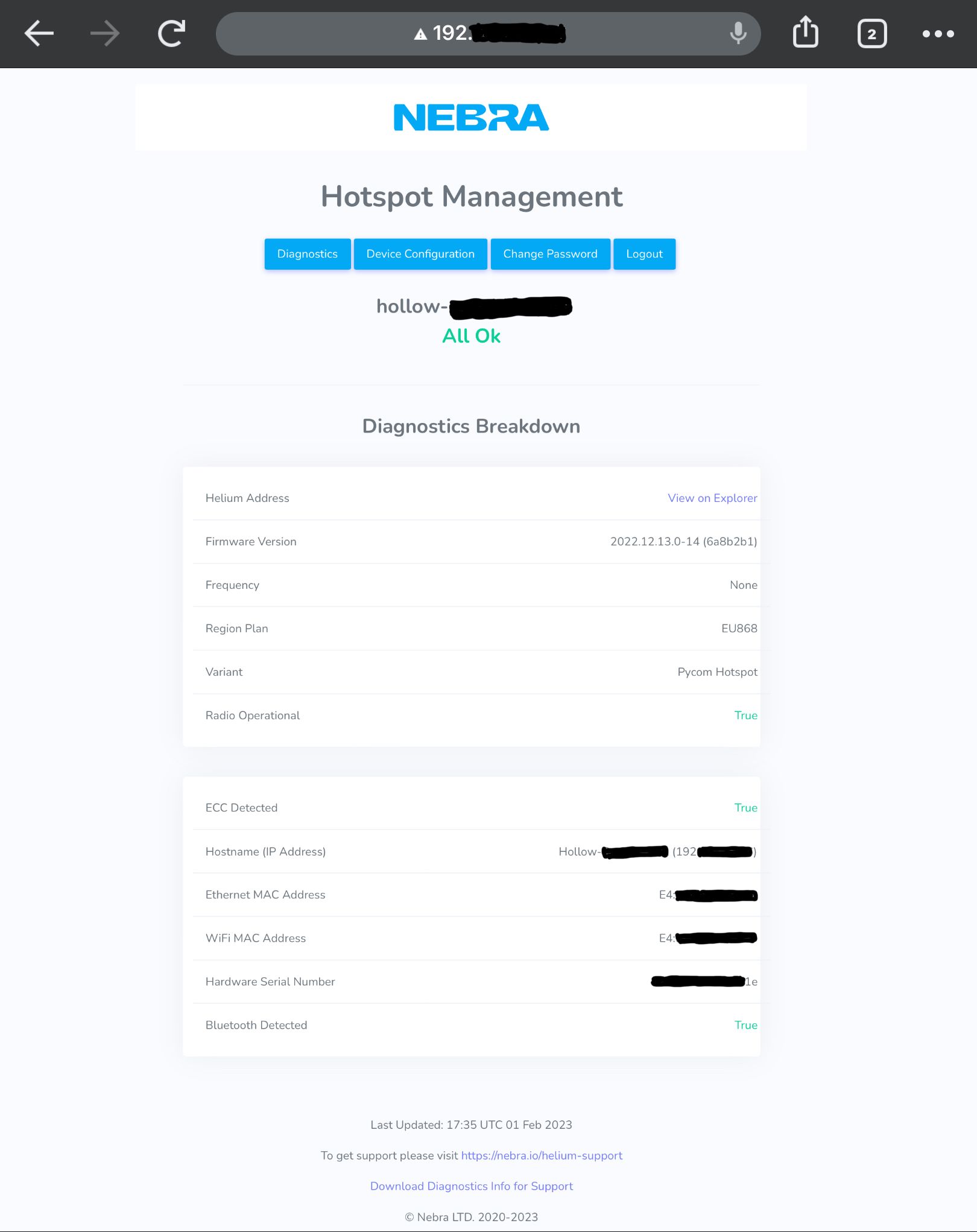
    @Dimitrios-Bogiatzoules They are right. In my case the Ethernet Mac Address is XX:XX:XX:XX:XX:C8 and the Wifi Mac Address is XX:XX:XX:XX:XX:C9. The Ethernet Mac Address I saw it from the first time when I logged in on Nebra Dashboard Management when you could log in without a password but in the meantime they changed the login method.
  • PyCom alternatives?

    GPy
    36
    2 Votes
    36 Posts
    412 Views
    T
    If you're interested in checking out Particle I can get you a sample! LTE Developer friendly ecosystem Certified Easy transition from pycom
  • VS Code and Pymakr

    Pymakr
    2
    0 Votes
    2 Posts
    24 Views
    F
    It is solved after changing Pymakr version to 1.1.18
  • PyGo

    Getting Started
    11
    1 Votes
    11 Posts
    149 Views
    robert-hhR
    @jcaron In my view PyGo is what they call a "dead horse". No further investment justified. So maybe they will at least publish documentation and tools for the community to carry on on support.
  • Particle Boron/B-SOM as PyCom replacement

    GPy
    1
    0 Votes
    1 Posts
    12 Views
    No one has replied
  • CRA rejected the modem ownership transfer

    Support & Troubleshooting
    1
    0 Votes
    1 Posts
    19 Views
    No one has replied
  • Update tool version 1.1.2b1 failed on Windows 10

    Software Tools
    2
    0 Votes
    2 Posts
    818 Views
    F
    @bigboy20769driving directions When using the new updater tool on Windows 10, has anybody had any luck? However, I was unable to get it to execute since the cStringIO library is required. Due to It being superseded by the IO library, I was unable to track it down online.
  • How to transfer ownership ?

    Support
    1
    0 Votes
    1 Posts
    18 Views
    No one has replied
  • 0 Votes
    2 Posts
    44 Views
    C
    @nervencid said in Pymakr and VSCode 'sync_all_file_types' Configuration flag: Hello to all: I'm using VSCode with PyMakr, for upload NO .py files to flash memory, the folders are created fine However the files (extension .pem) are not uploaded. I find the 'sync_file_types' flag into 'settings.mddordle' file and i set it in true but doesn't have any effect (how can i setup this on VSCode?). In atom i switch this option to true in options panel and the files seems to be uploaded to the board properly. Can PyMakr extension of The VSCode work like atom one? Thank you and sorry for the English Where do I configure this in VSCode? I found the'sync file types' value in the'settings.md' file and set it to true, but nothing changed. After setting this preference to true in Atom's settings window, the files were successfully uploaded. Is the VSCode PyMakr add-on compatible with atom?
  • Problem Reset after upload

    Software Tools other
    2
    0 Votes
    2 Posts
    500 Views
    S
    @rodo said in [Problem Reset after uploadphrazle](/post/22837): Hi, I have a problem when I upload a project on my L01 via wifi reseting is actually failing, blue heartbeat is present, I tried machine.reset() too but still no reseting. I have to unplug manually the battery to reset it. I also observe that if I switch the connection to uart when the module is in this funky mood and try again machine.reset() it's working. Since my product is always connected to a battery is this a software problem ? Thanks While the blue heartbeat is there and I have tried using machine.reset(), I am unable to reset my L01 after uploading a project through wifi. The only way to get it to reset is to take the battery out by hand. When the module is acting up, I've found that switching the connection to uart and then trying machine.reset() again fixes the problem.
  • PoE adapter doesn't offer Ethernet

    Helium Hotspot
    2
    0 Votes
    2 Posts
    47 Views
    C
    Got 2 hotspots, spent money to POE adapter and it's just useless, tried today with my second one, unable to onboard, looks like my money went thru window...
  • Pybytes Learning Resources

    Pybytes IoT platform
    1
    0 Votes
    1 Posts
    7 Views
    No one has replied
  • Maker account is out of DC for onboarding hotspots

    Support
    1
    0 Votes
    1 Posts
    28 Views
    No one has replied
  • 0 Votes
    1 Posts
    8 Views
    No one has replied
  • Hotspot never registers

    Helium Hotspot
    8
    0 Votes
    8 Posts
    192 Views
    P
    Update? it is not funny
  • reset before wifi (pyscan + gpy)

    Software Tools
    5
    0 Votes
    5 Posts
    315 Views
    C
    @duckyjan007 said in reset before wifi (pyscan + gpy): This was a good knowledge help. You can always download music using scdownloader mod apk at here maybe it useful, thanks
  • LoRaWAN Gateway using CatM1

    FiPy
    5
    0 Votes
    5 Posts
    202 Views
    L
    @Dylan hi, were u able to resolve the reset issue? we r facing the same issue... after connection to the LTE network it send the data; get stacked for a while and then reset. we get the following log on runtime: [ 168.495] attached! [ 169.890] ] connected! [ 169.902] Syncing time with time.google.com ... [ 170.318] RTC NTP sync complete [ 170.334] Opening UDP socket to XX.XX.XX.XX port 1700... [ 171.365] Watchdog started [ 171.378] Setting up the LoRa radio at 868.1 Mhz using SF7BW125 [ 171.397] LoRaWAN nano gateway online Pycom MicroPython 1.20.1.r3 [v1.11-58398d3] on 2019-12-12; FiPy with ESP32 Pybytes Version: 1.3.0 Type "help()" for more information. >>> b'\x02\xd4j\x01' [ 171.456] Push ack [ 178.293] Received packet: {"rxpk": [{"data": "QCh1kQEAAAACWlrOb9z6ZwLt0lCqQYGl7PdNqZYjIhhsl023jWO9aEaDIb5UR/0=", "time": "2022-12-16T13:00:43.310577Z", "chan": 0, "tmst": 48778374, "stat": 1, "modu": "LORA", "lsnr": 6.0, "rssi": -26, "rfch": 0, "codr": "4/5", "freq": 868.1, "datr": "SF7BW125", "size": 47}]} b'\x02\x8dF\x04' [ 198.001] Pull ack b'\x025\x1a\x01' [ 198.057] Push ack b'\x027\x83\x03{"txpk":{"imme":false,"rfch":0,"powe":14,"ant":0,"brd":0,"tmst":49778374,"freq":868.1,"modu":"LORA","datr":"SF7BW125","codr":"4/5","ipol":true,"size":36,"data":"YCh1kQGbCgAHA8iFhFAFANKthAGS20VgfuoTknRW6SotrPdh"}}' [ 198.613] Downlink timestamp error!, t_us: 19360015 [ 198.633] Pull rsp [ 211.877] UDP recv Exception: tmst b'\x02\xa3Q\x01' [ 212.035] Push ack b'\x02\x96I\x03{"txpk":{"imme":false,"rfch":0,"powe":14,"ant":0,"brd":0,"tmst":83213604,"freq":868.1,"modu":"LORA","datr":"SF7BW125","codr":"4/5","ipol":true,"size":36,"data":"YCh1kQGbCgAHA8iFhFAFANKthAGS20VgfuoTknRW6SotrPdh"}}' [ 212.924] Pull rsp ets Jun 8 2016 00:22:57 rst:0x7 (TG0WDT_SYS_RESET),boot:0x13 (SPI_FAST_FLASH_BOOT) @robert-hh we already have the changes u proposed in the code we are using for the connection. Could u take a look and let me know if u have any idea about our problem? another thing that is bothering me is why I get the timestamp of Jun 8 2016 00:22:57?