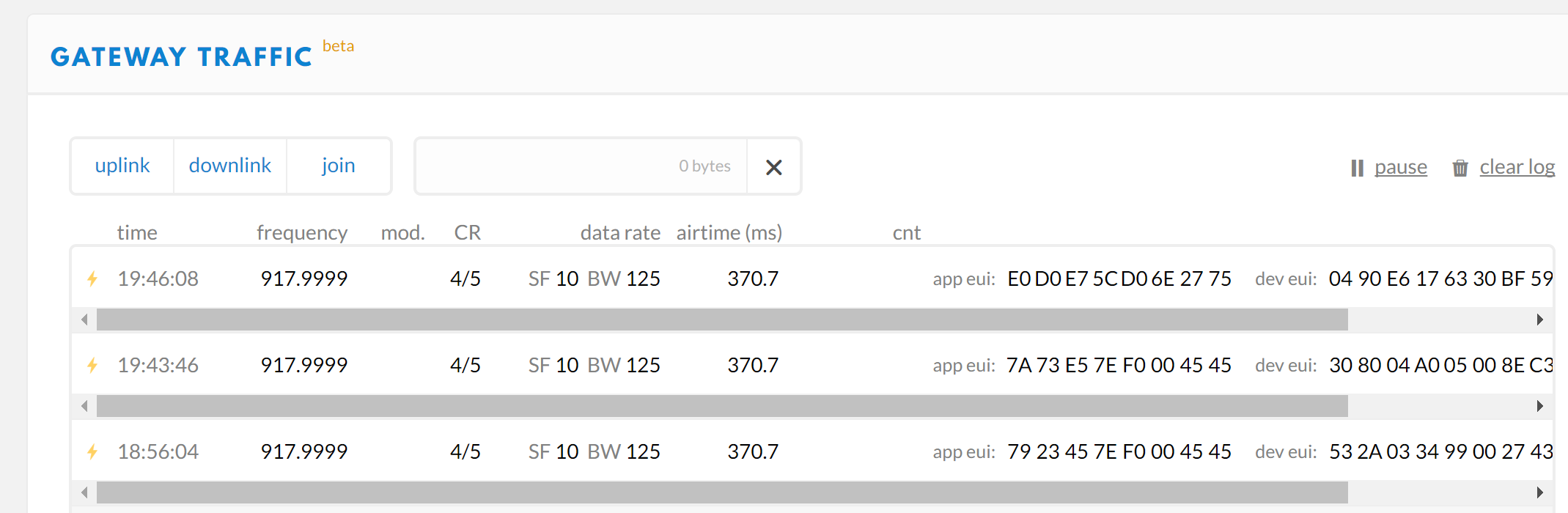
@jcaron I know that you must perform an uplink in order to have a downlink.
The strange thing is that the nanogateway makes the LoRa TX but nothing is received.
Nano Gateway code
""" LoPy Nano Gateway class """
from network import WLAN
from network import LoRa
from machine import Timer
from network import Server as tcpserver
import os
import binascii
import machine
import json
import time
import errno
import _thread
import socket
PROTOCOL_VERSION = const(2)
PUSH_DATA = const(0)
PUSH_ACK = const(1)
PULL_DATA = const(2)
PULL_ACK = const(4)
PULL_RESP = const(3)
TX_ERR_NONE = "NONE"
TX_ERR_TOO_LATE = "TOO_LATE"
TX_ERR_TOO_EARLY = "TOO_EARLY"
TX_ERR_COLLISION_PACKET = "COLLISION_PACKET"
TX_ERR_COLLISION_BEACON = "COLLISION_BEACON"
TX_ERR_TX_FREQ = "TX_FREQ"
TX_ERR_TX_POWER = "TX_POWER"
TX_ERR_GPS_UNLOCKED = "GPS_UNLOCKED"
STAT_PK = {"stat": {"time": "", "lati": 0,
"long": 0, "alti": 0,
"rxnb": 0, "rxok": 0,
"rxfw": 0, "ackr": 100.0,
"dwnb": 0, "txnb": 0}}
RX_PK = {"rxpk": [{"time": "", "tmst": 0,
"chan": 0, "rfch": 0,
"freq": 868.1, "stat": 1,
"modu": "LORA", "datr": "SF7BW125",
"codr": "4/5", "rssi": 0,
"lsnr": 0, "size": 0,
"data": ""}]}
TX_ACK_PK = {"txpk_ack":{"error":""}}
class NanoGateway:
def __init__(self, id, frequency, datarate, ssid, password, server, port, ntp='pool.ntp.org', ntp_period=3600):
self.id = id
self.frequency = frequency
self.datarate = datarate
self.sf = self._dr_to_sf(datarate)
self.ssid = ssid
self.password = password
self.server = server
self.port = port
self.ntp = ntp
self.ntp_period = ntp_period
self.rxnb = 0
self.rxok = 0
self.rxfw = 0
self.dwnb = 0
self.txnb = 0
self.stat_alarm = None
self.pull_alarm = None
self.uplink_alarm = None
self.udp_lock = _thread.allocate_lock()
self.lora = None
self.lora_sock = None
def start(self):
# Change WiFi to STA mode and connect
print("Starting nanogateway")
self.wlan = WLAN(mode=WLAN.STA)
self._connect_to_wifi()
# Get a time Sync
self.rtc = machine.RTC()
self.rtc.ntp_sync(self.ntp, update_period=self.ntp_period)
# Get the server IP and create an UDP socket
self.server_ip = socket.getaddrinfo(self.server, self.port)[0][-1]
print("Gateway IP:",self.server_ip)
self.sock = socket.socket(socket.AF_INET, socket.SOCK_DGRAM, socket.IPPROTO_UDP)
self.sock.setsockopt(socket.SOL_SOCKET, socket.SO_REUSEADDR, 1)
self.sock.setblocking(False)
# Push the first time immediatelly
self._push_data(self._make_stat_packet())
# Create the alarms
self.stat_alarm = Timer.Alarm(handler=lambda t: self._push_data(self._make_stat_packet()), s=60, periodic=True)
self.pull_alarm = Timer.Alarm(handler=lambda u: self._pull_data(), s=25, periodic=True)
# Start the UDP receive thread
_thread.start_new_thread(self._udp_thread, ())
# Initialize LoRa in LORA mode
self.lora = LoRa(mode=LoRa.LORA, frequency=self.frequency, bandwidth=LoRa.BW_125KHZ, sf=self.sf,
preamble=8, coding_rate=LoRa.CODING_4_5, tx_iq=True)
# Create a raw LoRa socket
self.lora_sock = socket.socket(socket.AF_LORA, socket.SOCK_RAW)
self.lora_sock.setblocking(False)
self.lora_tx_done = False
self.lora.callback(trigger=(LoRa.RX_PACKET_EVENT | LoRa.TX_PACKET_EVENT), handler=self._lora_cb)
print("Started")
def stop(self):
# TODO: Check how to stop the NTP sync
# TODO: Create a cancel method for the alarm
# TODO: kill the UDP thread
self.sock.close()
def _connect_to_wifi(self):
self.wlan.connect(self.ssid, auth=(None, self.password))
while not self.wlan.isconnected():
time.sleep(0.5)
print("WiFi connected!")
tserver=tcpserver()
tserver.deinit()
tserver.init(login=("nemet", "nemet.gr"), timeout=60)
def _dr_to_sf(self, dr):
sf = dr[2:4]
if sf[1] not in '0123456789':
sf = sf[:1]
return int(sf)
def _sf_to_dr(self, sf):
return self.datarate
def _make_stat_packet(self):
now = self.rtc.now()
STAT_PK["stat"]["time"] = "%d-%02d-%02d %02d:%02d:%02d GMT" % (now[0], now[1], now[2], now[3], now[4], now[5])
STAT_PK["stat"]["rxnb"] = self.rxnb
STAT_PK["stat"]["rxok"] = self.rxok
STAT_PK["stat"]["rxfw"] = self.rxfw
STAT_PK["stat"]["dwnb"] = self.dwnb
STAT_PK["stat"]["txnb"] = self.txnb
return json.dumps(STAT_PK)
def _make_node_packet(self, rx_data, rx_time, tmst, sf, rssi, snr):
RX_PK["rxpk"][0]["time"] = "%d-%02d-%02dT%02d:%02d:%02d.%dZ" % (rx_time[0], rx_time[1], rx_time[2], rx_time[3], rx_time[4], rx_time[5], rx_time[6])
RX_PK["rxpk"][0]["tmst"] = tmst
RX_PK["rxpk"][0]["datr"] = self._sf_to_dr(sf)
RX_PK["rxpk"][0]["rssi"] = rssi
RX_PK["rxpk"][0]["lsnr"] = float(snr)
RX_PK["rxpk"][0]["data"] = binascii.b2a_base64(rx_data)[:-1]
RX_PK["rxpk"][0]["size"] = len(rx_data)
return json.dumps(RX_PK)
def _push_data(self, data):
token = os.urandom(2)
packet = bytes([PROTOCOL_VERSION]) + token + bytes([PUSH_DATA]) + binascii.unhexlify(self.id) + data
with self.udp_lock:
try:
self.sock.sendto(packet, self.server_ip)
except Exception:
print("PUSH exception")
def _pull_data(self):
token = os.urandom(2)
packet = bytes([PROTOCOL_VERSION]) + token + bytes([PULL_DATA]) + binascii.unhexlify(self.id)
with self.udp_lock:
try:
self.sock.sendto(packet, self.server_ip)
except Exception:
print("PULL exception")
def _ack_pull_rsp(self, token, error):
TX_ACK_PK["txpk_ack"]["error"] = error
resp = json.dumps(TX_ACK_PK)
packet = bytes([PROTOCOL_VERSION]) + token + bytes([PULL_ACK]) + binascii.unhexlify(self.id) + resp
with self.udp_lock:
try:
self.sock.sendto(packet, self.server_ip)
except Exception:
print("PULL RSP ACK exception")
def _lora_cb(self, lora):
events = lora.events()
if events & LoRa.RX_PACKET_EVENT:
self.rxnb += 1
self.rxok += 1
rx_data = self.lora_sock.recv(256)
print("LoRa_RX:",rx_data)
stats = lora.stats()
self._push_data(self._make_node_packet(rx_data, self.rtc.now(), stats.rx_timestamp, stats.sfrx, stats.rssi, stats.snr))
self.rxfw += 1
if events & LoRa.TX_PACKET_EVENT:
self.txnb += 1
lora.init(mode=LoRa.LORA, frequency=self.frequency, bandwidth=LoRa.BW_125KHZ,
sf=self.sf, preamble=8, coding_rate=LoRa.CODING_4_5, tx_iq=True)
def _send_down_link(self, data, tmst, datarate, frequency):
self.lora.init(mode=LoRa.LORA, frequency=frequency, bandwidth=LoRa.BW_125KHZ,
sf=self._dr_to_sf(datarate), preamble=8, coding_rate=LoRa.CODING_4_5,
tx_iq=True)
while time.ticks_us() < tmst:
pass
print("LoRa_TX",data)
self.lora_sock.send(data)
def _udp_thread(self):
while True:
try:
data, src = self.sock.recvfrom(1024)
_token = data[1:3]
_type = data[3]
if _type == PUSH_ACK:
print("Push ack")
elif _type == PULL_ACK:
print("Pull ack")
elif _type == PULL_RESP:
self.dwnb += 1
ack_error = TX_ERR_NONE
tx_pk = json.loads(data[4:])
tmst = tx_pk["txpk"]["tmst"]
t_us = tmst - time.ticks_us() - 5000
if t_us < 0:
t_us += 0xFFFFFFFF
if t_us < 20000000:
self.uplink_alarm = Timer.Alarm(handler=lambda x: self._send_down_link(binascii.a2b_base64(tx_pk["txpk"]["data"]),
tx_pk["txpk"]["tmst"] - 10, tx_pk["txpk"]["datr"],
int(tx_pk["txpk"]["freq"] * 1000000)), us=t_us)
else:
ack_error = TX_ERR_TOO_LATE
print("Downlink timestamp error!, t_us:", t_us)
self._ack_pull_rsp(_token, ack_error)
print("Pull rsp")
except socket.timeout:
print("Socket Timeout")
except OSError as e:
if e.errno == errno.EAGAIN:
#print("UDP recv errno.EAGAIN")
pass
else:
print("UDP recv OSError Exception")
except Exception:
print("UDP recv Exception")
# Wait before trying to receive again
time.sleep(0.025)
Node code
from network import LoRa
import socket
import binascii
import struct
import time
import pycom
pycom.heartbeat(False)
# Initialize LoRa in LORAWAN mode.
lora = LoRa(mode=LoRa.LORAWAN)
# create an ABP authentication params
dev_addr = struct.unpack(">l", binascii.unhexlify('260110AD'.replace(' ','')))[0]
nwk_swkey = binascii.unhexlify('2F8184207979F18CE1F64B6B74B75A99'.replace(' ',''))
app_swkey = binascii.unhexlify('53A7AA9AFA94FEB1F859F76EF5E0BA4C'.replace(' ',''))
# join a network using ABP (Activation By Personalization)
lora.join(activation=LoRa.ABP, auth=(dev_addr, nwk_swkey, app_swkey))
# remove all the non-default channels
for i in range(3, 16):
lora.remove_channel(i)
# set the 3 default channels to the same frequency
lora.add_channel(0, frequency=868100000, dr_min=0, dr_max=5)
lora.add_channel(1, frequency=868100000, dr_min=0, dr_max=5)
lora.add_channel(2, frequency=868100000, dr_min=0, dr_max=5)
# create a LoRa socket
s = socket.socket(socket.AF_LORA, socket.SOCK_RAW)
# set the LoRaWAN data rate
s.setsockopt(socket.SOL_LORA, socket.SO_DR, 5)
# make the socket blocking
s.setblocking(False)
i = 1
while True:
pycom.rgbled(0x100000)
print("sending:",i,i % 255,"msg:",struct.pack('LB',i,i % 255))
s.send(struct.pack('LB',i,i % 255))
time.sleep(1)
pycom.rgbled(0x001000)
for k in range(29):
rx = s.recv(256)
if rx:
print("RX:",rx)
time.sleep(1)
i += 1