Welcome to the Pycom forum Forum
    • \[\[global:header.categories\]\]
    • \[\[global:header.recent\]\]
    • \[\[global:header.tags\]\]
    • \[\[global:header.popular\]\]
    • Login
    1. Home
    2. Tags
    3. upload

    Explore Pybytes | Official Documentation | Report a Firmware Bug/Issue | GitHub

    Log in to post

    • All categories
    • B

      Does too much code and libraries uploaded lead to main.py not launching ?

      Watching Ignoring Scheduled Pinned Locked Moved SiPy upload code pycom
      4
      1
      0 Votes
      4 Posts
      606 Views
      C
      Try to cross compile the lib folder. It may be a memory fragmentation problem, so you cannot allocate the needed buffer size.
    • N

      Pybytes flash upload

      Watching Ignoring Scheduled Pinned Locked Moved Ideas pybytes flash upload editor web page
      2
      0 Votes
      2 Posts
      675 Views
      danD
      Hi @nicoloboatto, Indeed it is not supported currently, but it's on our list.
    • B

      Pybytes Library not Uploading

      Watching Ignoring Scheduled Pinned Locked Moved Pymakr pybytes pmkr upload upload failure lopy
      2
      1
      0 Votes
      2 Posts
      595 Views
      B
      I was able to upload it by not safe booting, but it would be nice to be able to boot in safe mode with this.
    • F

      File not uploaded to the board

      Watching Ignoring Scheduled Pinned Locked Moved Issues & Bugs atom pymakr upload
      1
      0 Votes
      1 Posts
      600 Views
      No one has replied
    • S

      2 of my LoPy Stop Working trying on the expansion board 2 and pysense

      Watching Ignoring Scheduled Pinned Locked Moved Expansion Board expansion lopy upload python
      6
      2
      0 Votes
      6 Posts
      1k Views
      catalinC
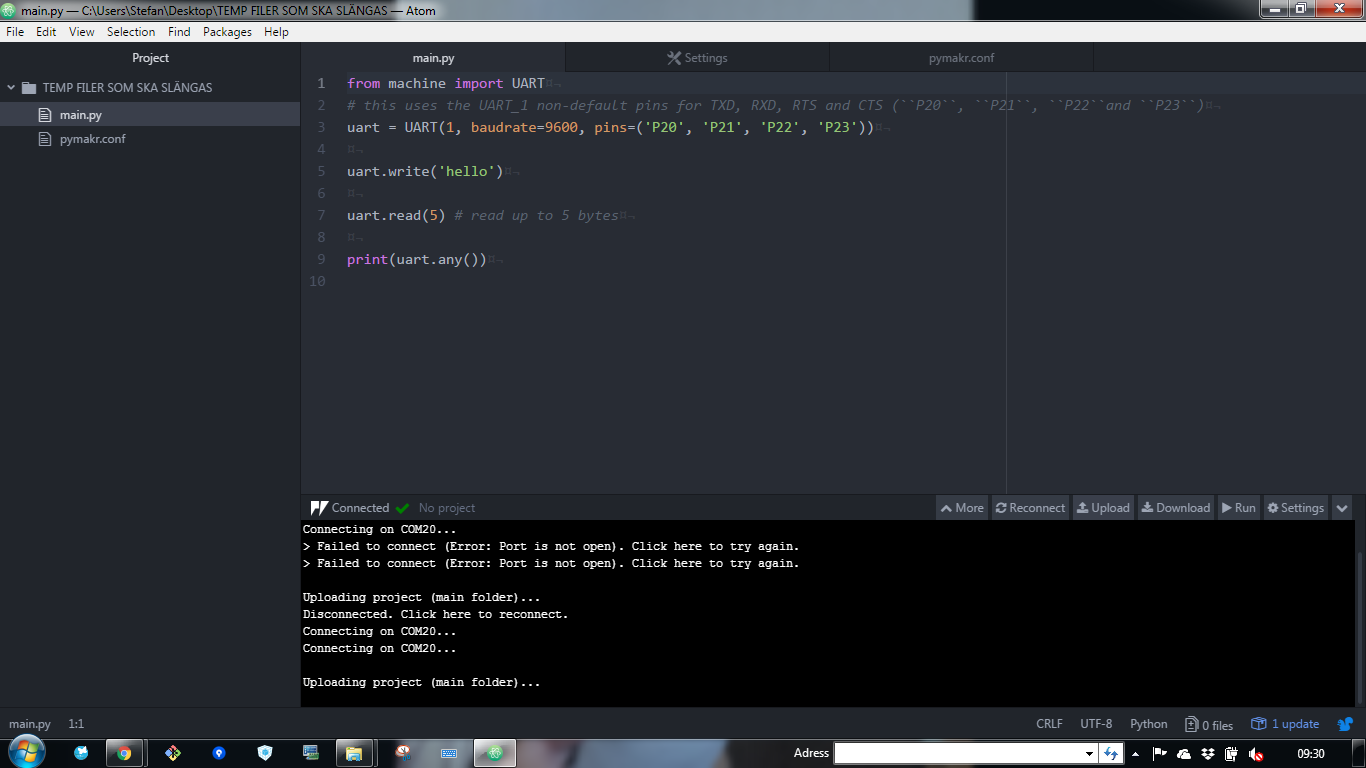
      hi @stefan85e, Short between G28 and 3V3 it's for safe-boot (booting without executing micropython scrips or loading previous OTA firmware). This is not required. Let's simplify and isolate problems. upload scripts with Atom Here make a simple print("hello") , no UART usage, yet; it should work usage of UART class. Here if you just want to output messages, print() method should be enough. UART 0 is already indirected to P0/P1, thru print(). The second UART (#1), it's for communicating with another device connected to the Expansion Board (not with the USB/FTDI chip).
    • J

      Pymakr VS Code: Only sync changed files

      Watching Ignoring Scheduled Pinned Locked Moved Enhancements visual studio code plugin pymakr upload
      8
      0 Votes
      8 Posts
      2k Views
      R
      @johand Thanks for the info, I'm able to reproduce the issue. There's indeed a problem in the upload feature, which has been solved in the latest versions of Atom. The VSC plugin is a bit behind code wise. We're working on a refactor of the Atom upload feature right now, when that's done we'll upgrade VSC as well to be up to date with it. That'll solve this issue. For now either be a bit patient with uploading with VSC or temporarily switch to Atom for this project. Sorry for the inconvenience!
    • S

      LoPy FTP not working

      Watching Ignoring Scheduled Pinned Locked Moved LoPy lopy ftp upload error
      3
      0 Votes
      3 Posts
      2k Views
      S
      @robert-hh Thank you, that did it (Setting the single connection only).
    • R

      FTP Upload and Sync Issue

      Watching Ignoring Scheduled Pinned Locked Moved Issues & Bugs pymakr atom sync ftp upload
      2
      0 Votes
      2 Posts
      1k Views
      J
      @reefat as documented here: https://docs.pycom.io/chapter/toolsandfeatures/FTP.html There's a limit of 1 simultaneous connection, so you might have to tweak a few settings in Cyberduck or other FTP client. The described settings in FileZilla work very well.
    • 1 / 1