Welcome to the Pycom forum Forum
    • \[\[global:header.categories\]\]
    • \[\[global:header.recent\]\]
    • \[\[global:header.tags\]\]
    • \[\[global:header.popular\]\]
    • Login
    1. Home
    2. Tags
    3. accelerometer

    Explore Pybytes | Official Documentation | Report a Firmware Bug/Issue | GitHub

    Log in to post

    • All categories
    • C

      Pycoproc function TypeError: function takes 2 positional arguments but 1 were given in PySense board i am trying to use accelerometer wake up interrupt example from pycom webpage

      Watching Ignoring Scheduled Pinned Locked Moved Support & Troubleshooting pysense deepsleep pycoproc accelerometer
      2
      0 Votes
      2 Posts
      43 Views
      G
      Depending on which hardware version of the Pysense you're using, you should load the correct pycoproc file. You can find the latest versions of the file here: https://github.com/pycom/pycom-libraries/tree/master/shields/lib pycoproc_2.py is for Pysense v2.0 X, where pycoproc_1.py is for Pysense 1. This also changes the initialisation argument. For Pysense 1, you should put py = Pycoproc(Pycoproc.PYSENSE), whereas Pycoproc 2 does not require an argument To get a working example, you can load one of the zip files from here: https://github.com/pycom/pycom-libraries/releases/tag/v2.0.0 for the correct board version
    • C

      How to measure 200 samples/sec of accelerometer in pysense?

      Watching Ignoring Scheduled Pinned Locked Moved Projects pysense accelerometer measurement data rate lis2hh12 accele
      2
      0 Votes
      2 Posts
      36 Views
      J
      @Chandan-Verma see https://forum.pycom.io/topic/6963/pytrack-s-accelerometer-sampling-rate/4 for a discussion on the topic.
    • N

      understanding accelerometer wake example

      Watching Ignoring Scheduled Pinned Locked Moved Expansion Board accelerometer
      11
      1
      0 Votes
      11 Posts
      207 Views
      J
      @NicolaC The PORTC configuration will be changed during the go_to_sleep call. You should just add an argument false to that call to disable the GPS (the argument is optional and defaults to true).
    • M

      Accelerator as a vibration sensor?

      Watching Ignoring Scheduled Pinned Locked Moved Discussion accelerometer
      7
      0 Votes
      7 Posts
      714 Views
      J
      @misterlisty that’s about as vague as it gets... I recommend you start by reading the accelerometer’s datasheet to learn of its capabilities. An accelerometer detects just that: acceleration, and you can sample the acceleration values at regular intervals to try to detect all sorts of things. I believe you can even “stream” the values samples by the accelerometer. But high frequency vibrations for instance may be an issue as they may exceed the capabilities of the accelerometer. High sampling rates may also be an issue if you have lots of computations to perform. It’s really difficult to help you much further without any indication of what exactly you are trying to measure / detect, and what the threshold are.
    • D

      accelerometer wake not working

      Watching Ignoring Scheduled Pinned Locked Moved Comments & Feedback accelerometer wake not working
      6
      0 Votes
      6 Posts
      571 Views
      D
      @jcaron any news?
    • A

      Wake machine.deepsleep using pin input from accelerometer [SOLVED]

      Watching Ignoring Scheduled Pinned Locked Moved WiPy 2&3 deepsleep interrupt pin accelerometer
      5
      0 Votes
      5 Posts
      1k Views
      A
      Ah ha. I was using the wrong interrupt script. This is the correct working code for an accelerometer interrupt (P13) of machine.deepsleep(): import machine machine.pin_deepsleep_wakeup(['P13'], machine.WAKEUP_ANY_HIGH, False) machine.deepsleep(10*1000) So for pin interrupts there is a callback() function to create interrupts of active and sleep modes but the pin_deepsleep_wakeup() is needed to interrupt deep sleep (is that what you meant by "wake-on-pin" @jcaron?). There is no interrupt handler for pin_deepsleep_wakeup() because the working memory is cleared after deep sleep (as mentioned by @jcaron below). @jcaron I had tested my interrupt handler without sleep and it did work. In my main.py I had the following script to test that it woke from deep sleep and ran main.py. import pycom import utime pycom.heartbeat(False) #turn off LED pycom.rgbled(0xFF0000) #red LED utime.sleep(2) pycom.heartbeat(False) #turn off LED
    • A

      Accelerometer always produces two interrupts [SOLVED]

      Watching Ignoring Scheduled Pinned Locked Moved Getting Started accelerometer pytrack interrupt
      5
      0 Votes
      5 Posts
      1k Views
      A
      @dmayorquin Amazing! Both of those solutions worked for me. Thanks for your help :)
    • E

      OSError: [Errno 22] EINVAL at writing to SD-card

      Watching Ignoring Scheduled Pinned Locked Moved Issues & Bugs pytrack sd card accelerometer
      12
      0 Votes
      12 Posts
      2k Views
      E
      @timh Well in embedded programming for example one of the lpc4000 series with a proper debugger you can "walk" through the code and see at any given point in the code what value any given variable has. That's the real thing i'm missing with python: a decent debugger where i can set breakpoints, evaluate and and manipulate RAM variables and cycle through lines of code. this And i believe that wrapping everything in try and catch can make you a lousy/lazy programmer. For myself i only add try and catch if everything works as it should. Than add them to give the option to continue running with less functionality or save some variables and reboot. As for now i'm liking C much more. But there is also an enormous difference in experience. I've been programming all kinds of embedded microcontrollers in C for years, and probably python is never gonna catch up. I have to get more used to coding in python and i will. I guess i'm not so used anymore to make beginner mistakes ;)
    • L

      Visualised acc data on app via Bluetooth using Pysense/Lopy4

      Watching Ignoring Scheduled Pinned Locked Moved Guides pysense bluetooth lopy4 accelerometer
      1
      0 Votes
      1 Posts
      701 Views
      No one has replied
    • D

      FiPy getting hot

      Watching Ignoring Scheduled Pinned Locked Moved FiPy accelerometer fipy hot
      5
      0 Votes
      5 Posts
      1k Views
      D
      @jmarcelino Yeah, all up to date to the latest firmware. We are working them pretty hard, I guess they are reaching somewhere into the 45+ degrees C
    • S

      Enabling 'Wake-On-Motion' feature on MPU 9250 9DOF Orientation sensor

      Watching Ignoring Scheduled Pinned Locked Moved Discussion accelerometer wakeup mpu
      2
      0 Votes
      2 Posts
      1k Views
      catalinC
      hi @sprasad, So you're interfacing orientation sensor directly with GPY, right? You could control RST pin of GPY, or control Vin(3.5V-5.5V) from your powering scheme.
    • S

      GPy with BNO055 - I2C bus error

      Watching Ignoring Scheduled Pinned Locked Moved Discussion accelerometer gpy i2c bus error
      9
      0 Votes
      9 Posts
      2k Views
      M
      @sprasad said in GPy with BNO055 - I2C bus error: I2C(0, I2C.MASTER, baudrate=1000, pins=(Pin.exp_board.G15, Pin.exp_board.G16)) > ``` Expansion board G15 and G16 are P8 and P9. P8 is the SD_Data, but You don't use the SD card, the P9 on expansion board is the "led" pin. Try removing the led jumper "enable led signal" on expansion board to disable it.
    • J

      Pysense accelerometer wake up issues

      Watching Ignoring Scheduled Pinned Locked Moved Issues & Bugs pysense accelerometer library wake up
      13
      0 Votes
      13 Posts
      3k Views
      D
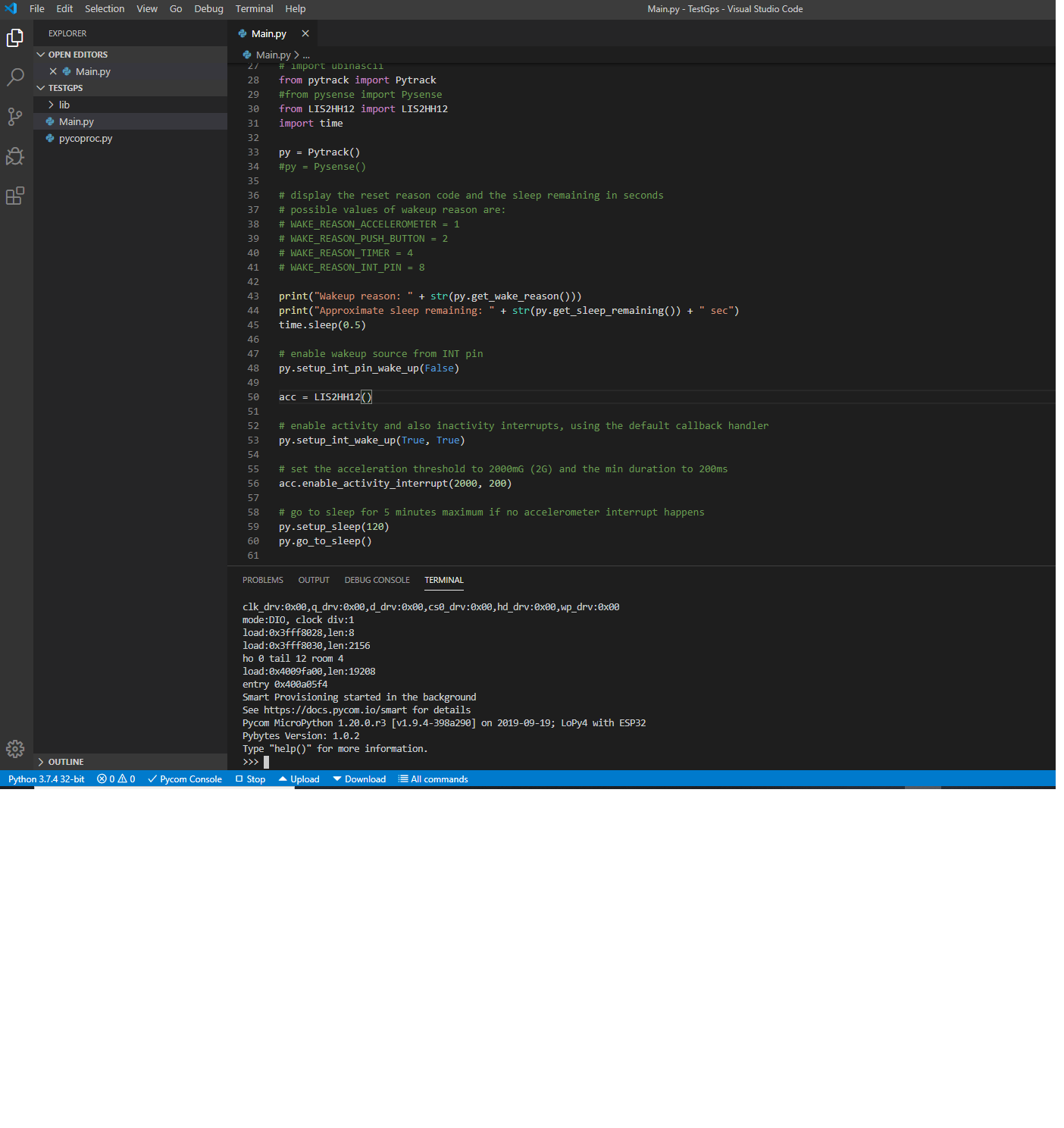
      Hi @jcaron, yesterday I posted some findings about this issue. Today I've discovered that if I comment the line: self.set_register(CTRL3_REG, 1, 5, 1) in LIS2HH12.py, then my multimeter shows the accelerometer works as its supposed in terms of current consumption: ~130 µA for 5 seconds (inactivity duration) and then ~60 µA. If I shake a little bit the board then the current rises up to ~130 µA (activity detection) and after 5 seconds lowers to ~60 µA again. Off course, the SiPy doesn't wake up because accelerometer's inactivity interrupt (INT1_INACT bit in CTRL3 register) is not enabled (the line I commented), but this reinforces my theory that there is a problem regarding to the way the PIC handles the interruption. I.e., an issue in Pysense/Pytrack firmware or in pycoproc.py library.
    • A

      Grove - 6-axis accelerometer & gyroscope v1.0 (LSM6DS3)

      Watching Ignoring Scheduled Pinned Locked Moved Discussion wipy2.0 accelerometer python library
      2
      0 Votes
      2 Posts
      1k Views
      A
      Any luck with new wipy users ?
    • M

      PySense & PyTrack sleep: get time slept (like sleep time remaining) + state saving?

      Watching Ignoring Scheduled Pinned Locked Moved Comments & Feedback pytrack pysense sleep accelerometer
      2
      0 Votes
      2 Posts
      942 Views
      L
      @meirssv you can save this info to sd card, flash or nvs
    • A

      wipy 2.0 juggling balls - protoyping

      Watching Ignoring Scheduled Pinned Locked Moved WiPy 2&3 wipy2.0 lipo battery accelerometer rgbled rgb
      5
      1 Votes
      5 Posts
      1k Views
      P
      @crumble Pictures of the larp kit please :P Ill dig mine out in return ^_^ @arthurlutz Thats super cool. good work.
    • P

      PyTrack LoRa & LiPo

      Watching Ignoring Scheduled Pinned Locked Moved LoPy pytrack lipo battery lora accelerometer gps
      3
      0 Votes
      3 Posts
      1k Views
      P
      Hi @Xykon , Thanks for reply, that works for the PySense update! The Battery I am using is a 3.7v 2000mAh. Thanks Michael
    • C

      Trying to accessing accelerometer values on sipy with pytracks

      Watching Ignoring Scheduled Pinned Locked Moved Expansion Board sipy pytrack accelerometer
      6
      1
      0 Votes
      6 Posts
      2k Views
      T
      @bucknall : @chrisi runned into one of your documentation errors: https://docs.pycom.io/pycom_esp32/pycom_esp32/tutorial/includes/pytrack-examples.html#axis-accelerometer you might adapt the example as mentioned above.
    • O

      pytrack accelerometer pitch/yaw/roll read wrong values

      Watching Ignoring Scheduled Pinned Locked Moved Getting Started pytrack accelerometer bug
      3
      0 Votes
      3 Posts
      2k Views
      O
      @livius os.uname()                                                                                                           (sysname='WiPy', nodename='WiPy', release='1.7.5.b2', version='v1.8.6-694-g25826866 on 2017-06-29', machine='WiPy with E SP32')    pytrack firmware: pytrack_0.0.3.dfu yes I git-pulled the lastest library
    • 1
    • 2
    • 1 / 2