• Making Drivers Work with Old Boards

    lopy expansion board driver firmware
    2
    0 Votes
    2 Posts
    499 Views
    robert-hhR
    @brady-aiello For the old expansion board you do not need the DFU drivers, as it uses an FTDI or similar USB/Serial bridge. it should work out-of-the-box. If you installed drivers according to the instructions you cited, remove them. See also the instructions here https://docs.pycom.io/chapter/gettingstarted/installation/firmwaretool.html#first in the expansion board 2 tab. Some people had trouble with Windows and the V2.x expansion board, and there is a lot of discussion around it in the board, which sometimes is more confusing than helpful. As result of that, the instructions in the manual were updated. b.t.w.: I prefer the V2 expansion board. Updating with the expansion board V3 or the pyxxxx board seems inconvenient, as it requires unplugging and replugging the board with a tight timing and reconfiguration of each OS.
  • 0 Votes
    3 Posts
    974 Views
    C
    @prawnhead thank you! That's exactly what I needed to know :)
  • Expansion Board V3.0r - up dating firmware on mac - How?

    wipy expansion board mac
    2
    0 Votes
    2 Posts
    683 Views
    X
    @capnahab The Expansion Board 3.0 is already shipped with the latest firmware. The one posted on https://docs.pycom.io/chapter/pytrackpysense/installation/firmware.html is for reference only and identical to the one already flashed at the factory.
  • Expansion Board Suggestions

    expansionboard pytrack suggestions features battery monitor
    16
    4 Votes
    16 Posts
    4k Views
    Charly86C
    @brotherdust any chance you share the pin pad mapping on the bottom (at least RX/TX) ?
  • Pytrack get_wake_reason: detect power on

    pytrack sleep wake up wake reason
    6
    0 Votes
    6 Posts
    1k Views
    catalinC
    @fstaine WAKE_REASON_INT_PIN: can be generated from PIC_RC1(pin6 on External IO Header) https://docs.pycom.io/chapter/datasheets/boards/pytrack.html <later edit:> Please take a look here function pytrack.setup_int_pin_wake_up([rising_edge = True]).
  • GPS error: (None, None) coordinates

    pytrack gps
    4
    0 Votes
    4 Posts
    964 Views
    F
    Thank's for your replies ! I though that the module couldn't catch signal for indoor, and this is why I tried outdoor. I had buildings around me but clear a view of sky for about 20 minutes and still no data. I've tried printing the frames, and I only get invalid data: '$GPGLL,,,,,000200.800,V,N*70\r\n' V means invalid data, N means no fix for GPS I started digging into the protocol specification for L76 device and saw multiple commands to configure it. Do you know some that may help getting better signal ? (I found Active Interference Cancellation for example, but it is activated by default). Thank's again !
  • Pyscan availability

    pyscan
    1
    1 Votes
    1 Posts
    477 Views
    No one has replied
  • Pycom 2.54mm short headers link to buy some

    headers short buy source
    14
    1
    0 Votes
    14 Posts
    3k Views
    Charly86C
    @river Thanks I didn't even thought about IC pin headers, good idea, will try them for sure. You're welcome for the board, looks like IoT world is still small ;-)
  • Using more data from PyTrack

    pytrack gps pytrack gps micropython
    2
    0 Votes
    2 Posts
    948 Views
    J
    There are indeed enhanced libraries other contributors already shared, though it depends exactly what data you are looking for. A few links to check out: https://github.com/inmcm/micropyGPS https://github.com/andrethemac/L76GLNSV4/blob/master/L76GNSV4.py from @andrethemac
  • Write to SD: OSError [Errno 5] EIO

    sdcard wipy error log mount
    7
    0 Votes
    7 Posts
    2k Views
    robert-hhR
    @dda Are you sure that you are not mixing up number schemes P and G? P9 and P10 are the default pins for SDA and SCA, and these are not used for the SD card. Besides that, switching uses might be possible, but you would have to re-init and re-mount every time between each access. Better change the board.
  • MPL3115A2 hangs intermittently

    wipy 2 pysense mpl3115a2 hang
    16
    0 Votes
    16 Posts
    4k Views
    catalinC
    hi @smbunn, The code was not modified. On a second thought, the altitude is just a simple function of the pressure, considering the same sea-level pressure. This is not ok, as the sea-level pressure varies in time, and from place to place. So, I would recommend, to use just the pressure, and if altitude is required, some arithmetics code has to be added, to get the right altitude. You could use some weather forecast service to obtain the accurate and real-time sea-level pressure.
  • 0 Votes
    6 Posts
    1k Views
    catalinC
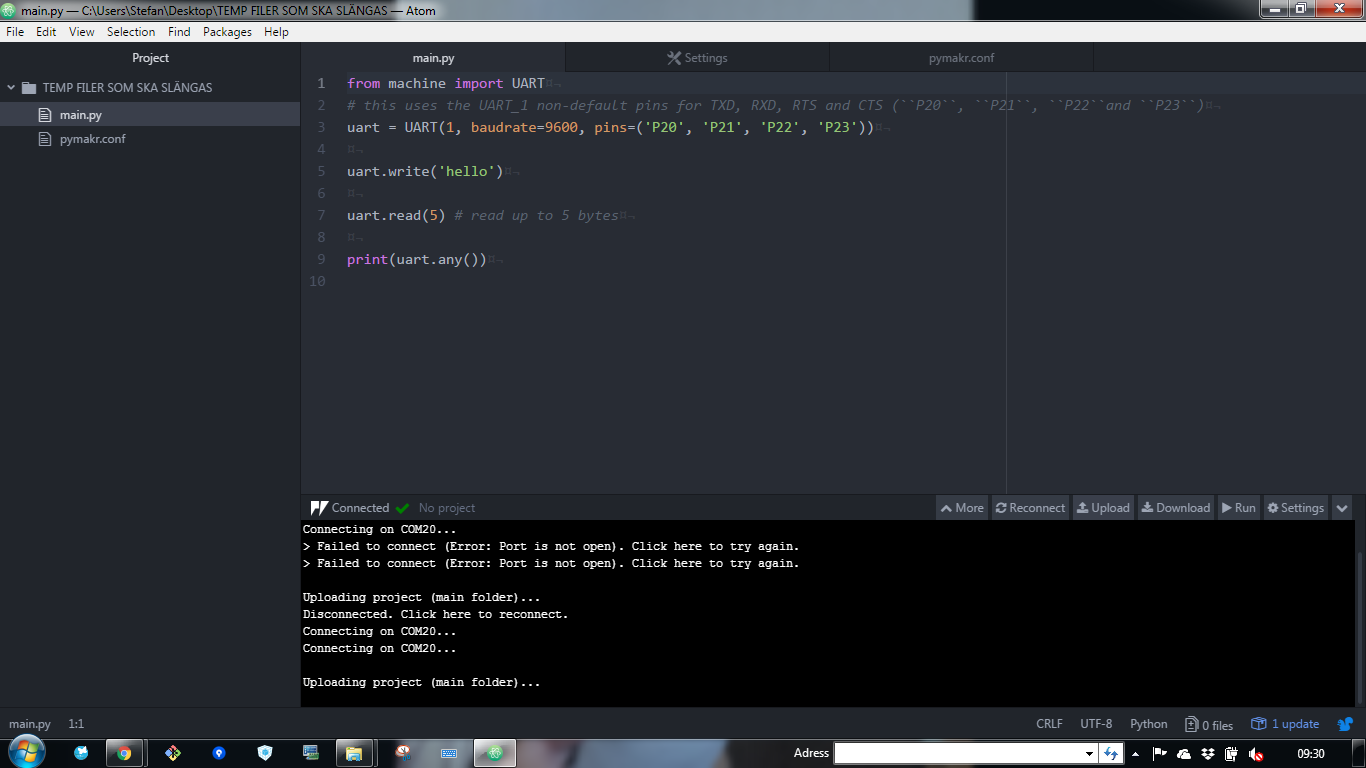
    hi @stefan85e, Short between G28 and 3V3 it's for safe-boot (booting without executing micropython scrips or loading previous OTA firmware). This is not required. Let's simplify and isolate problems. upload scripts with Atom Here make a simple print("hello") , no UART usage, yet; it should work usage of UART class. Here if you just want to output messages, print() method should be enough. UART 0 is already indirected to P0/P1, thru print(). The second UART (#1), it's for communicating with another device connected to the Expansion Board (not with the USB/FTDI chip).
  • Pin (internal) resistance

    pin resistance voltage dac pull
    4
    0 Votes
    4 Posts
    856 Views
    T
    @jmarcelino It's without ADC (maybe I need to do it with an ADC). It's just a pin defined as input like : pin = Pin('P19', mode = Pin.IN, pull = Pin.PULL_DOWN) pin.value() which gives me a simple 0 or 1 (I guess 1 when the voltage is at least half of the 3v3?). I will check what the ADC version gives me next week (I have no module with me unfortunately this week-end). It might give me the reading I want. Also thanks Robert for your answer, I will have a look into the pin sheets of the module.
  • Error using PySense temp/hum sensor

    pysense wipy 3.0
    3
    0 Votes
    3 Posts
    985 Views
    J
    @jhollan3 You probably need to add the sensor libraries to your lib/ folder on the device. Please check if you have SI7006A20.py there (directly on /flash/lib)
  • Firmware update cannot connect well

    expansion board firmware update lopy
    6
    1
    0 Votes
    6 Posts
    1k Views
    John BairdJ
    I just struggled through getting the Expansion Board V3.0r to support updating a fipy and had similar issues. In the end it required a manual jumper between P2 and GND (even though the board is supposed handle this automatically) and turning off the high-speed and Pysense options. Having said that, the first one I upgraded I used an external USB to serial interface and it worked first time.
  • This topic is deleted!

    1
    0 Votes
    1 Posts
    1 Views
    No one has replied
  • 0 Votes
    9 Posts
    2k Views
    Charly86C
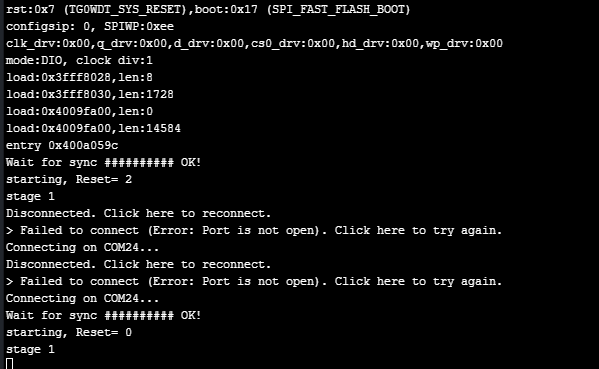
    @jcaron I think I got it The calibrate_rtc() in library pycoproc break the console output, if I comment this call from get_sleep_remaining() No problem Connecting on COM24... # OK! starting, Reset= 0 stage 1 stage 2 Wakeup reason: 4 ; Aproximate sleep remaining: calibrate_rtc 0 sec stage 4 Wait for update ............. may be the deal is out there def calibrate_rtc(self): # the 1.024 factor is because the PIC LF operates at 31 KHz # WDT has a frequency divider to generate 1 ms # and then there is a binary prescaler, e.g., 1, 2, 4 ... 512, 1024 ms # hence the need for the constant self._write(bytes([CMD_CALIBRATE]), wait=False) self.i2c.deinit() Pin('P21', mode=Pin.IN) pulses = pycom.pulses_get('P21', 100) self.i2c.init(mode=I2C.MASTER, pins=(self.sda, self.scl)) idx = 0

  • Measuring power out from solar panel

    python power
    5
    0 Votes
    5 Posts
    1k Views
    robert-hhR
    @kbman99 This INA169 device is also interesting, because you can set the sensitivity yourself with the appropriate shunt resistor. But the INA219 device @timh mentions is even more interesting, since it takes both voltage and current, and avoids the noisy ADC of the ESP32.
  • Deepsleep and Power Bank

    sipy deep sleep power down power saving
    4
    0 Votes
    4 Posts
    912 Views
    L
    @toppert Some of power banks can support low current mode. Some of tem must be turned in this mode by special press on the button, some work from the start. But many do not support low current mode at all. E.g. "Mi" power banks support this mode - but as @seb say already it is super inefficient. You can got longer time from battery then from powerbanks.
  • GPS time from PyTrack

    pytrack rtc gps time
    17
    0 Votes
    17 Posts
    4k Views
    J
    @andrethemac Thanks for letting me know! Your library is just what I was looking for.

Pycom on Twitter