• Lopy device connection between Nanogateway and Node

    lorawan sync lopy
    2
    0 Votes
    2 Posts
    545 Views
    robert-hhR
    @shiva-shankar About topic 1: The join status reflects the state of message key establishment. Once that has happened, the device is considered as joined. For ABP, joining not even requires a communication between the node and the server. About topic 1 and 2: The communication between node and server via gateway is considered as unreliable. If required, you may request confirmation of uplink messages. if that is returned, you know that the uplink arrived at the TTN server. But TTN reserves the right to restrict the number of downlink messages including confirmation messages. They talk about 10 messages/day. About topic 3. In an open environment, 3-5 km should be possible, given that you have a good and high positioned antenna at the gateway. Yuu may reduced the data rate to get better coverage. In my tests the message from my node were received by gateways up to 8 km away in an area with not too many buildings. These gateways have good outdoor antennas, like the Taoglas Barracuda one, and these were placed outside on the roof of a building. With my own gateway, using a simple ground plane antenna, I reached up to 2.5 km.
  • This topic is deleted!

    1
    0 Votes
    1 Posts
    14 Views
    No one has replied
  • Security? How safe !?

    security lopy python
    1
    0 Votes
    1 Posts
    493 Views
    No one has replied
  • IDE?

    python
    2
    0 Votes
    2 Posts
    669 Views
    J
    @stefan85e Pycom offers the Pymakr plugin for VS Code or Atom which offers the best integration available. Of course you can also use any IDE and script it using something like https://github.com/dhylands/rshell
  • LoRaMAC freeze

    loramac distance lora range
    4
    0 Votes
    4 Posts
    856 Views
    V
    @jcaron @robert-hh so sorry for late, because these 2 days im quite busy I just updated both lopy to the latest version [image: 1526199867960-3ab8f1c1-f99d-498b-92c1-502751f6ce47-image.png] after i update i have problem connect to Adafruit, which is OSError:-1 I combine my code with this tutorials link
  • 0 Votes
    2 Posts
    685 Views
    J
    Hi @asavvin, thanks for reporting this issue. We are working on making lora working properly now.
  • Get HTTP how to compare values

    lopy http get http
    9
    0 Votes
    9 Posts
    1k Views
    V
    @rvandam alright, thank for your help! :)
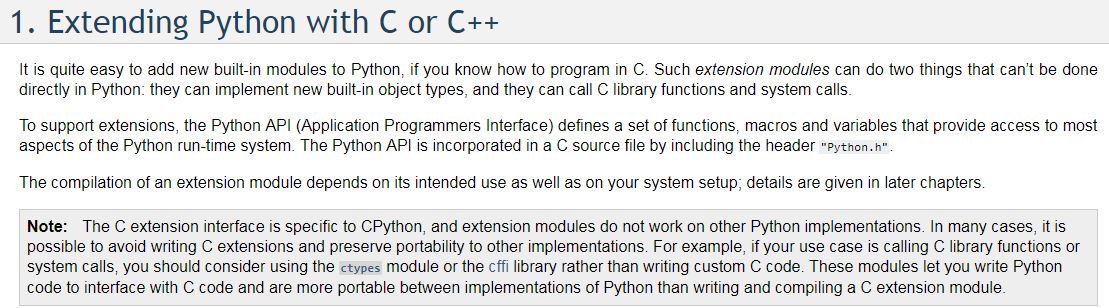
  • "Other Python implementations."

    modules lopy python
    2
    1
    0 Votes
    2 Posts
    589 Views
    J
    @stefan85e MicroPython - as used on the Pycom boards - would count as a different implementation from CPython
  • Higher power consumption on Lopy4

    lopy4 consumption usb regulator
    3
    0 Votes
    3 Posts
    936 Views
    T
    @jcaron Yeah pretty sure it's in deep sleep at that moment. This +50mA is constant in deepsleep but also in normal state. So for example it draws 160-170mA instead of 110-120mA on the other LoPy with the same configuration and program. And in sleep it consumes 50mA while the other one around 0.215mA. It might be a simple mismanipulation but it's still strange that it's exactly 50mA. On the next prototype I will try to check the consumption before seding it as a test just to be sure.
  • Connecting to TTN via LoRaWAN AU915

    lopy australia au915
    3
    0 Votes
    3 Posts
    905 Views
    philwilkinsonP
    thanks @tuftec your code works great! @jmarcelino I still would like Pycom to advise if they have a preferred approach for the LoPy to (restrict) the frequency channels in AU915 region? thanks, Phil
  • Pybytes registration with Lora OTAA

    pybytes
    3
    0 Votes
    3 Posts
    992 Views
    A
    Thank you for your comments. I was able to get it work w/o error, but since OTAA connection is more complex I tried to use ABP, but I am facing another issue I believe with 3d parameter for ABP. I could not define it in config.py correctly. configuration defined to use first lora_abp first server': 'mqtt.pybytes.pycom.io', 'network_preferences': ["lora_abp","wifi"], ABP defined as: abp': { 'nwk_skey': 'xxx', 'app_skey': 'xxx', 'dev_addr': 'xxxxxx' } getting an error message for 3d parameter Using configuration config.py file from /flash folder WMAC: 30aea4785f7c Firmware: 1.17.5.b2 Traceback (most recent call last): File "_main.py", line 95, in <module> File "/flash/lib/pybytes.py", line 30, in connect_lora_abp TypeError: function takes 3 positional arguments but 2 were given MicroPython v1.8.6-849-b9d53b40 on 2018-05-03; LoPy4 with ESP32

  • Adafruit connection OSError: -1

    lopy adafruit oserror -1
    1
    1
    0 Votes
    1 Posts
    484 Views
    No one has replied
  • This topic is deleted!

    1
    0 Votes
    1 Posts
    2 Views
    No one has replied
  • Errors using _thread, why?

    lopy thread
    4
    2
    0 Votes
    4 Posts
    1k Views
    Z
    @jmarcelino https://forum.pycom.io/topic/2431/lopy-with-pytrack-how-connect-use-gps The same thing happens to me, but indicating another error that already happened to me with the first Lopy. Right now they are other Lopy but theoretically updated with the software: [image: 1525354381246-captura-de-pantalla-2018-05-03-15.32.33-resized.png] But now I get this error: [image: 1525354487444-captura-de-pantalla-2018-05-03-15.34.38.png] I have tried all the ways I've seen of how to update the Lopy board or the expansion Board 2.0. If I try to update the expansion board as I did in its day, it does not detect it anymore: [image: 1525354677371-39b2c6d3-3f17-438f-8d3b-e419a0dc5c88-image-resized.png] Captura de pantalla 2018-05-03 15.37.08 and if I do the lopy update for the official software it says 'done' but it still does not work ... Does anyone know what's going on? [image: 1525356197626-captura-de-pantalla-2018-05-03-15.42.03-resized.png] [image: 1525356215594-captura-de-pantalla-2018-05-03-16.02.42.png] Another curious fact is that I put the program file main.py or boot.py with the program that I have set does not work. but sometimes that other without jumping the error that I just porner up sometimes runs it well from Atom ...? I sincerely believe I have tried all the ways to update the Lopy and supposedly the expansion board is updated. Therefore, I do not know what is failing. If someone can tell me what would be the process of update contract both the expansion board and the Lopy on Mac or Windows I do not care. But to verify that it can happen. regards.
  • 0 Votes
    5 Posts
    1k Views
    K
    @timh I kind of get what you're going for, but the issue is mostly that when attempting to use any sort of debouncing with multiple buttons (each button with their own callback), the first button pressed is the only button that the callback will run for until the device is reset (even though the device detects the other button is push as confirmed through looking at the pin value). So if I understand you correctly, I could simply provide arguments for each pin's callback function to identify which one was activated. That would work, but when the callback won't even go through for any button other than the first one pressed, that doesn't really work. I just worked around it and made a function to detect sequential long presses. Since I have 3 different status codes, I made it as such 1 long press sends status code 1 2 long presses sends status code 2 3 long presses sends status code 3 A user is notified of what press they are on based on the LED colors, and 3 green blinks represents that the status/data has been sent.
  • LoPy stops working after a few seconds

    lopy boot mode bricked
    9
    0 Votes
    9 Posts
    2k Views
    robert-hhR
    @chriseb Which firmware version are you using? The latest release 1.17.3.b1 seems pretty stable.
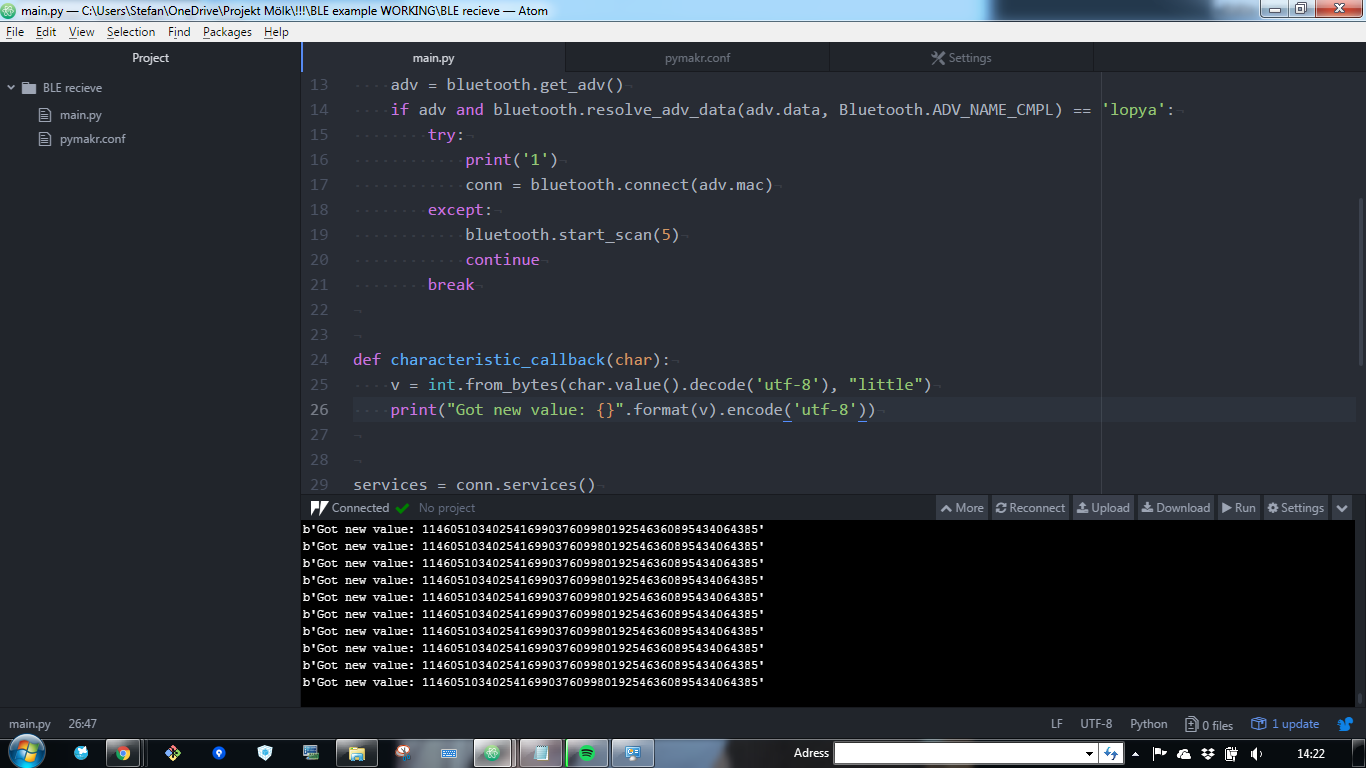
  • Setting value? Sending bytes?

    lopy ble send data ble lopy ble connect ble
    1
    2
    0 Votes
    1 Posts
    471 Views
    No one has replied
  • Activation Lopy with TTN network using OTAA method

    lopy otaa
    15
    0 Votes
    15 Posts
    3k Views
    A
    @oorrab in application log I can see channels actually keep changing starting from 9039...
  • 0 Votes
    2 Posts
    713 Views
    J
    Hi @asavvin Other than 3.3V and GND there aren't any fixed set of pins for that, it's whatever the code you use expects. For example in my case I used these RST = Pin('P19') DC = Pin('P20') BUSY = Pin('P18') CS = Pin('P4') CLK = Pin('P21') DIN = Pin('P22') But you'll need to use whatever your code is set to.
  • deep sleep lopy pysense

    lopy deepsleep pysense pymakr
    4
    0 Votes
    4 Posts
    1k Views
    H
    @jmarcelino I use a Lopy direct on the KPN LoRa network. What should it be in place of this part of code?

Pycom on Twitter