• 0 Votes
    11 Posts
    2k Views
    S
    @PaulM You might want to look into firmware version 1.19. At the moment it is still in beta, but it adds the option to use LittleFS instead of FAT as the primary filesystem of the internal flash. This prevents data corruption even in the case of power loss during write operations.
  • Raw LoRa questions

    FiPy fipy lora
    16
    1 Votes
    16 Posts
    2k Views
    J
    Hello everyone, a question regarding this issue, I would like to know if someone has tried to connect a Lopy with raw Lora to a Multitech Conduit gateway as it comes from the factory or would they not be compatible?
  • FiPy Crashing on boot.

    FiPy fipy crash core dump coredump
    12
    0 Votes
    12 Posts
    1k Views
    S
    It seems that the FTDI chip I was using started to brown out. I switched to external power with a DC supply and everything is back to normal. I should've tried that first. I didn't even think of it since for the first couple of weeks the FTDI chip had no issues supplying sufficient power. Regardless, thank you very much for your help @robert-hh
  • 1 of 5 FiPys connect to NB-LTE

    FiPy fipy signal missing attach nb-iot
    4
    0 Votes
    4 Posts
    1k Views
    C
    After >18 hours of connecting the last device finally started working with the network. I have no idea what happened, because I made no changes to anything. The only thing I can say is that the commands I have in the first post should be enough and be patient with it as it can take >24 hours to find signal and connect.
  • FiPy/Pyscan problem

    FiPy fipy pyscan rfid
    5
    0 Votes
    5 Posts
    801 Views
    danD
    Hi @soulsurfer, Thanks for noticing! I'll let the team know. We're using the .mpy version to save memory, so your project can take up more space. May I ask what are you missing from the documentation?
  • FiPy connects COM forever and

    Issues & Bugs fipy problem com port
    6
    0 Votes
    6 Posts
    962 Views
    robert-hhR
    @szyba91 P12 can be pulled up directly. But using a resistor is also OK. 4.7K is a good choice. CTRL-F is to be pushed in the Terminal window, where you expect the REPL prompt. it will be caught the the serial interrupt handler.
  • RTC initialisation

    Getting Started rtc lopy4 fipy deep sleep
    4
    0 Votes
    4 Posts
    880 Views
    E
    @tuftec In fact, lorawan callback in the network operator that i have used (objenious and orange) doesn't allow dynamic downlink data setup via callback service. I have to prepare the downlink data and when (even several hours/day later) the device send an uplink message the downlink data is send to the device. So, if you know the periodicity of your uplink frame you can predict the time to send to your device on his next uplink frame and set your operator downlink frame in advance. With Sigfox, when the device send an uplink frame with download request bit (by device choice) set, there 2 choices -default call back method can send back to the device network time and some static data -you have 20 secondes to send back from your device (from your own callback service) some data and time. With NB-IOT , network time availability is not mandatory so it depend of your network provider.
  • Output pin control during deep sleep

    Getting Started lopy4 fipy ulp deepsleep
    1
    0 Votes
    1 Posts
    430 Views
    No one has replied
  • 0 Votes
    2 Posts
    857 Views
    danD
    Hi @sh4nnongoh, Please check this post for updates about the modem upgrades. Hope this helps!
  • 0 Votes
    4 Posts
    910 Views
    danD
    Hi @joseph, No, not yet. I have spent a few days on it, but no progress. I keep getting Connection refused when trying to connect, so something must be wrong with my server code. Have you tried connecting it to a different device (e.g your computer)?
  • SD Import Issue on FiPy

    Firmware fipy
    2
    0 Votes
    2 Posts
    403 Views
    robert-hhR
    @marike Sometimes you have to do a hard reset with the SD card inserted to deztect the card. Also not all card brands and sizes work. And finally especially Windows does not format a clean FAT layout with a single partition.
  • 0 Votes
    4 Posts
    1k Views
    S
    @archana-kadam Just add micropyGPS.py to your project folder and add import micropyGPS to main.py. If you have trouble uploading the file you should read the documentation.
  • Azure IOT hub Pycom

    LoPy azure sipy lopy fipy
    7
    0 Votes
    7 Posts
    2k Views
    C
    What is the interest level in an MP implementation? There are many things to be taken care of besides just the Hub connection (DPS, Twin, etc).
  • 1 Kilometer Wifi range on the FiPy

    FiPy wifi range fipy 1kilometer
    7
    0 Votes
    7 Posts
    2k Views
    C
    @stefan-1212 said in 1 Kilometer Wifi range on the FiPy: After that I also implemented the lr (long range) WiFi protocol supported by the ESP32 in the FiPy firmware What changes did you make?
  • NB-IoT firmware update bricks device

    GPy nb-iot firmware gpy fipy bricked
    3
    0 Votes
    3 Posts
    701 Views
    E
    @xykon I did that more than a week ago, but didn't get a response (PYCSD-271). I figured my chances would be better on the forum, and it turns out they are ;) . You are welcome to help me here or via the support portal, I have no preference in that respect.
  • 0 Votes
    15 Posts
    2k Views
    robert-hhR
    @archana-kadam I looke dagain at you request. What I cannot understand is, why you do not simple set the respberry Pi to 115200 baud. Besides that, you can free UART0 from the REPL and reconfigure it to any speed you like, e.g. for 9600 baud: import uos from machine import UART uos.dupterm(None) uart0 = UART(0, 9600) Be aware, that after the "uos.dupterm(None)", the REPL and print etc. is on telnet only.
  • FiPy import restriction in India

    Discussion fipy india
    2
    0 Votes
    2 Posts
    491 Views
    X
    @ananda I suggest you check out https://pycom.io/where-to-buy/ and/or contact sales@pycom.io
  • Sequans Monarch SQN3330 upgrade via updater tool ?

    FiPy fipy modem upgrade
    2
    0 Votes
    2 Posts
    684 Views
    X
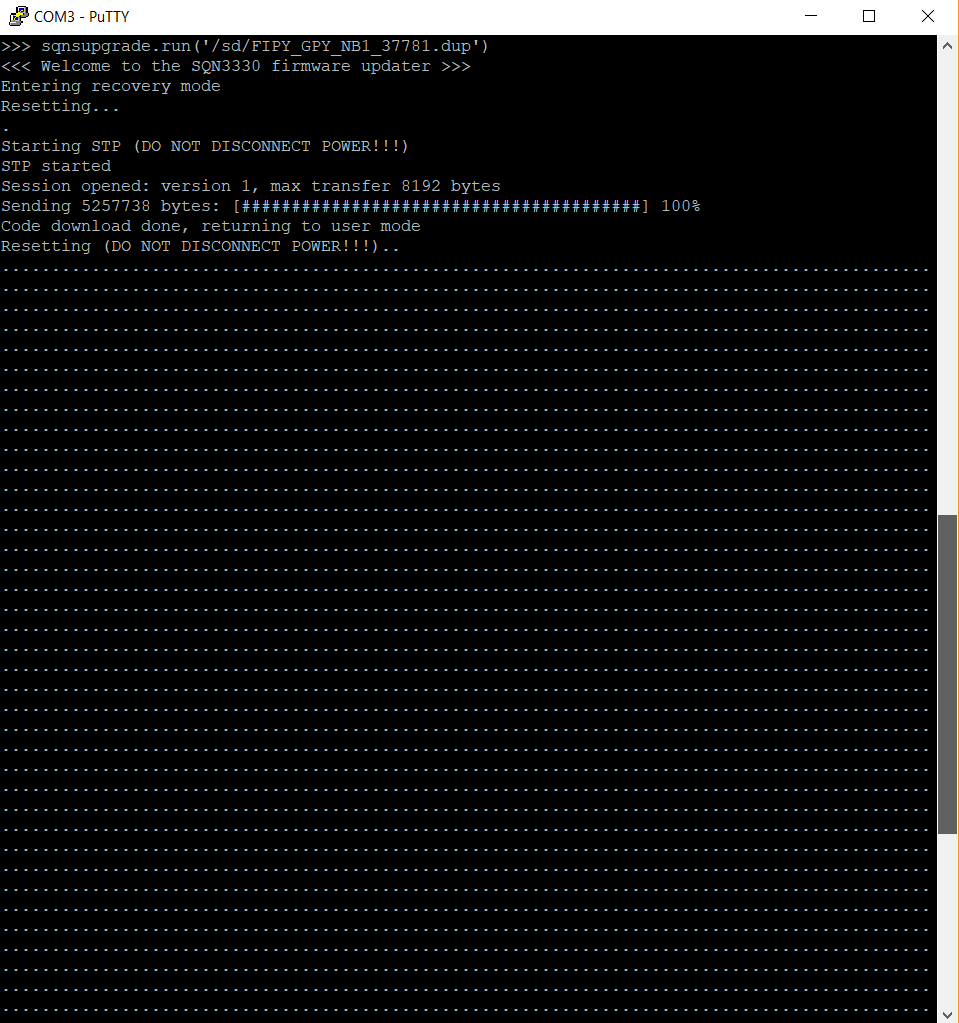
    @pmst It's not yet possible through the firmware updater tool but if you have Python3 + PySerial on your PC you can update through serial. See https://github.com/pycom/pycom-libraries/tree/master/lib/sqnsupgrade for more details. Let me know if you have any issues.
  • NB-IoT limitations with Huawei base station.

    GPy gpy fipy nb-iot huawei
    2
    3 Votes
    2 Posts
    731 Views
    le_wildfoxL
    Hi! "Full support for Huawei is planned for early Q2 2018" --> is there any update for this? Is it now supported? Thanks!
  • 0 Votes
    7 Posts
    1k Views
    A
    @rskoniec Hi, Only one of my Gateways out of two accepted join request, but still on the terminal I got the message as not yet joined. I saw the device eui displayes in Gateway join request message is APP eui which was false. I included device eui also in my code(Also I cant be very sure if it is what got my device to join but it worked for me). By the way I used sample code available on pycom docs for LoRaWAN OTAA. # create an OTAA authentication parameters device_eui = binascii.unhexlify('FFFFFFFFFFFFFFFFF') app_eui = binascii.unhexlify('FFFFFFFFFFFFFFFFF') app_key = binascii.unhexlify('FFFFFFFFFFFFFFFFF') # join a network using OTAA (Over the Air Activation) lora.join(activation=LoRa.OTAA, auth=(device_eui, app_eui, app_key), timeout=0) # wait until the module has joined the network while not lora.has_joined(): time.sleep(2.5) print('Not yet joined...') # create a LoRa socket s = socket.socket(socket.AF_LORA, socket.SOCK_RAW) # set the LoRaWAN data rate s.setsockopt(socket.SOL_LORA, socket.SO_DR, 5) # make the socket blocking # (waits for the data to be sent and for the 2 receive windows to expire) s.setblocking(True)