• 0 Votes
    3 Posts
    73 Views
    robert-hhR
    @Julia-Steiwer As you should have noticed, Pycom Inc ceased it's operation, and there is no service any more for Pycom products, be it hardware or software like Pymakr. The latter should still work with the older VSCode versions. So if you want to use PyMakr, you have to stick with an working combo of an older VSCode version and PyMakr.

  • 0 Votes
    10 Posts
    83 Views
    G
    @Jakob-Rosenberg-0 Good news. Given the content of the EOL announcement email sent out recently, specifically the focus on the platform as a service I did begin to wonder whether the Pymakr plugin would continue to be maintained. I really hope it is. I have no desire to switch to using Pybytes whatsoever.
  • 2 Votes
    1 Posts
    133 Views
    No one has replied
  • Bulk programming

    Software Tools pymakr other
    3
    0 Votes
    3 Posts
    75 Views
    R
    You can try this technology https://itmaster-soft.com/en/angular-development-services
  • Pymakr install failing in Atom on MacOS

    Pymakr pymakr installation atom macos
    5
    0 Votes
    5 Posts
    81 Views
    P
    @ahmadelmasri I solved this with a tip from the README. Python version was incompatible.
  • 0 Votes
    2 Posts
    65 Views
    C
    @nervencid said in Pymakr and VSCode 'sync_all_file_types' Configuration flag: Hello to all: I'm using VSCode with PyMakr, for upload NO .py files to flash memory, the folders are created fine However the files (extension .pem) are not uploaded. I find the 'sync_file_types' flag into 'settings.mddordle' file and i set it in true but doesn't have any effect (how can i setup this on VSCode?). In atom i switch this option to true in options panel and the files seems to be uploaded to the board properly. Can PyMakr extension of The VSCode work like atom one? Thank you and sorry for the English Where do I configure this in VSCode? I found the'sync file types' value in the'settings.md' file and set it to true, but nothing changed. After setting this preference to true in Atom's settings window, the files were successfully uploaded. Is the VSCode PyMakr add-on compatible with atom?
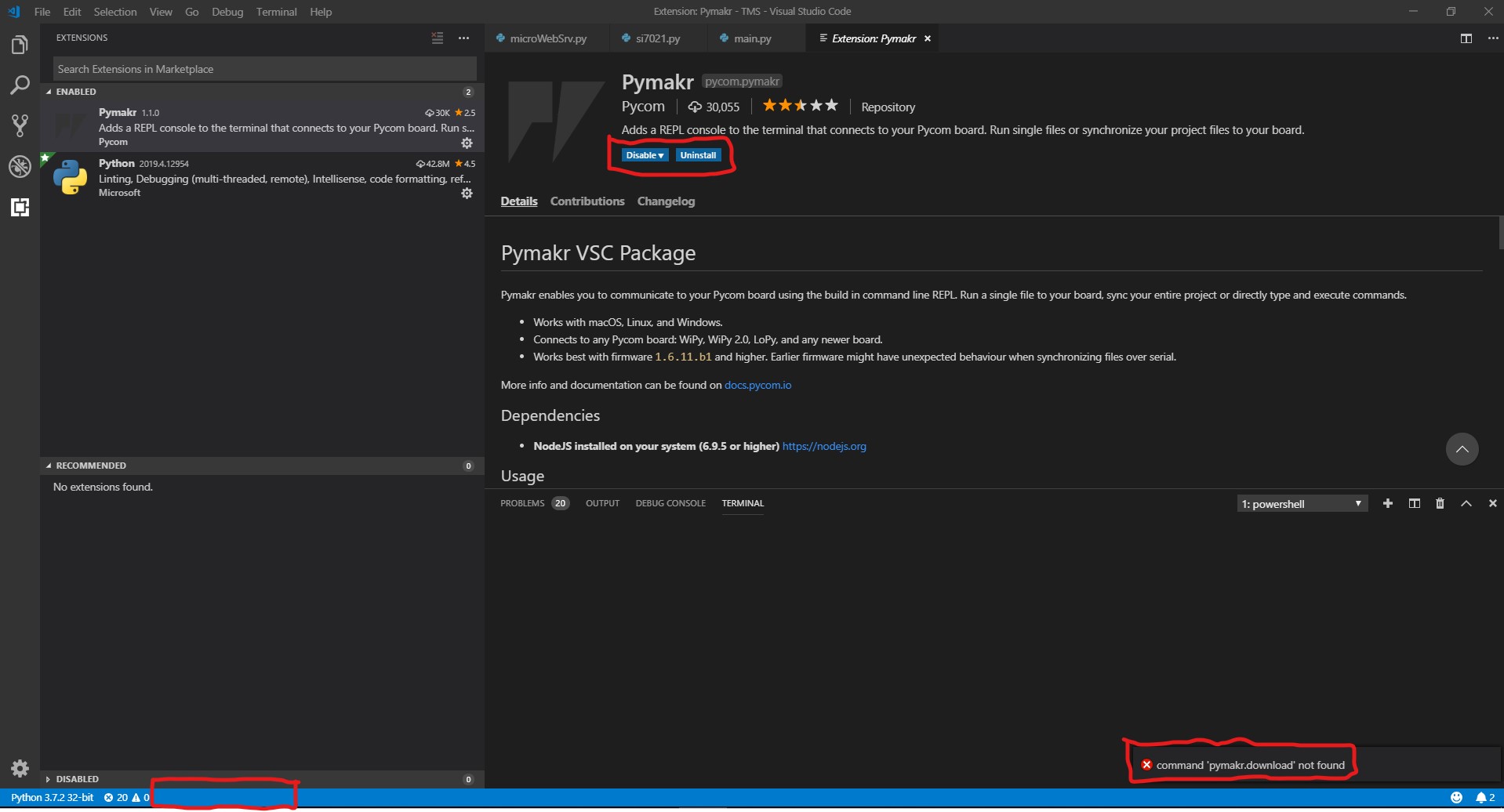
  • Pymakr 1.1.0 Visual Studio Code issue

    Pymakr pymakr issue
    3
    0 Votes
    3 Posts
    318 Views
    M
    Solution from link that you send solved my issue. Thank you.
  • pymakr is gone

    Pymakr pymakr pycom pycom console vscode
    4
    1
    1 Votes
    4 Posts
    661 Views
    M
    It's worth mentioning that you should turn off "Extensions: Auto Update" or it'll automatically put 1.1.0 back! This is also probably why it suddenly happened in the first place. I had to to restart VS Code once I changed this setting too, as it still auto updated a couple of times for me, before I did. (Preferences > Settings > Features > Extension Viewlet > Auto Update (can also search for auto update to get to this)
  • 1 Votes
    11 Posts
    1k Views
    S
    Thanks for this information. It is useful
  • OSerror with rgbled

    Comments & Feedback oserror rgbled lopy pymakr
    3
    0 Votes
    3 Posts
    512 Views
    S
    import time time.sleep(2) import pycom pycom.heartbeat(False) print('main MAC1') print('LED test') print (0xffffff) pycom.rgbled(0x0) Try this code. This should run perfectly fine.
  • 0 Votes
    5 Posts
    820 Views
    S
    @smokeyspace No problem at all :)
  • Pymakr/VScode sync problems

    Software Tools pymakr bug
    13
    0 Votes
    13 Posts
    1k Views
    R
    @martinnn Found the issue with your firmware updater. If you would want to update to a dev version, you need to download the development version of the firmware updater (here). They will release it as stable soon, but not until then, use this dev version.
  • Pymakr not working with VSCode 1.31

    Software Tools pymakr bug
    7
    0 Votes
    7 Posts
    728 Views
    R
    @jpaul Good to hear. Our tutorials don't cover auto-connect very well yet, we'll work on that!
  • VS Code COM port setting ignored

    Software Tools bug pymakr
    11
    0 Votes
    11 Posts
    1k Views
    C
    I also could not connect to my board and solved the problem as follows: If your PC has Bluetooth, have you ever tried to turn off Bluetooth? On my PC, Bluetooth uses COM3. Pymark always tried to connect to COM3. After I turned off Bluetooth, I was able to connect to my Pycom board without any problems. Once a connection to the board has been established, the board can also reconnect successfully with Bluetooth turned on. I hope this information helps. (: In my case COM3 is used by Bluetooth and Pymark tries to connect to COM3. [image: 1630835630712-85fee3ed-fbf7-4c3a-aafa-7c2e4310b551-image.png] In this menu you can disable Bluetooth [image: 1630835590640-a2ac2595-41ee-4d30-98cf-a1336265b5ab-image.png] Connection to the board has been established successfully: [image: 1630835997595-72640caf-babc-4421-aa13-34d4d1ce8800-image.png]
  • 0 Votes
    3 Posts
    386 Views
    robert-hhR
    @nervencid You can use any name for your scripts. Only boot.py and main.py are executed as part of the boot process. If you want to run your script then, you have to add a statement like: import myscript e.g. to main.py. You should be able to stop your script with Ctr-C from the console, unless you disable that in your code. To isolate the problems, try running your code with a simple terminal like Putty. Note: You can change the name of the file which is run instead of main.py with machine.main(). The only useful place for that command is in boot.py.
  • Problems with Pymakr in VS code

    Software Tools pymakr other bug
    9
    0 Votes
    9 Posts
    1k Views
    R
    @nervencid With autoconnect to false, it indeed tries to connect to the address 192.168.4.1, so the output you posted is as expected. To connect you can either: connect to the devices wifi and klik connect again, or: change the auto_connect setting to true, or: set the address setting to the correct comport (you can find it using the 'list serialports' command)
  • 1 Votes
    7 Posts
    1k Views
    R
    @protean Pymakr is indeed using the zlib.decompress() micropython function for this feature. Normal upload also still works of course, but this way is faster for large files. Let me give you some pointers on how to code it: The zlib function on the micropython side is documented here. Pymakr is compressing the files before uploading (here using this python file), writing the compressed file to the board with os.write() like always, and then decompressing them right after that (here). It'll definitely make uploading bigger files faster. Just realise that for files under 4k, it's actually slower because the overhead of compressing/decompressing is bigger than the savings of compressing the file.
  • PyTrack not working with Processing

    Getting Started pymakr pytrack error
    3
    1
    0 Votes
    3 Posts
    425 Views
    W
    @paul-thornton Ok thanks for the reply!
  • What's with Atom pymakr & library files?

    Software Tools pymakr bug
    2
    0 Votes
    2 Posts
    573 Views
    P
    when you click run just the single file your editing it sent to the board its literally as if you typed each line into the Repl. this is fine if its just your main.py script. but when libs need updating they dont get sent as you have discovered. The reason for the reset being required is to force micropython to reload its previously loaded and cached copies of libraries There are work arounds for hot reloading code, but its way easier to just reset the board during development